Data visualization

Rémi Mahmoud

remi.mahmoud@agrocampus-ouest.fr
https://data-visualisation-lesson.netlify.app/

Foreword

Before we start to dig in

  • For a sake of (potential) future reuse in another context, the slides are in english

  • May contain mistakes \(\Rightarrow\) Feel free to notice them to me !

  • How I work

  • What you are allowed to do

  • What you are NOT allowed to do

  • Practical modalities

What I expect from you

Attention

Thinking

Participation

What this lesson is (not) about

What we will tackle

  • Concept \(\rightarrow\) data \(\rightarrow\) visualization
  • Visualization, why / what (for) / how (not) ?
  • What to avoid ? What to look for ?
  • (Visualization how, technically speaking ?)

What we will NOT tackle

  • A ggplot2/plotly tutorial (JLM will handle this)
  • A Chat-GPT tutorial

Main references (my holy bibles for this lesson)
Other references

Introduction

“Data visualization is part art and part science. The challenge is to get the art right without getting the science wrong and vice versa.”, Claus Wilke Fundamentals of data visualisation

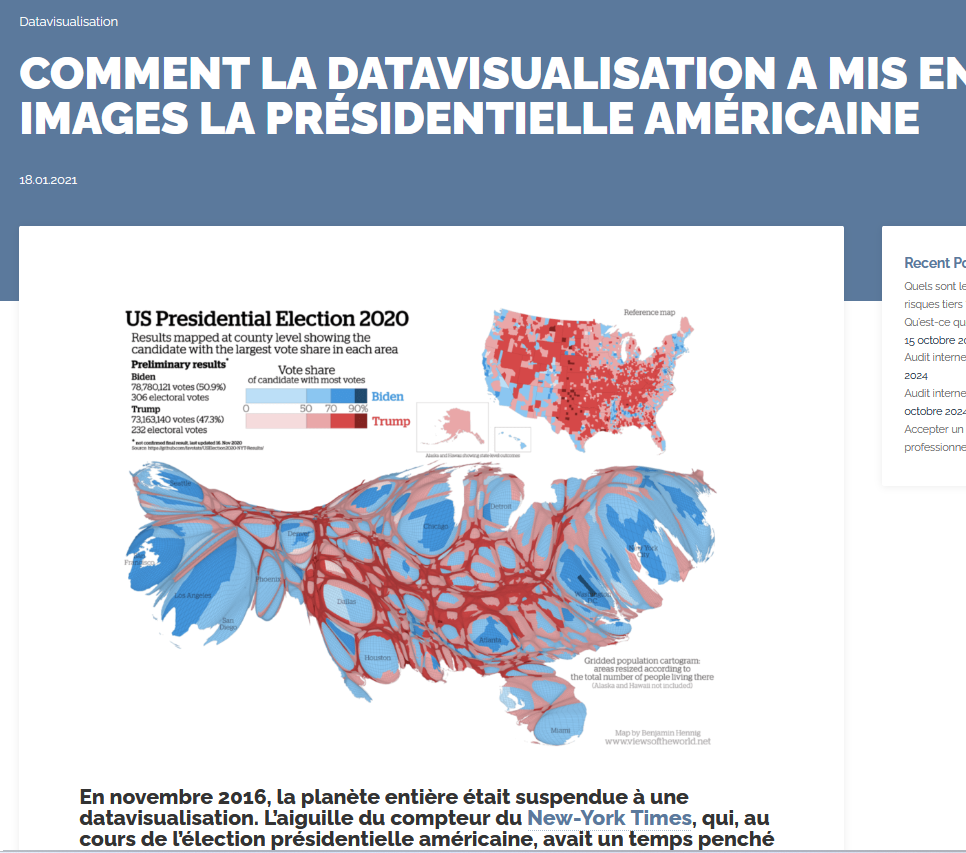
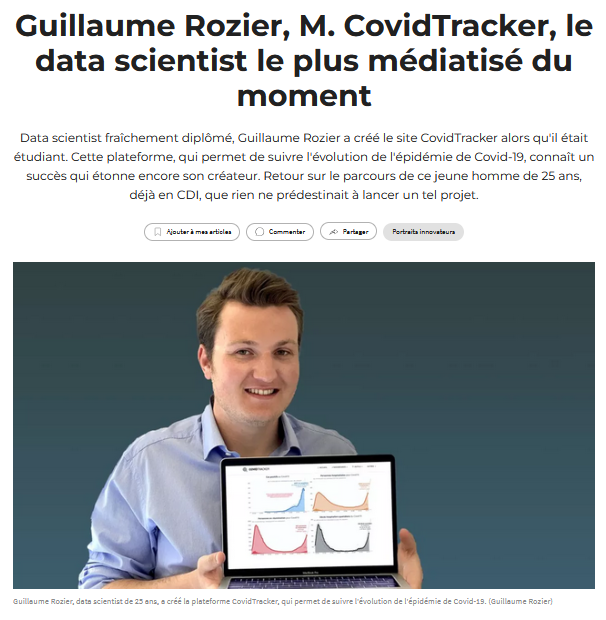
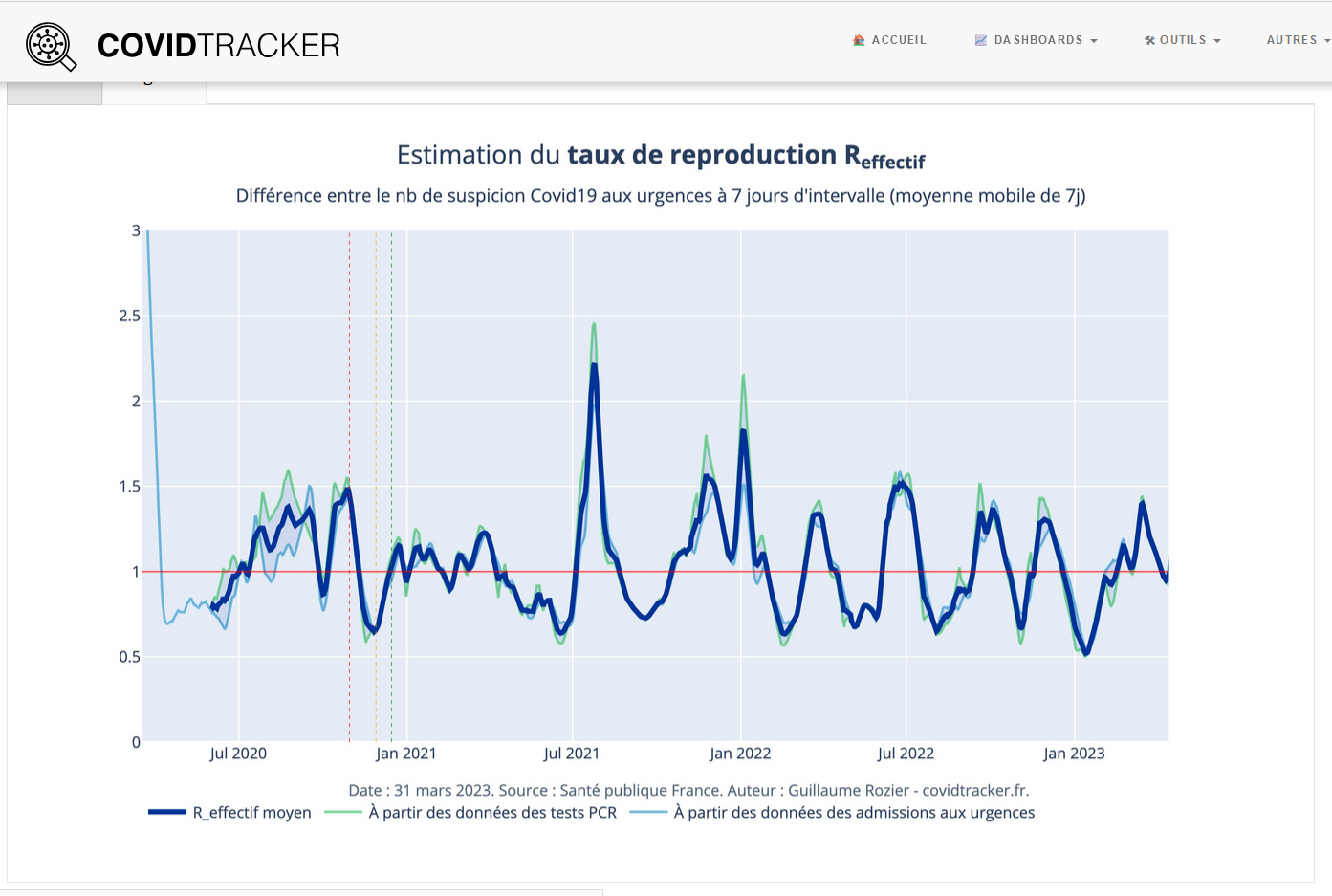
Data viz is everywhere (1/2)

Data viz is everywhere (2/2)

A first take-home message

Data visualization is one of the most visible aspects of statistics in the public sphere, making it an essential skill to master.

A visual masterclass (at the time) by Charles Joseph Minard.

“It may well be the best statistical graphic ever drawn” (E. Tufte, the visual display of quantitative information).
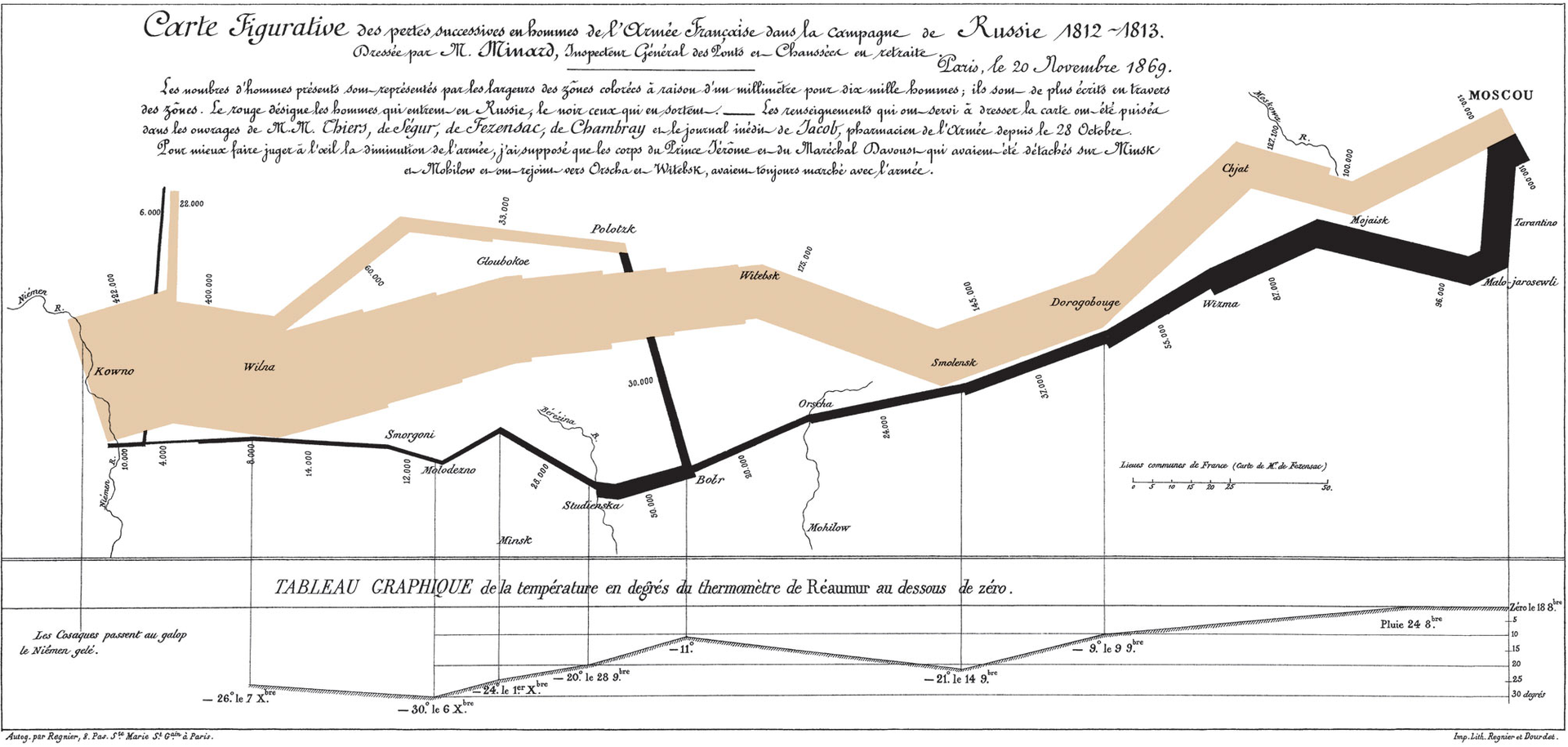
Par Charles Minard (1781–1870) — Domaine public, https://commons.wikimedia.org/w/index.php?curid=297925

What do YOU think ?

Some definitions

  • Data and information visualization (data viz) is the practice of designing and creating easy-to-communicate and easy-to-understand graphic or visual representations of a large amount of complex quantitative and qualitative data and information with the help of static, dynamic or interactive visual items (Wiki).

  • An idiom: a distinct approach to creating and manipulating visual representations (bar charts, histograms, scatterplots etc.)
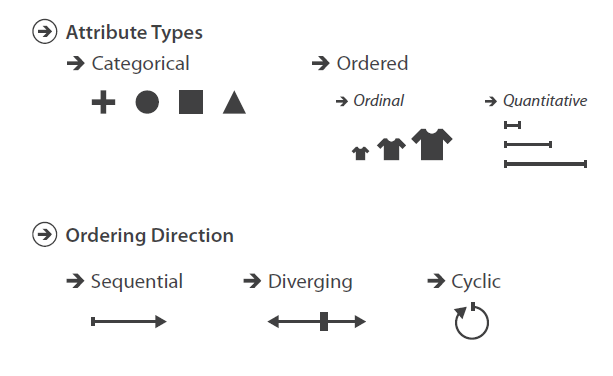
  • Data type: structural or mathematical interpretation of the data. Categorical ? Ordered ? Quantitative ?

Some examples for each data type ?

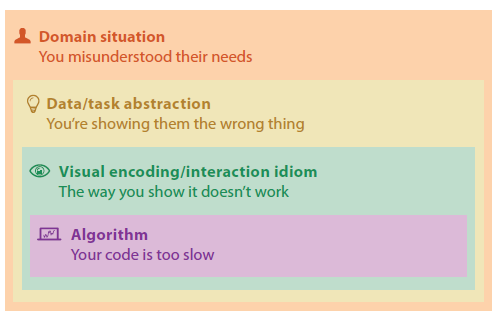
A nested model

  • domain situation
    • who are the target users?

Visualization Analysis and Design. Tamara Munzner, with illustrations by Eamonn Maguire. A K Peters Visualization Series, CRC Press, 2014.
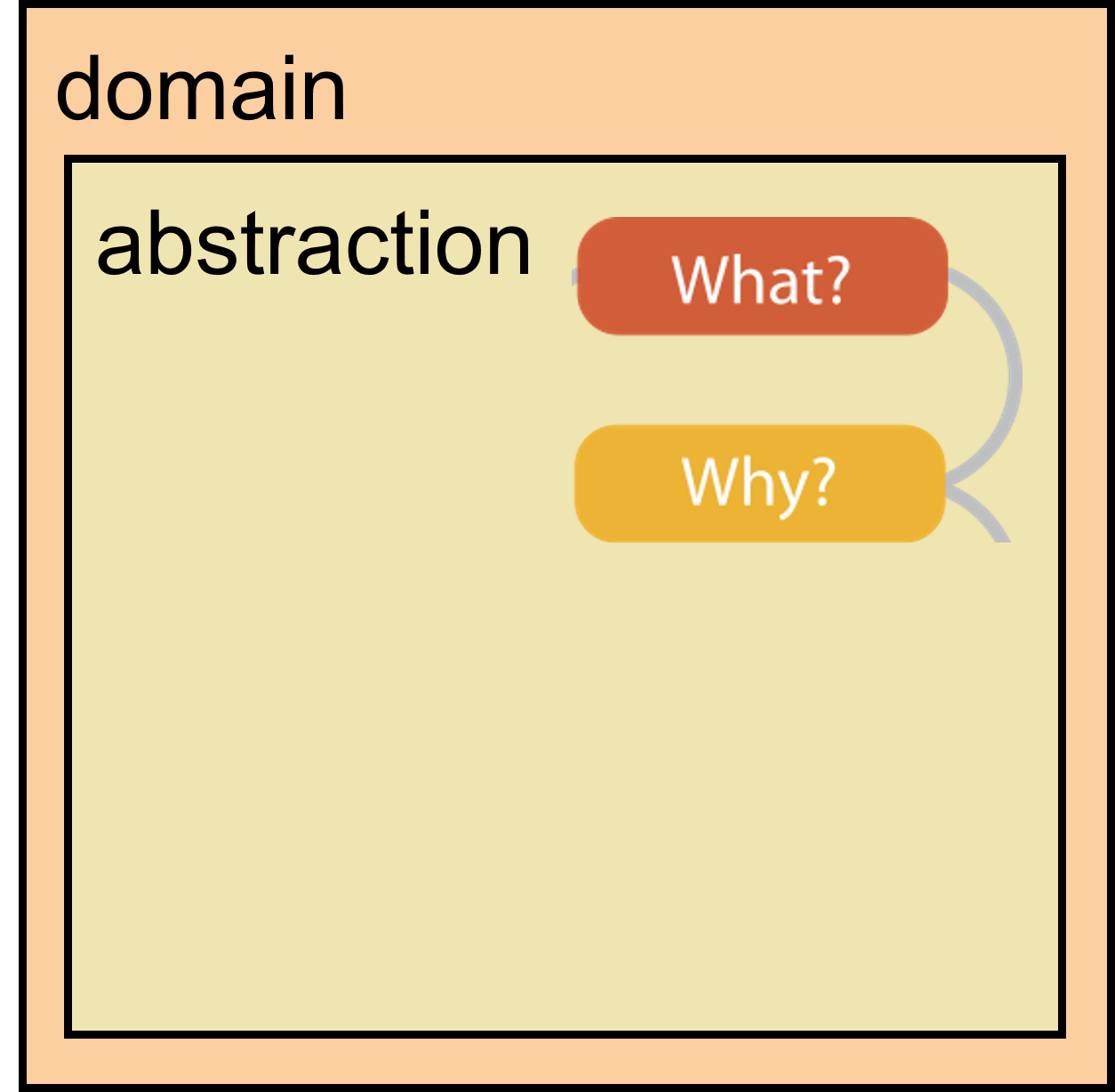
A nested model

  • domain situation
    • who are the target users?
  • abstraction
    • translate from specifics of domain to vocabulary of vis
    • what is shown? data abstraction
    • why is the user looking at it? task abstraction

Visualization Analysis and Design. Tamara Munzner, with illustrations by Eamonn Maguire. A K Peters Visualization Series, CRC Press, 2014.
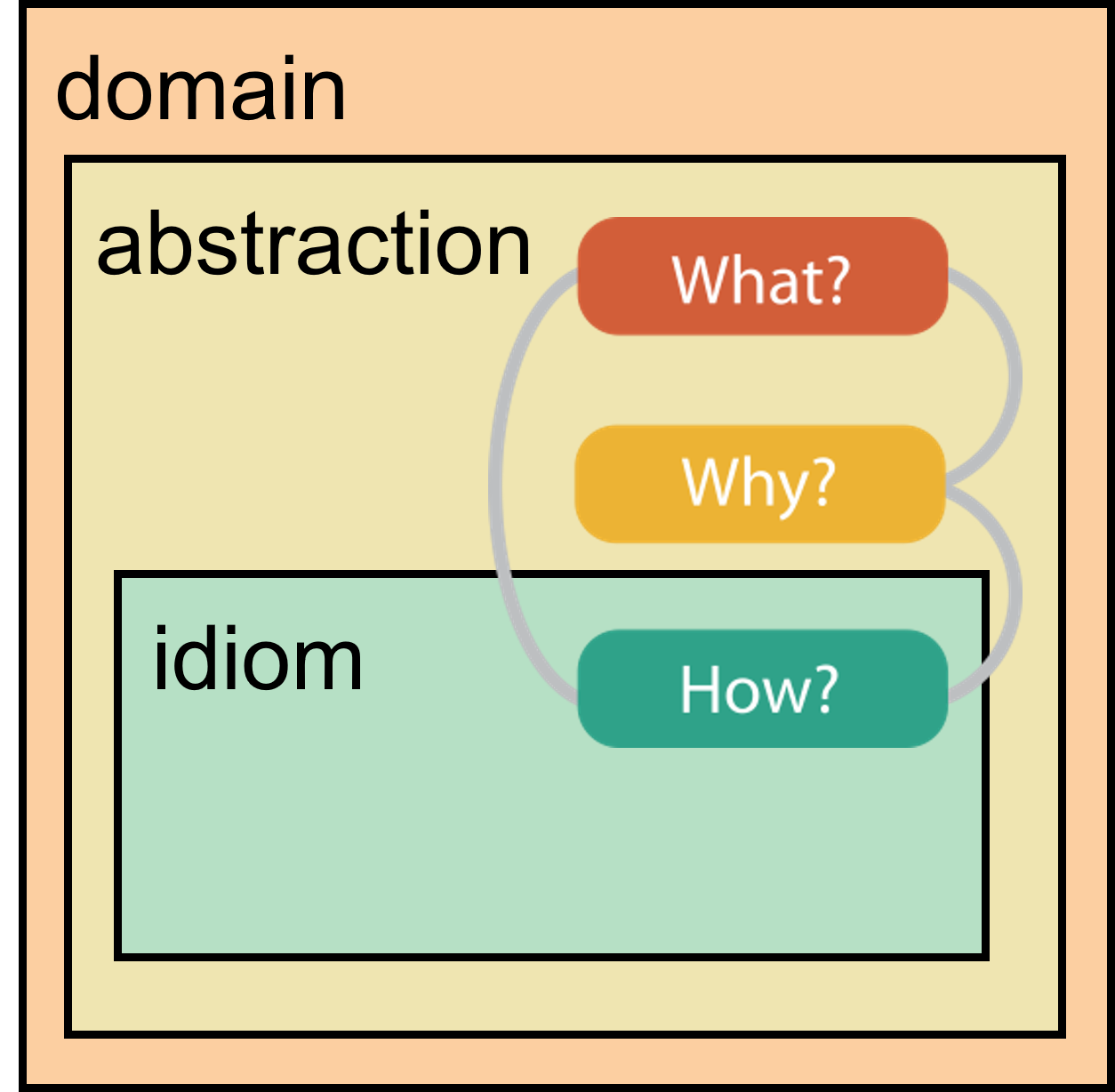
A nested model

  • domain situation
    • who are the target users?
  • abstraction
    • translate from specifics of domain to vocabulary of vis
    • what is shown? data abstraction
    • why is the user looking at it? task abstraction
  • idiom
    • how is it shown?

Visualization Analysis and Design. Tamara Munzner, with illustrations by Eamonn Maguire. A K Peters Visualization Series, CRC Press, 2014.
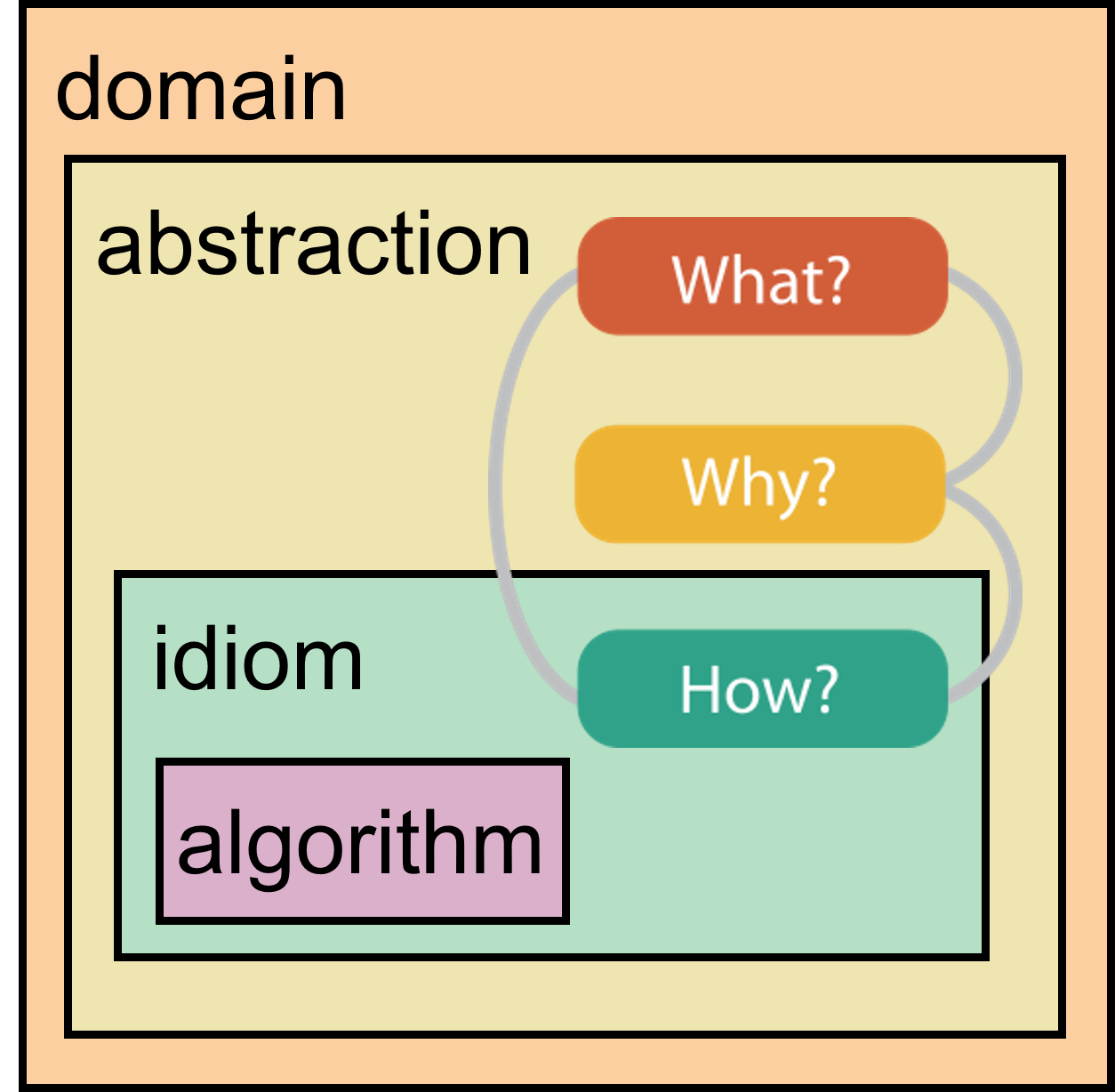
A nested model

  • domain situation
    • who are the target users?
  • abstraction
    • translate from specifics of domain to vocabulary of vis
    • what is shown? data abstraction
    • why is the user looking at it? task abstraction
  • idiom
    • how is it shown?
  • (algorithm)
    • efficient computation

Visualization Analysis and Design. Tamara Munzner, with illustrations by Eamonn Maguire. A K Peters Visualization Series, CRC Press, 2014.
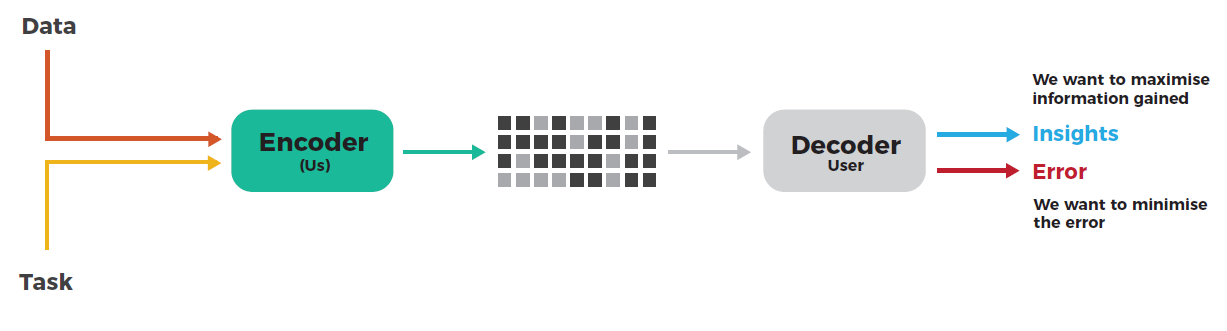
The main goal

Visualization Analysis and Design. Tamara Munzner, with illustrations by Eamonn Maguire. A K Peters Visualization Series, CRC Press, 2014.

Effective data visualization minimizes user error while maximizing the information conveyed.

  • Insights: use all the tools available and our knowledge about our visual perceptions to communicate

  • Minimize error: avoid misleading conclusions
Limitations you will have to face

Vis designers must take into account three very different kinds of resource limitations: those of computers, of humans, and of displays. Tamara Munzner, Visualization Analysis and Design.

3 resources limitations:

  1. computational limits
    • processing time
    • system memory
  2. human limits
    • human attention, cognition, and memory
  3. display limits
    • pixels are precious resource, the most constrained resource
    • information density: ratio of space used to encode info vs unused whitespace
    • tradeoff between clutter and wasting space, find sweet spot between dense and sparse

WHY

Visualization, why ?


What’s YOUR point of view ?

Viz is the key


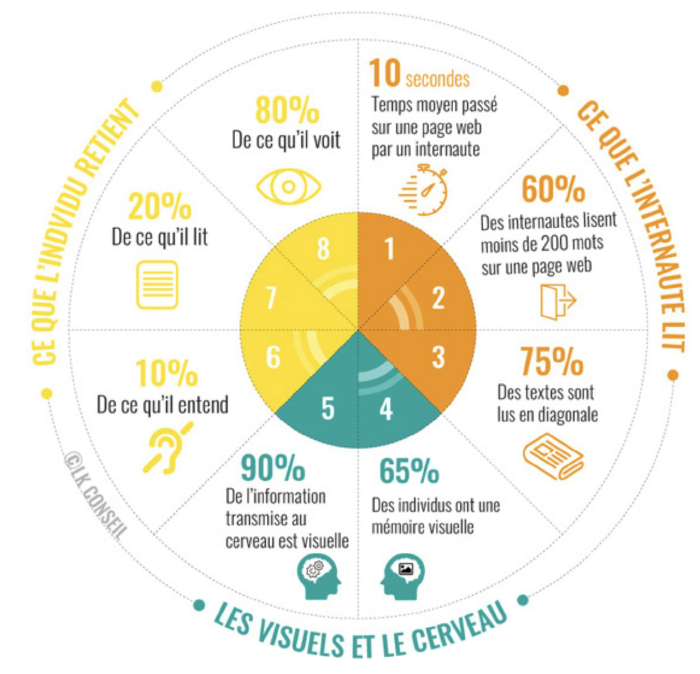
Data visualizations are what people REMEMBER.

  • It is part of your role to render nice visualizations as they may be what people will remember of your work.

  • Important part of the job of [anyone working with data]

  • May seem simple but lots of threats hinder good data viz !
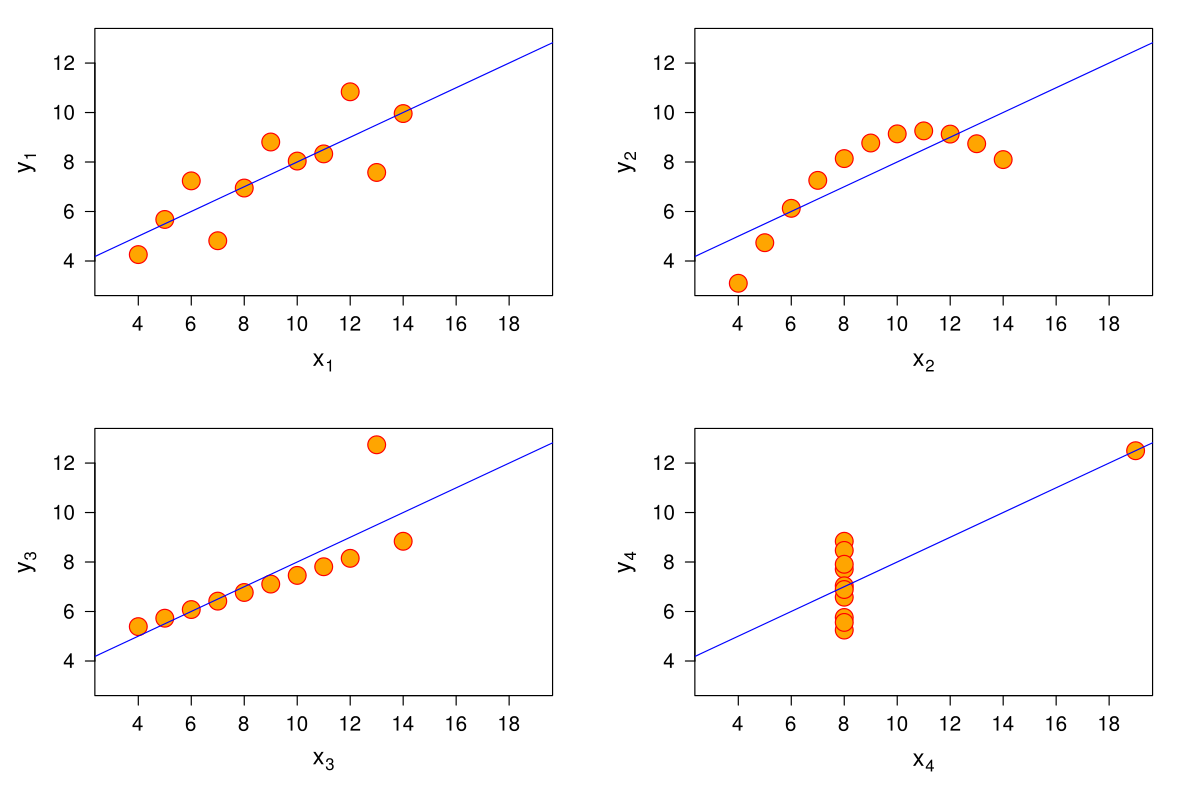
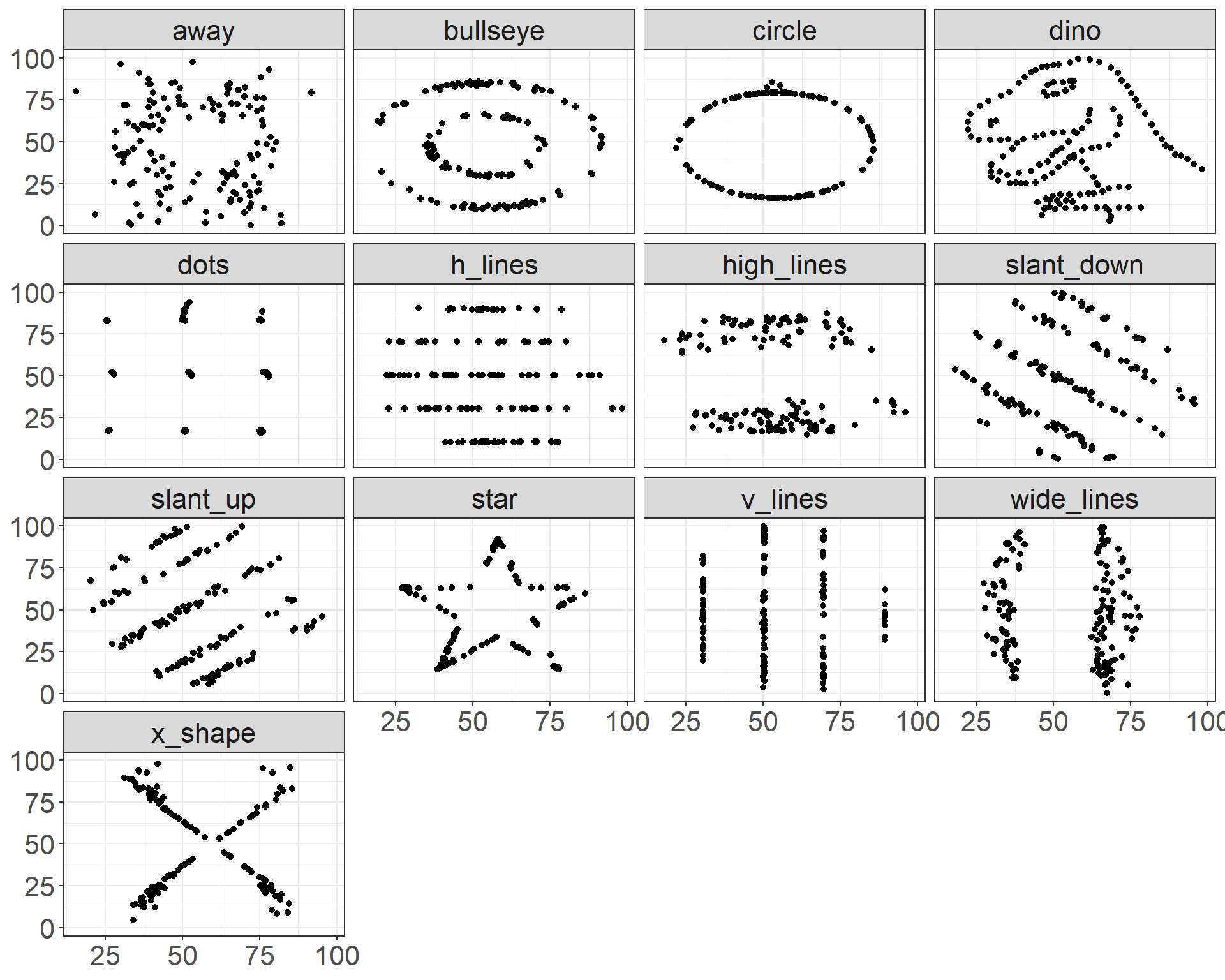
Visualization, why ?

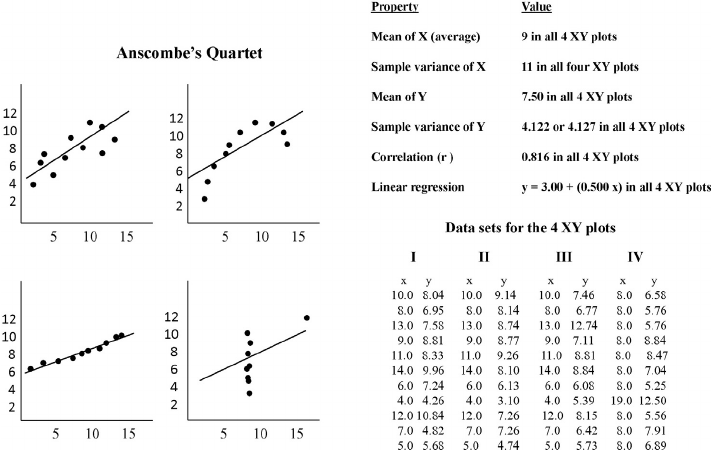
  • Common assets between these datasets ?

Anscombe Quartet, level up

Code
datasaurus_dozen %>% 
  summarise(mean_x = round(mean(x), 
                           digits =0),
            mean_y =round( mean(y),
                           digits =0),
            var_x = round(var(x),
                          digits =0),
            var_y = round(var(y), 
                          digits =0),
            cor_xy = round(cor(x,y),
                           digits =2),
            .by = dataset) %>% 
  kableExtra::kable() %>%
  kable_styling(font_size = 14)
dataset mean_x mean_y var_x var_y cor_xy
dino 54 48 281 726 -0.06
away 54 48 281 726 -0.06
h_lines 54 48 281 726 -0.06
v_lines 54 48 281 726 -0.07
x_shape 54 48 281 725 -0.07
star 54 48 281 725 -0.06
high_lines 54 48 281 726 -0.07
dots 54 48 281 725 -0.06
circle 54 48 281 725 -0.07
bullseye 54 48 281 726 -0.07
slant_up 54 48 281 726 -0.07
slant_down 54 48 281 726 -0.07
wide_lines 54 48 281 726 -0.07

Another example

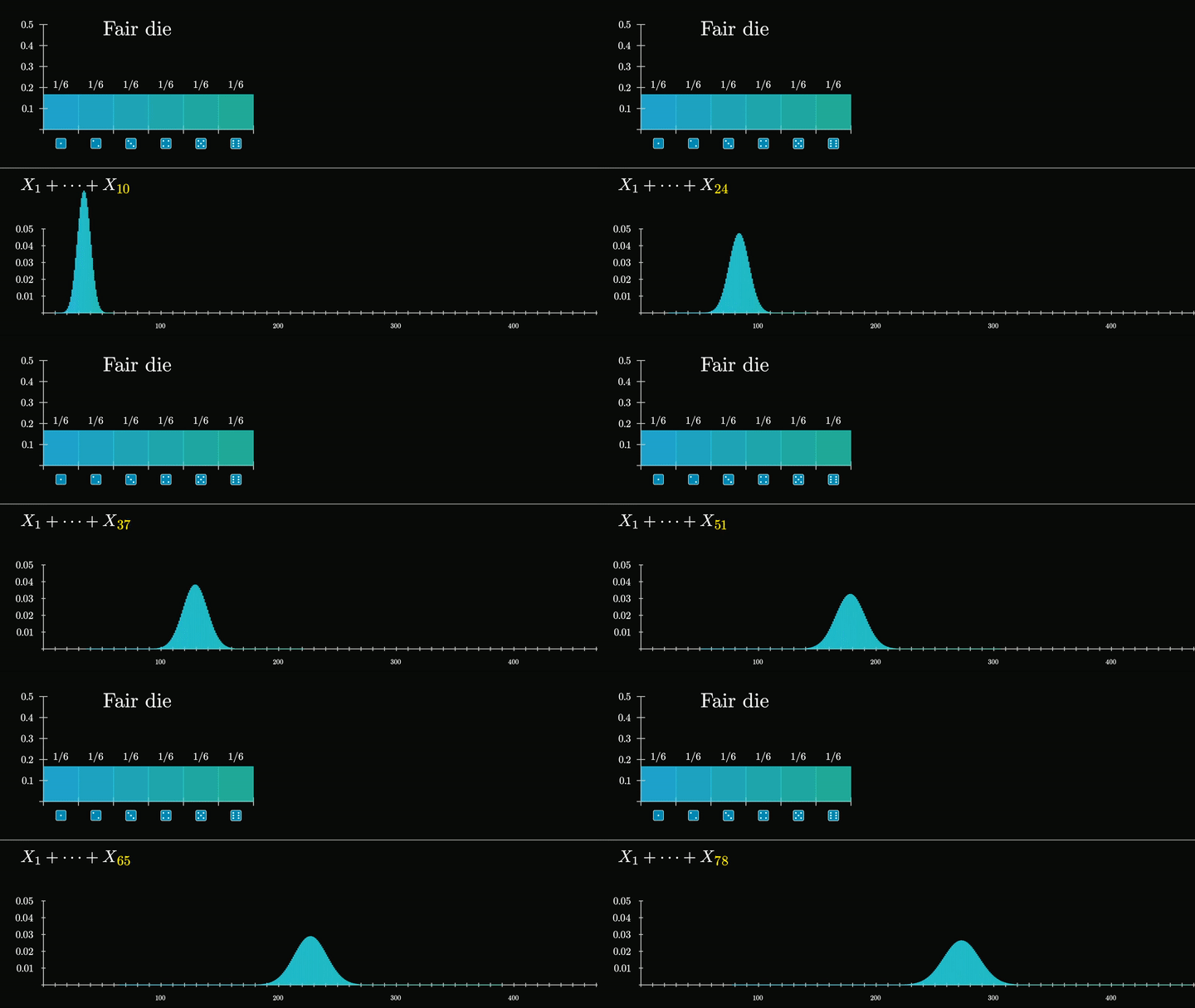
3Blue1Brown: But what is the central limit theorem ?
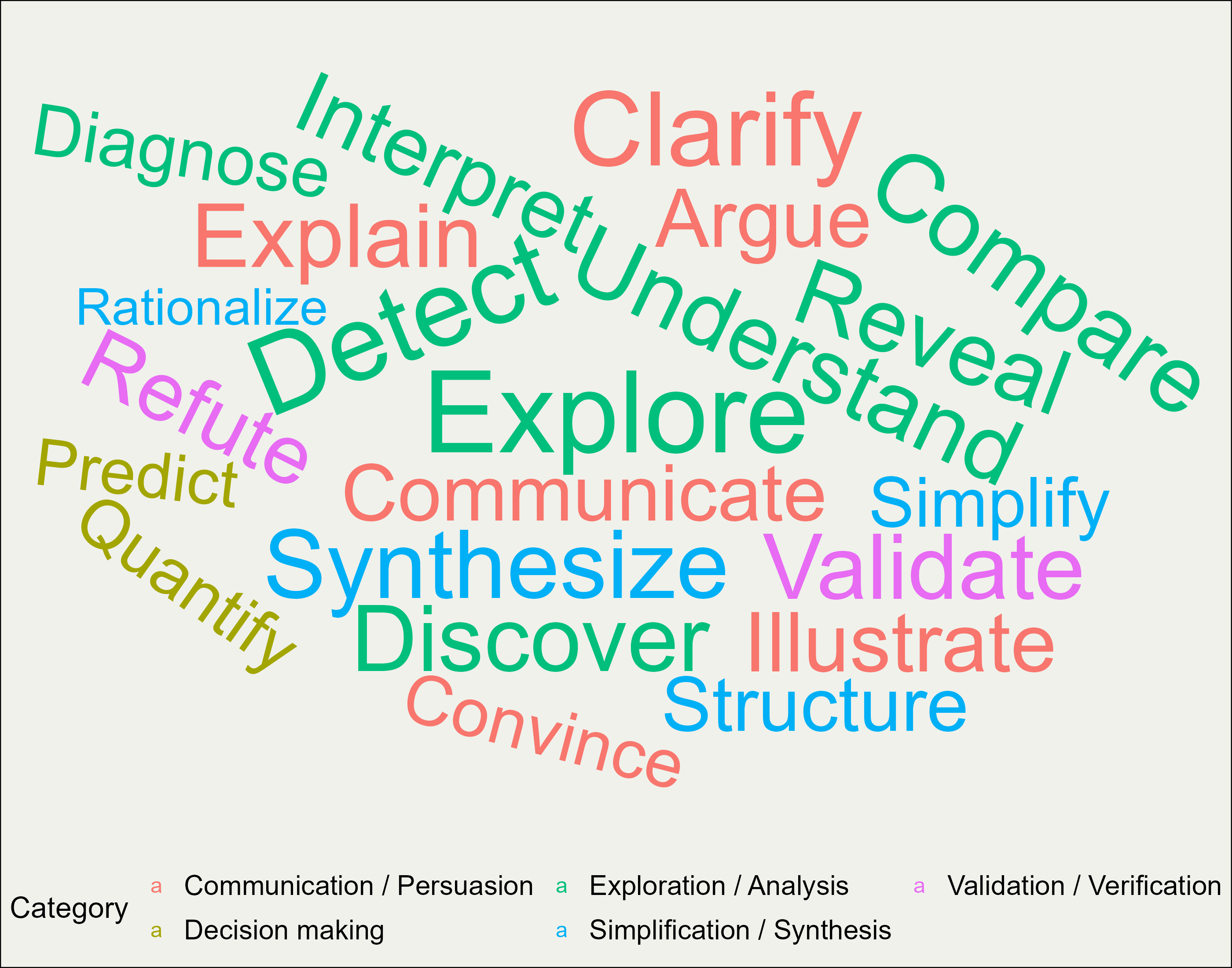
A (not exhaustive) list of good reasons…

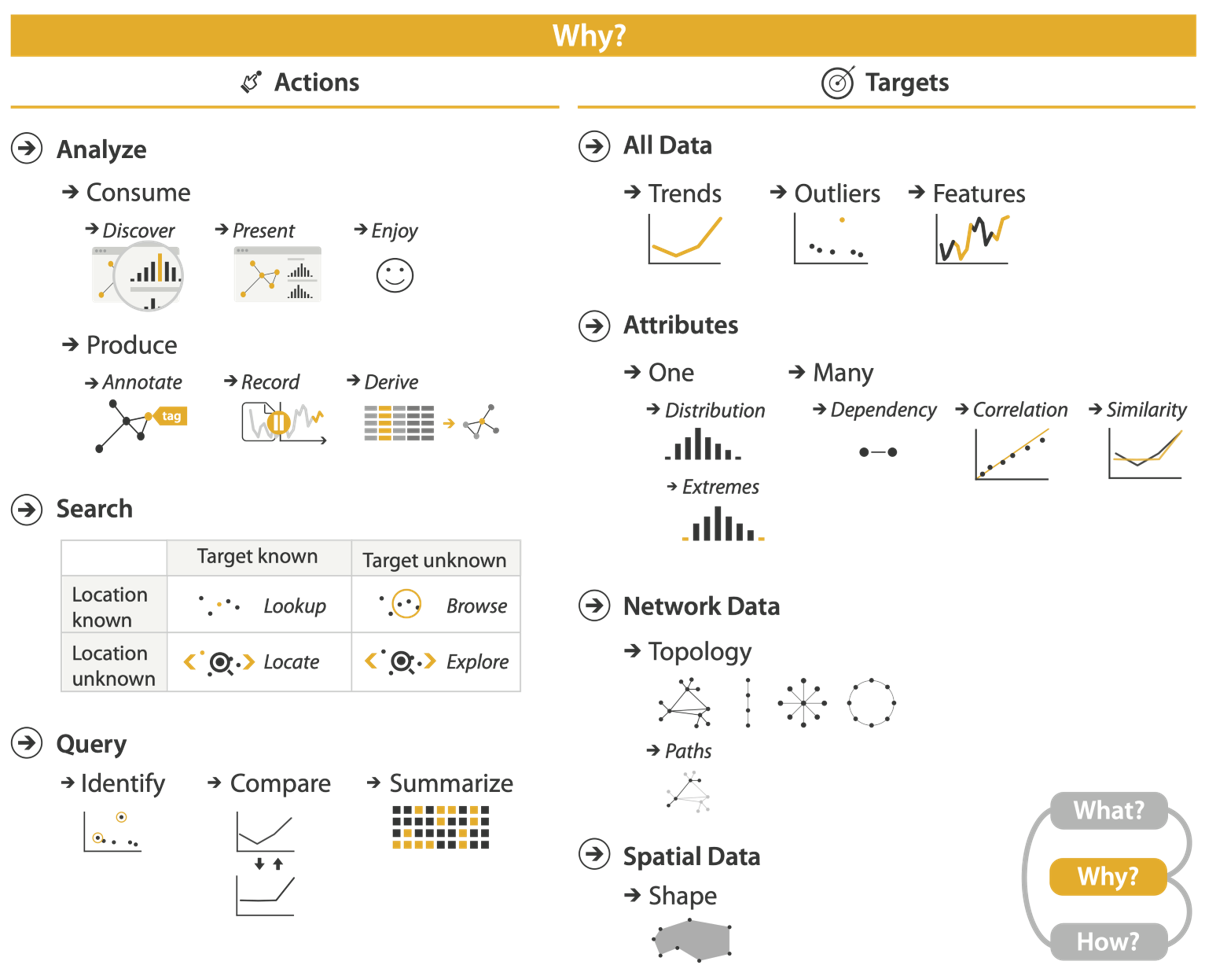
A structured list of reasons

Visualization Analysis and Design. Tamara Munzner, with illustrations by Eamonn Maguire. A K Peters Visualization Series, CRC Press, 2014.

Examples

{action ; target}

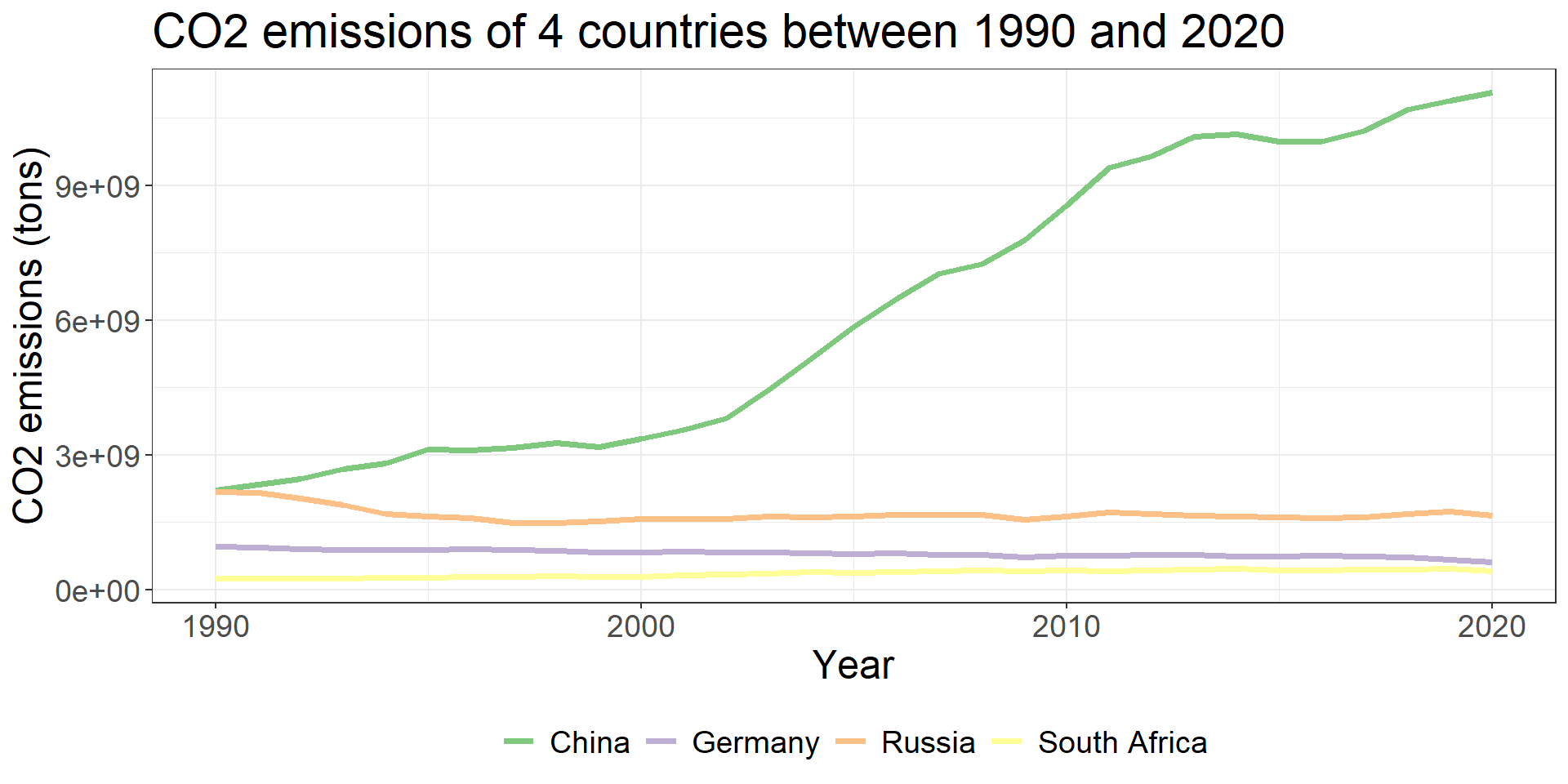
Compare trends

Derive attribute(s)
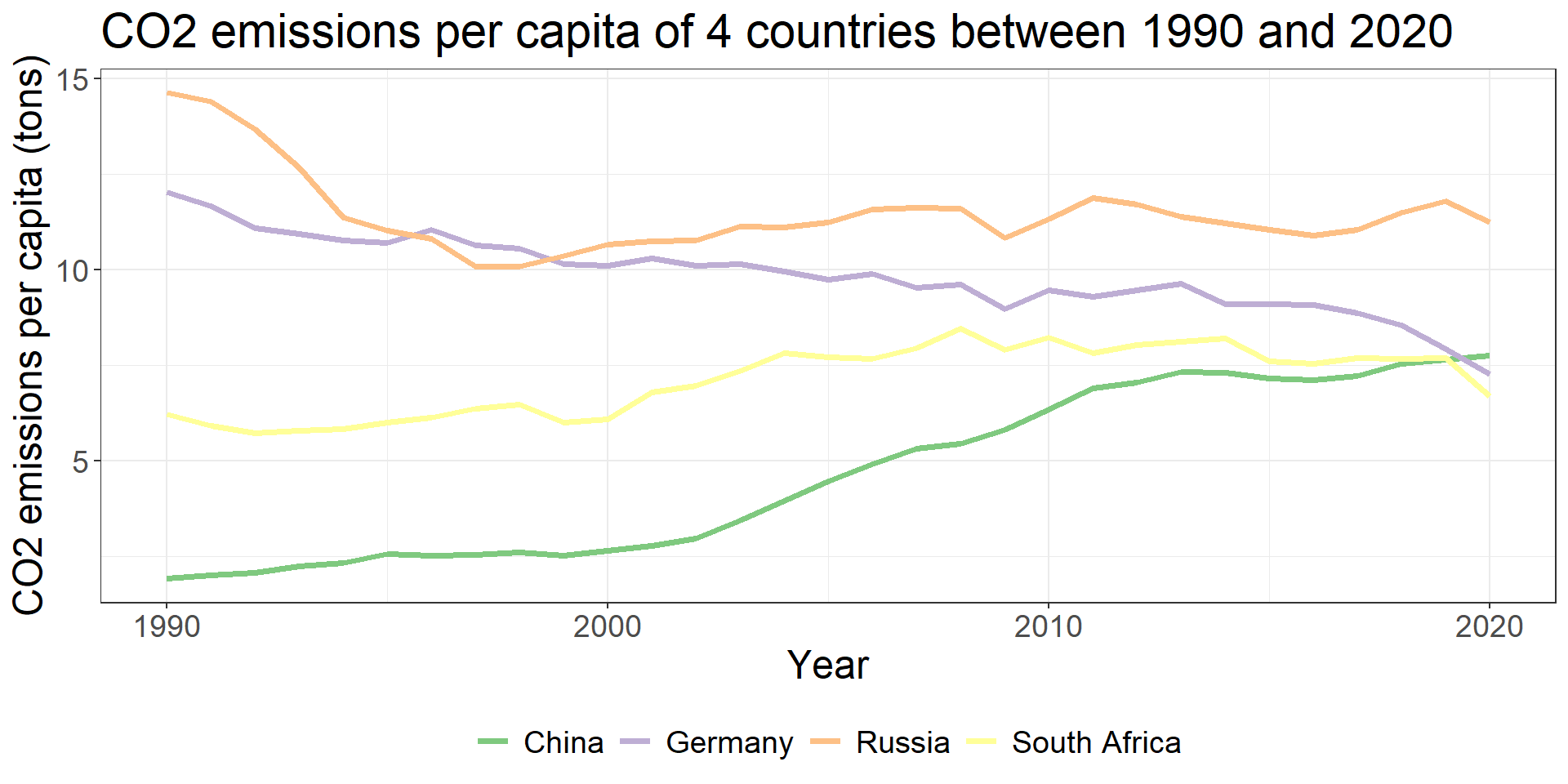
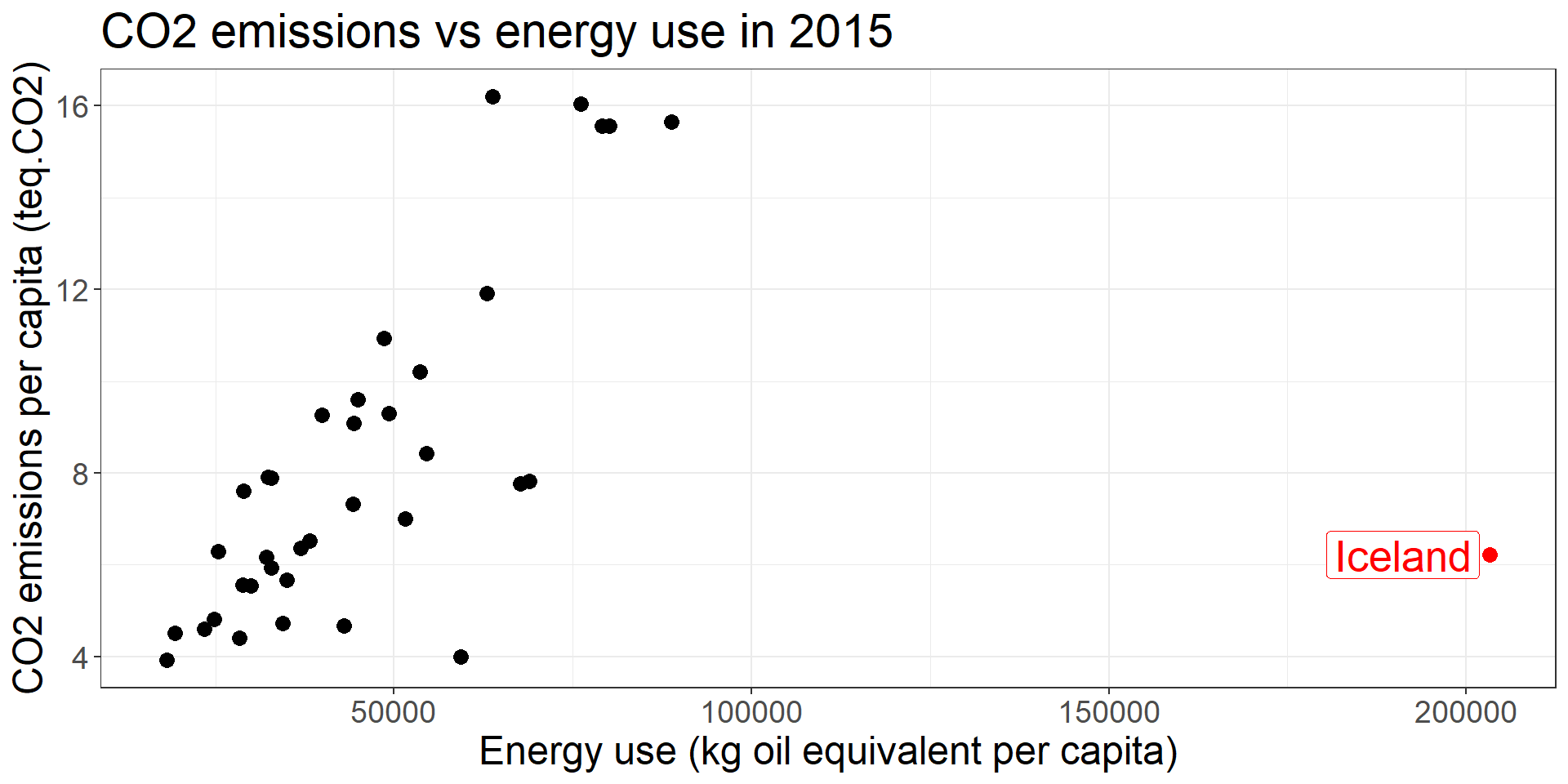
Explore correlations/relationships
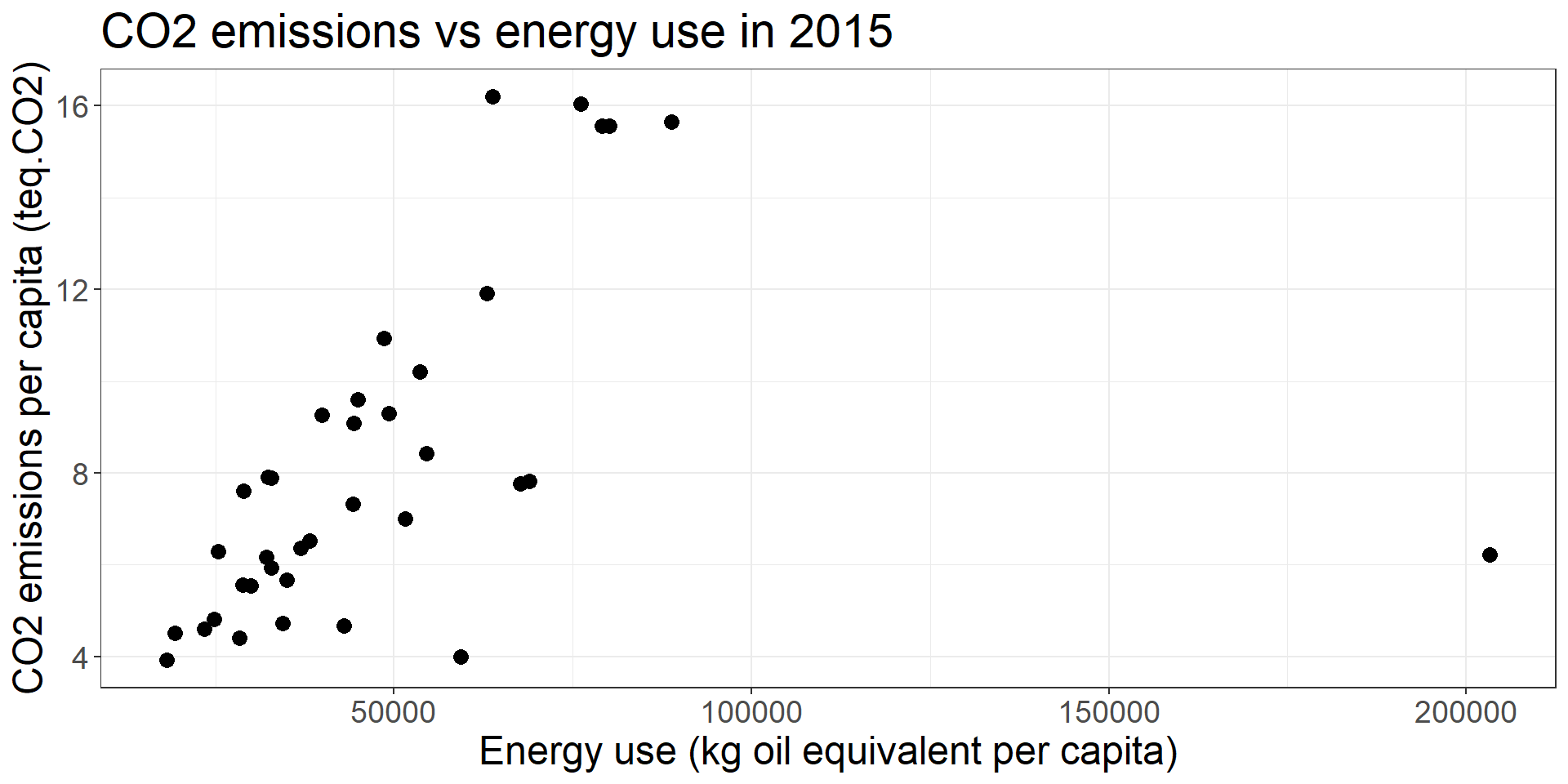
Identify outlier(s)/atypic obs
WHAT

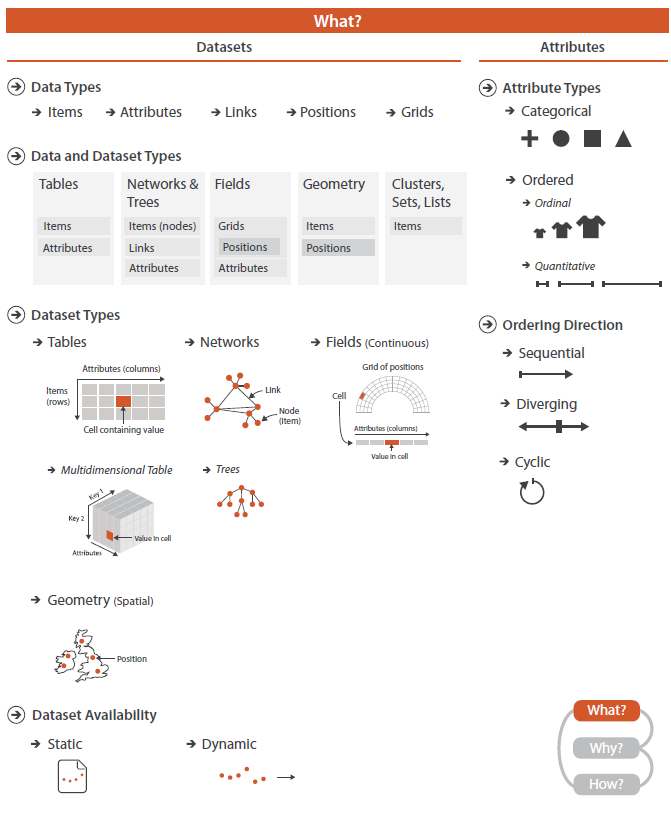
Data / Dataset / Attributes types

Visualization Analysis and Design. Tamara Munzner, with illustrations by Eamonn Maguire. A K Peters Visualization Series, CRC Press, 2014.
HOW

How we present depends on what, why and to whom we present

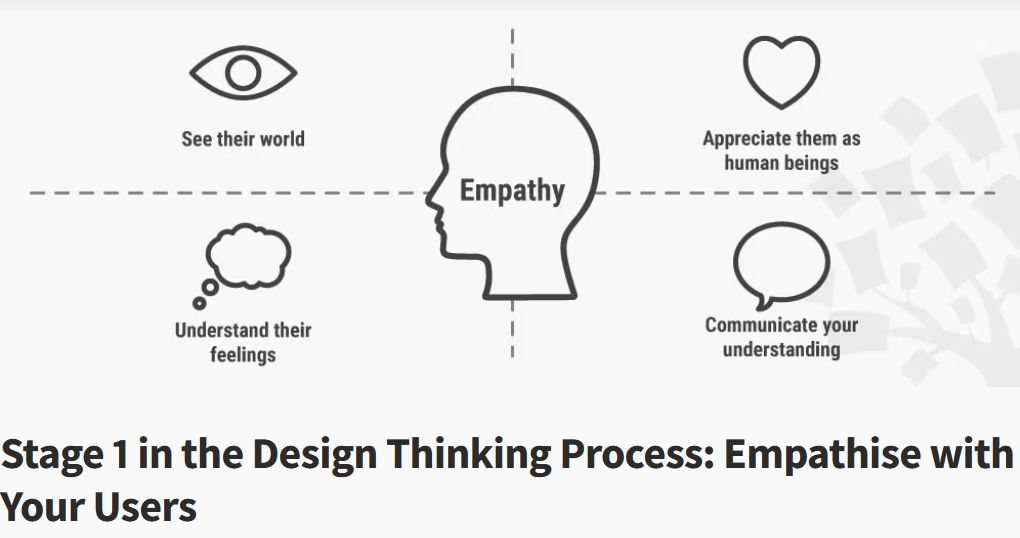
Empathy

https://www.interaction-design.org/literature/article/stage-1-in-the-design-thinking-process-empathise-with-your-users

Encode information optimally


“Graphs are like jokes. If you have to explain them, they didn’t work.” Anon.


“Graphs are (almost) like jokes. If you have to explain them (too much), they didn’t work.” Rémi Mahmoud.

Some definitions

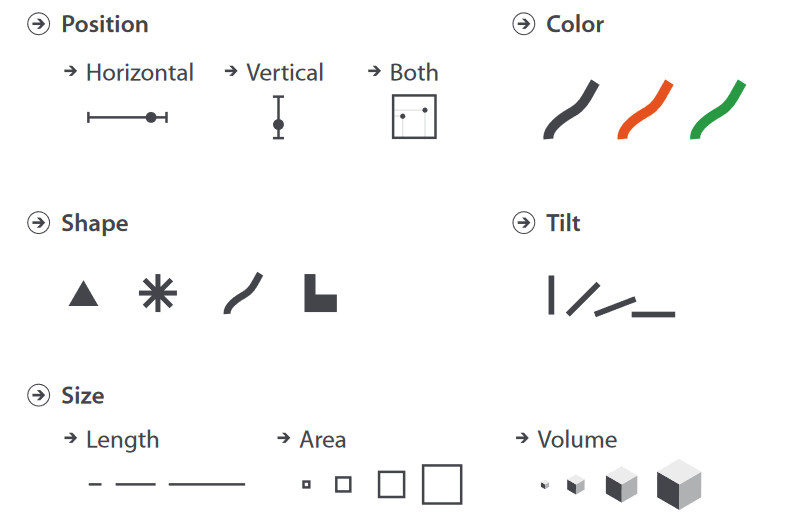
  • An idiom is a combination of marks and channels
  • Marks: graphical elements in the chart

  • Channels: the attributes of the marks that can be controlled by the data

Many idiom options


  • (we’re not going to cover each of the graph)

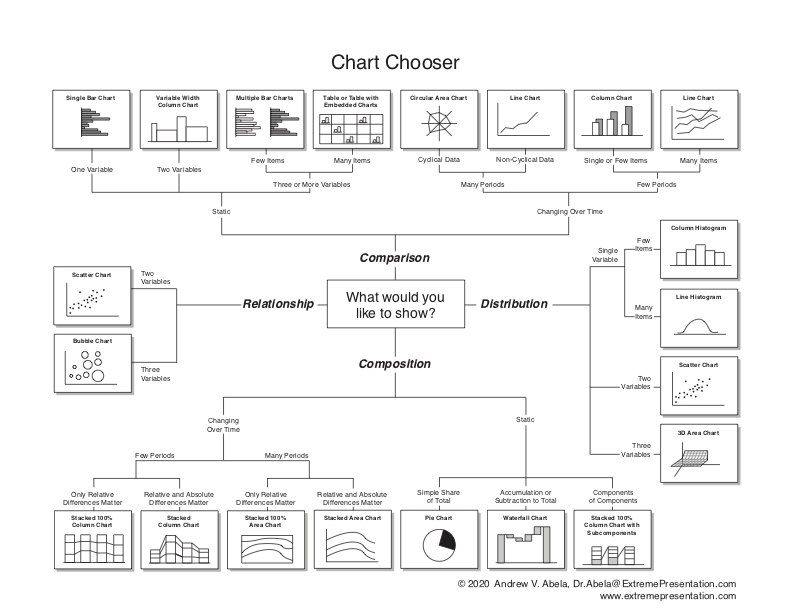
  • See data-to-viz.com or the SWD chart guide

  • These remain IDEAS / PROPOSALS, it’s your role to ADAPT yourself to the context / goal of the dataviz.
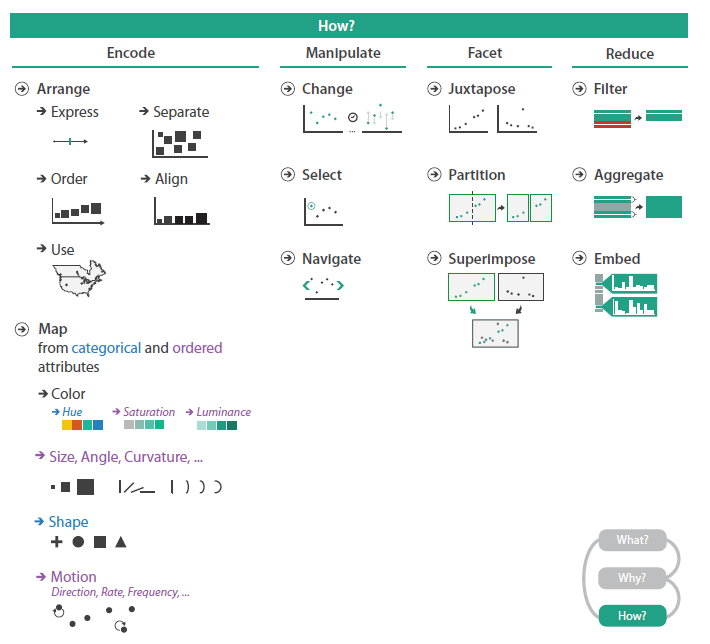
Many graph arrangment options

Visualization Analysis and Design. Tamara Munzner, with illustrations by Eamonn Maguire. A K Peters Visualization Series, CRC Press, 2014.

How to choose among all these possibilities ?

Expressiveness and effectiveness of a channel


Expressiveness principle

The expressiveness principle dictates that the visual encoding should express all of - and only - the information in the dataset attributes. The most fundamental expression of this principle is that ordered data should be shown in a way that our perceptual system intrinsically senses as ordered. Conversely, unordered data should not be shown in a way that perceptually implies an ordering that does not exist. Tamara Munzner, Visualization Analysis and Design.


Effectiveness principle

The effectiveness principle dictates that the importance of the attribute should match the salience of the channel; that is, it’s noticeability. In other words, the most important attributes should be encoded with the most effective channels in order to be most noticeable, and then decreasingly important attributes can be matched with less effective channels. Tamara Munzner, Visualization Analysis and Design.

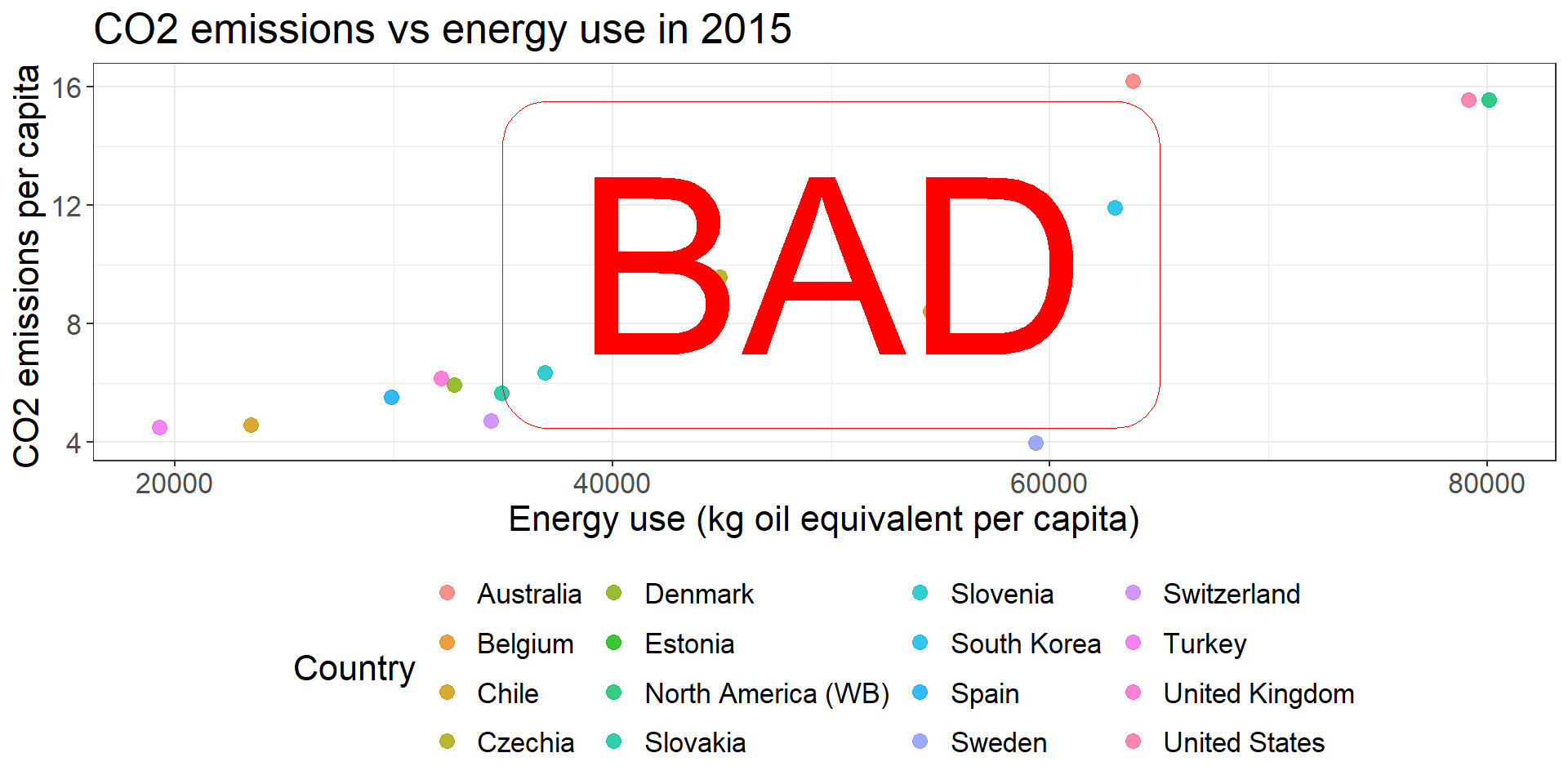
Expressiveness: do not mislead the viewer: color

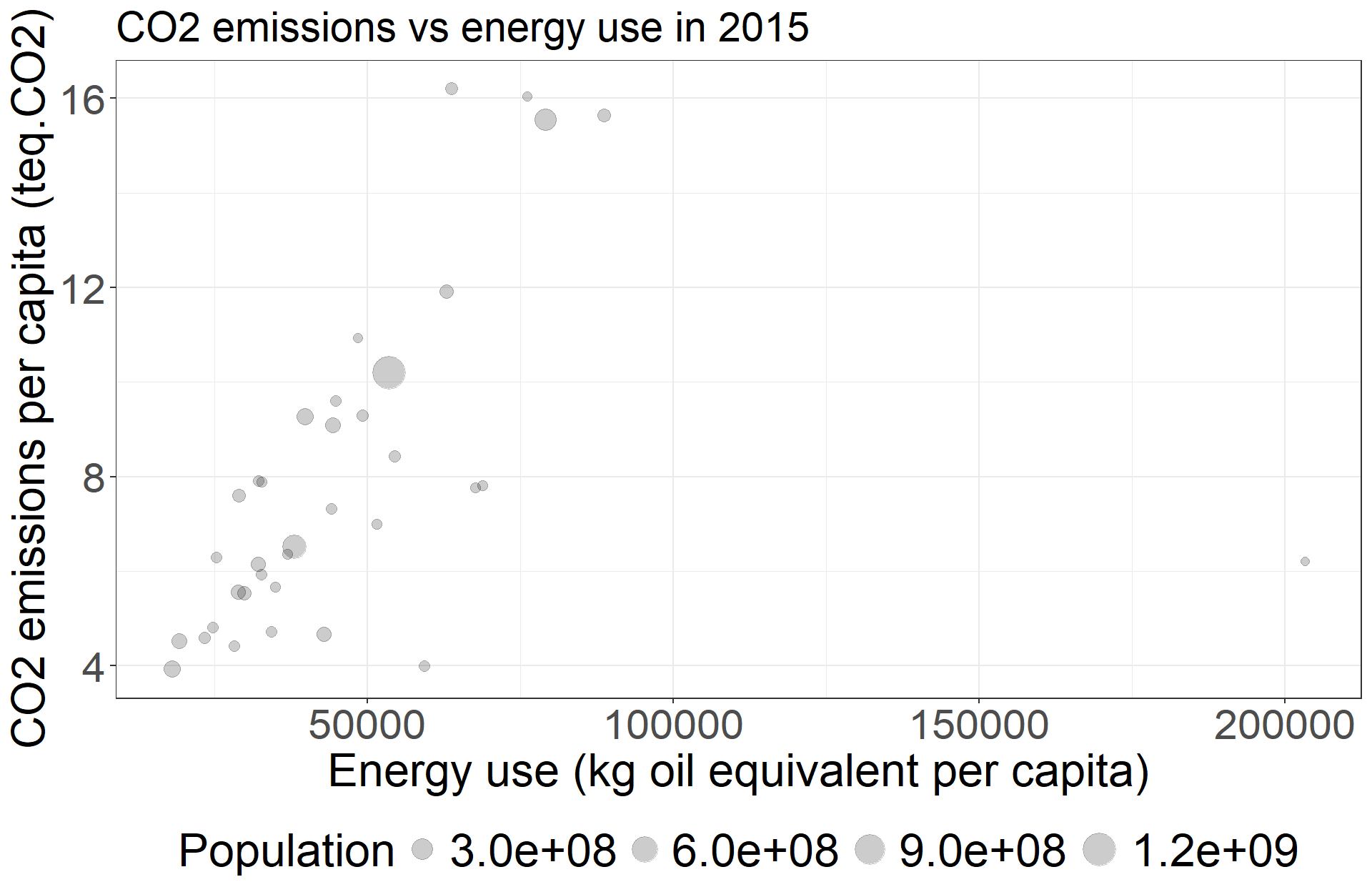
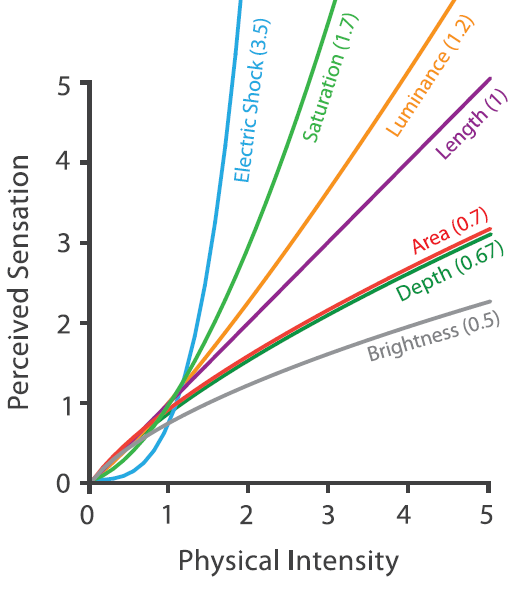
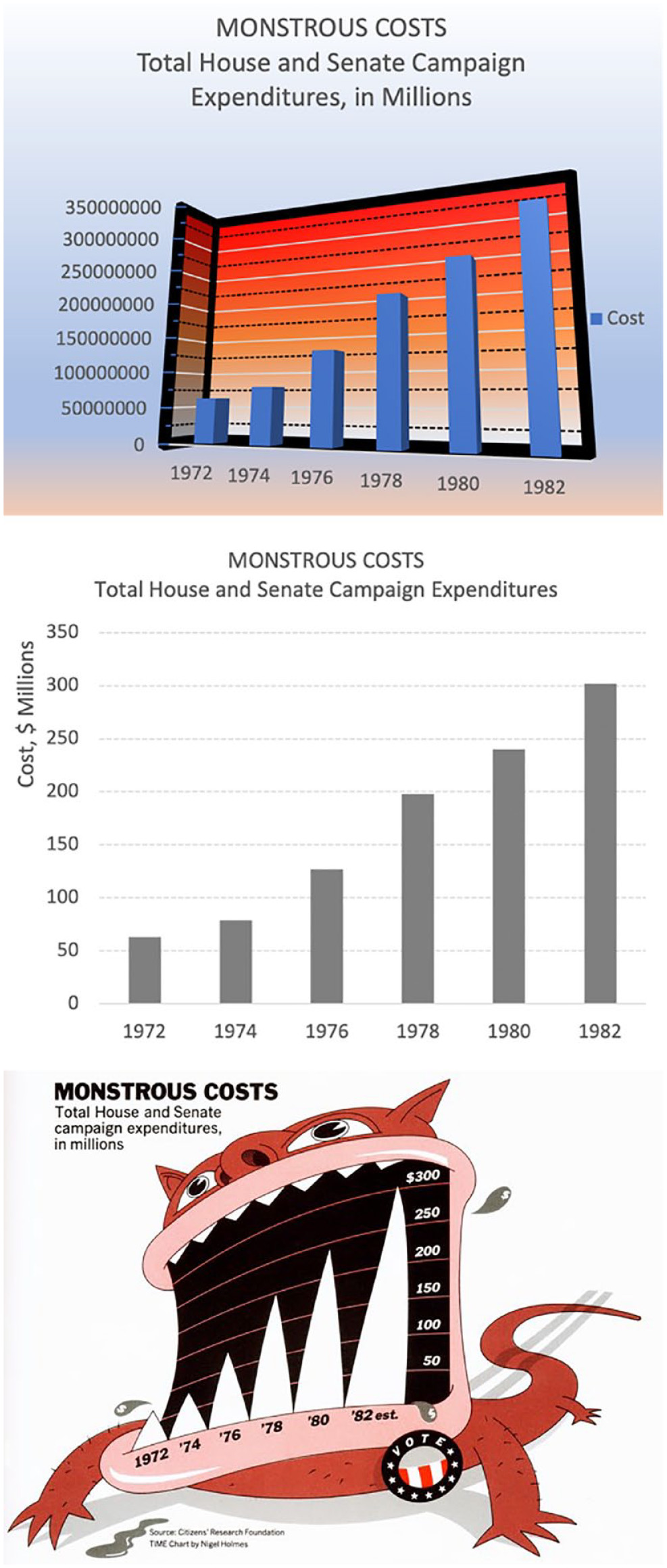
Expressiveness: do not mislead the viewer: size

Factors of effectiveness

  • Accuracy (how precisely can we tell the difference between items)

  • Discriminability (how many unique items can we distinguish)

  • Separability (how the channel is affected by another one)
  • Popout effect
  • See next slides

Preattentive treatment

Anne Treisman - National Medal of Science, 2011.webm, Domaine public, https://commons.wikimedia.org/w/index.php?curid=125273433

  • Certain basic visual features are detected by our low-level visual system\(^1\) (i.e before the attention process)
    • detection is rapid (100–250 msec)
    • detection does not depend on the number of “distractors”
    • can determine presence or absence, possibly amount
    • unique features can capture our focus of attention

An example (inspired from Storytelling with data, Cole Nussbaum): count the number of 4s

Knaflic, Cole. Storytelling With Data: A Data Visualization Guide for Business Professionals, Wiley, © 2015.

  • Use it wisely to focus the attention on particular aspects of the data !


1: Thorpe et al., 1996 (https://doi.org/10.1038/381520a0)

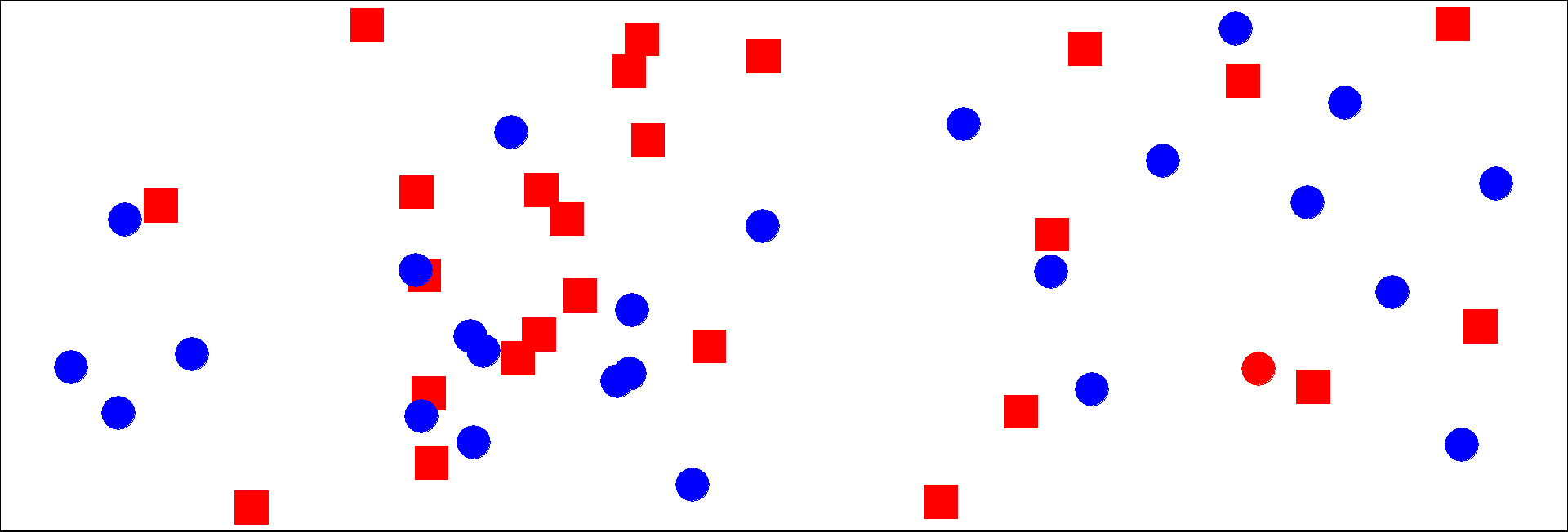
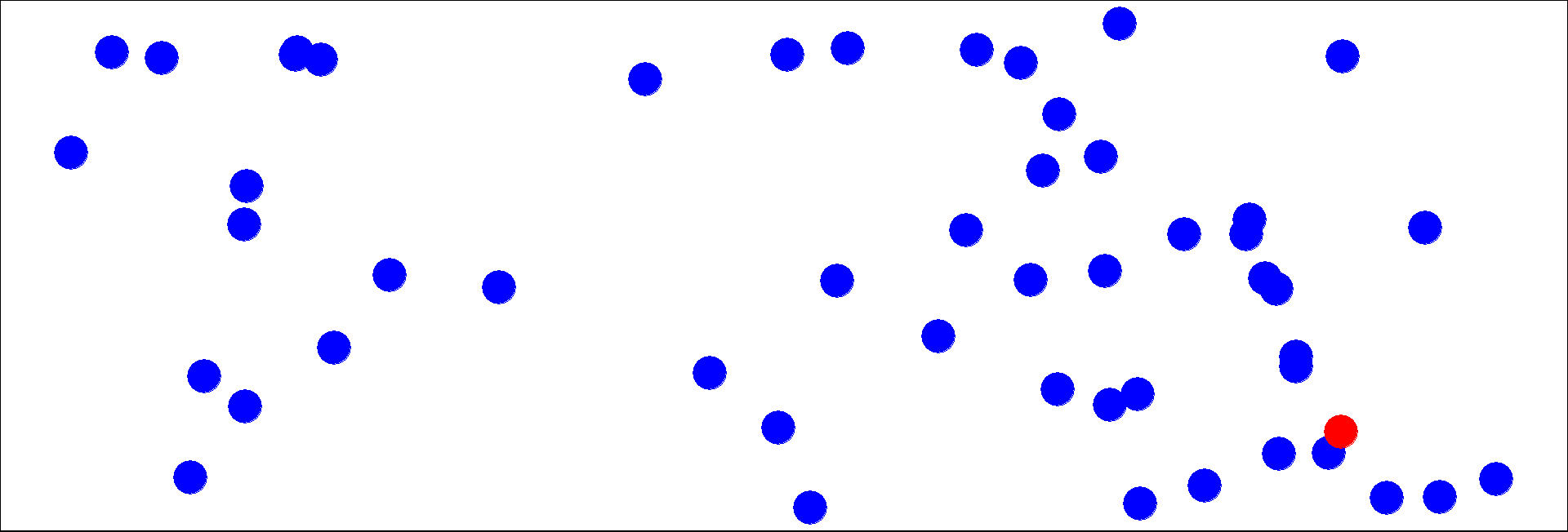
Pop-out effect: the huge effect of hue

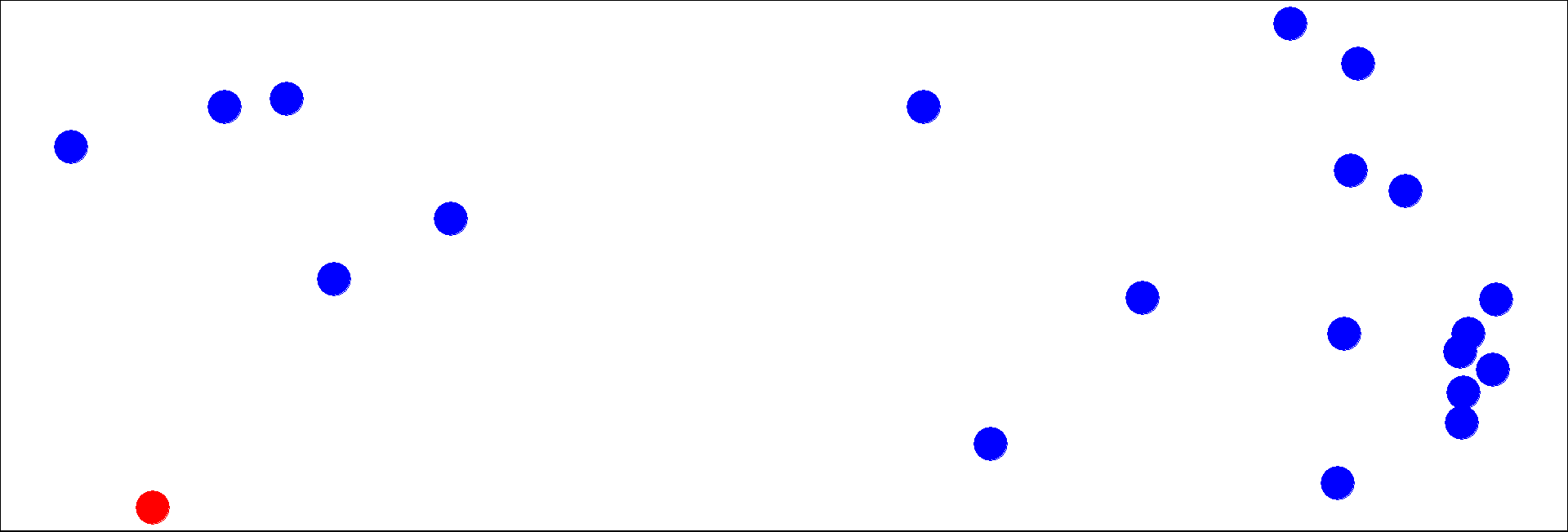
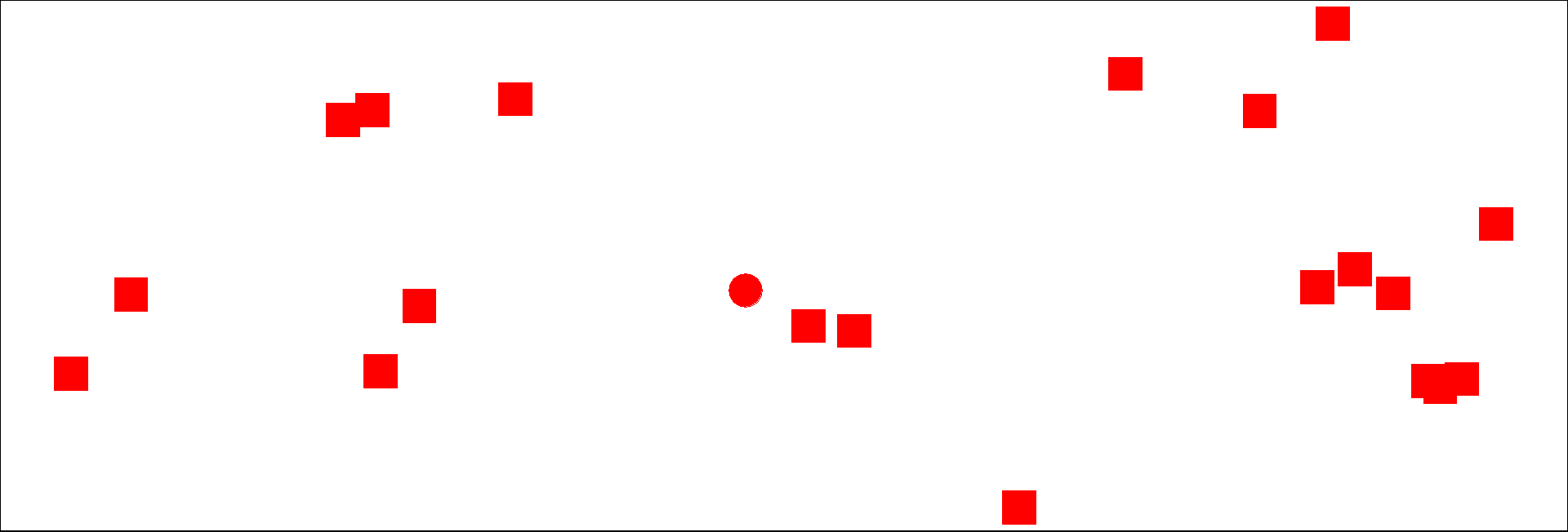
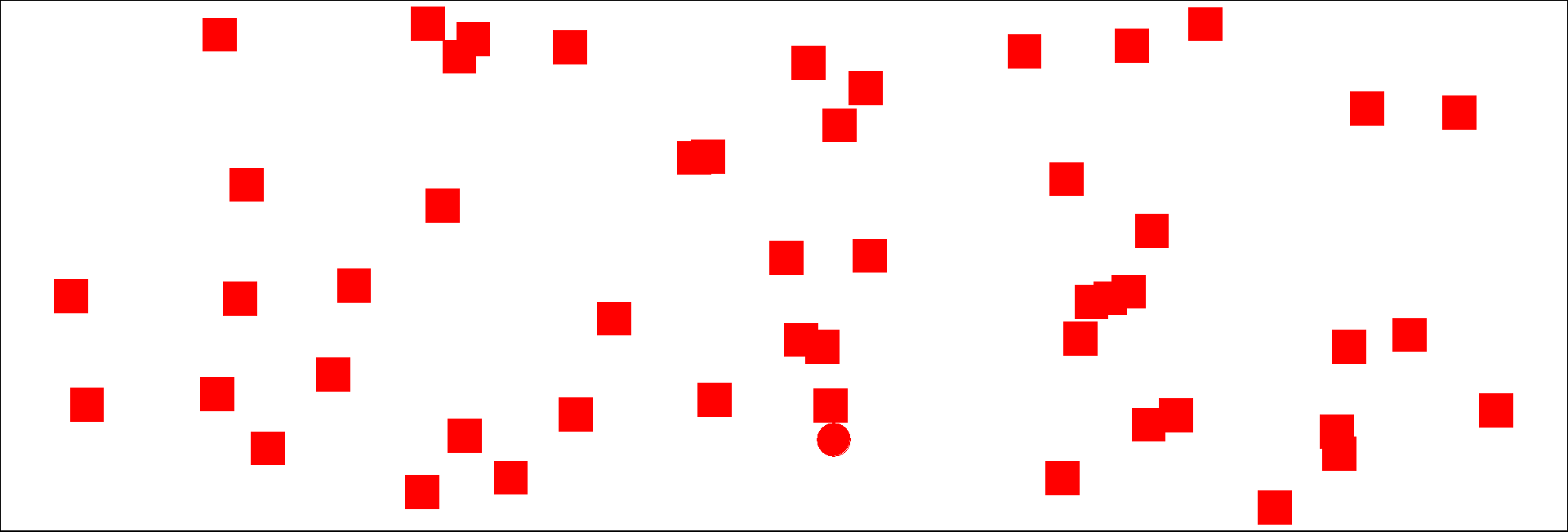
Locate the red dot.

\(n=20\)

\(n=50\)
Pop-out effect: other channels

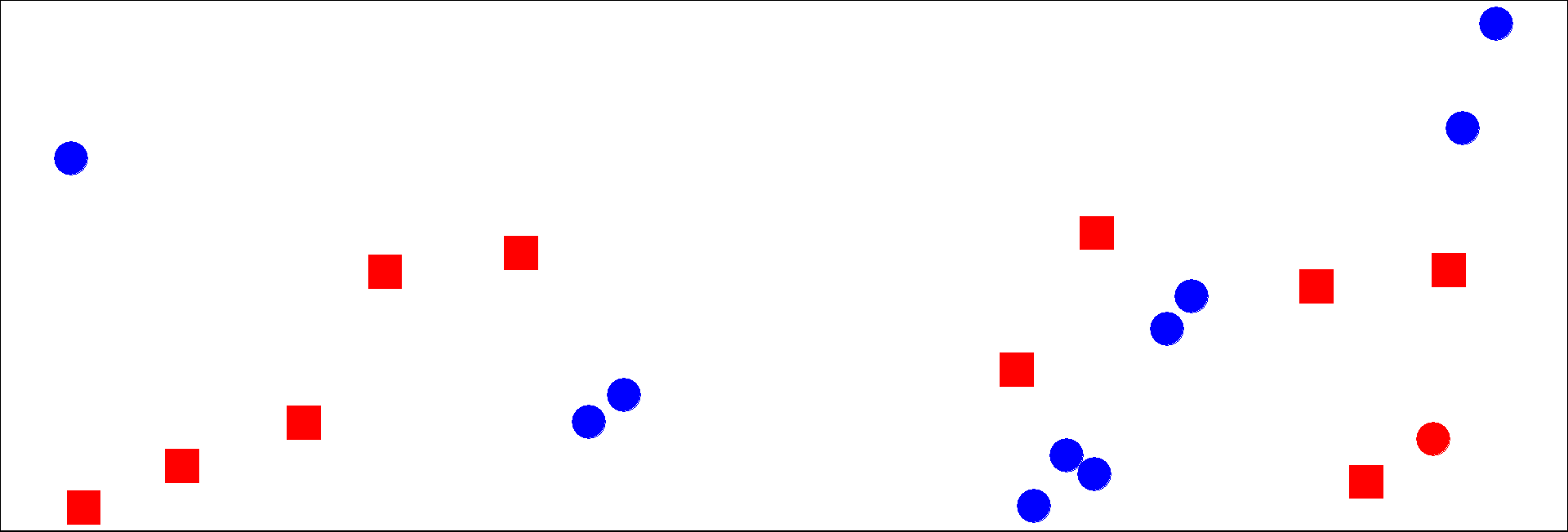
Other channels have the ability to provide a popout effect
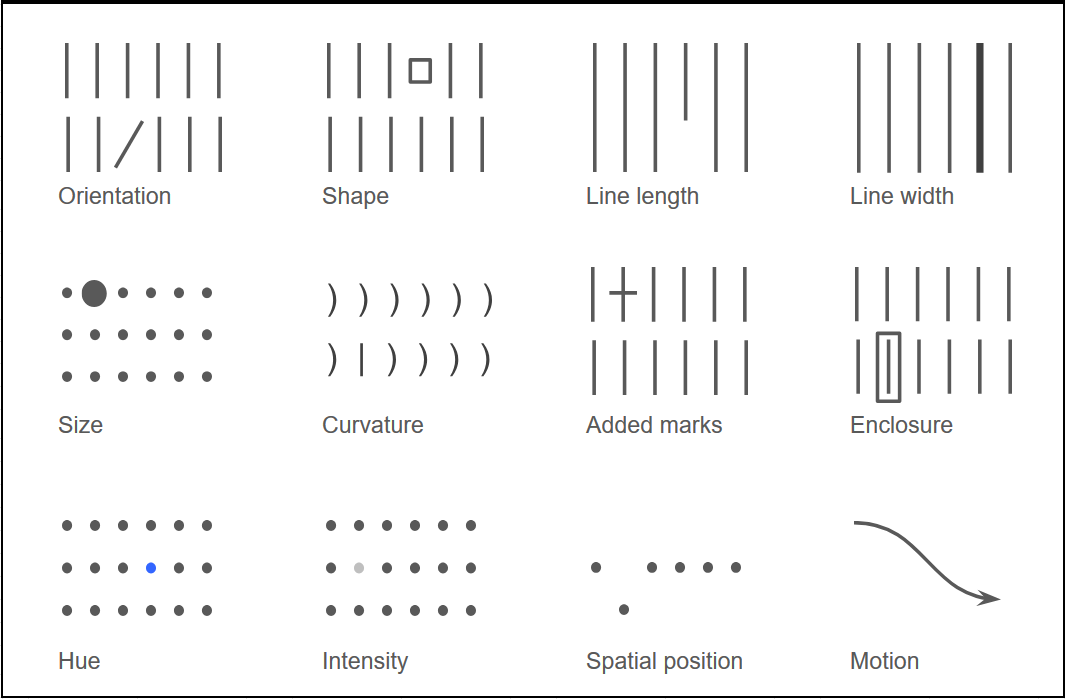
  • Combining two channels for a popout is difficult
  • Rule of thumb: choose a popout for only one channel and one message at a time.

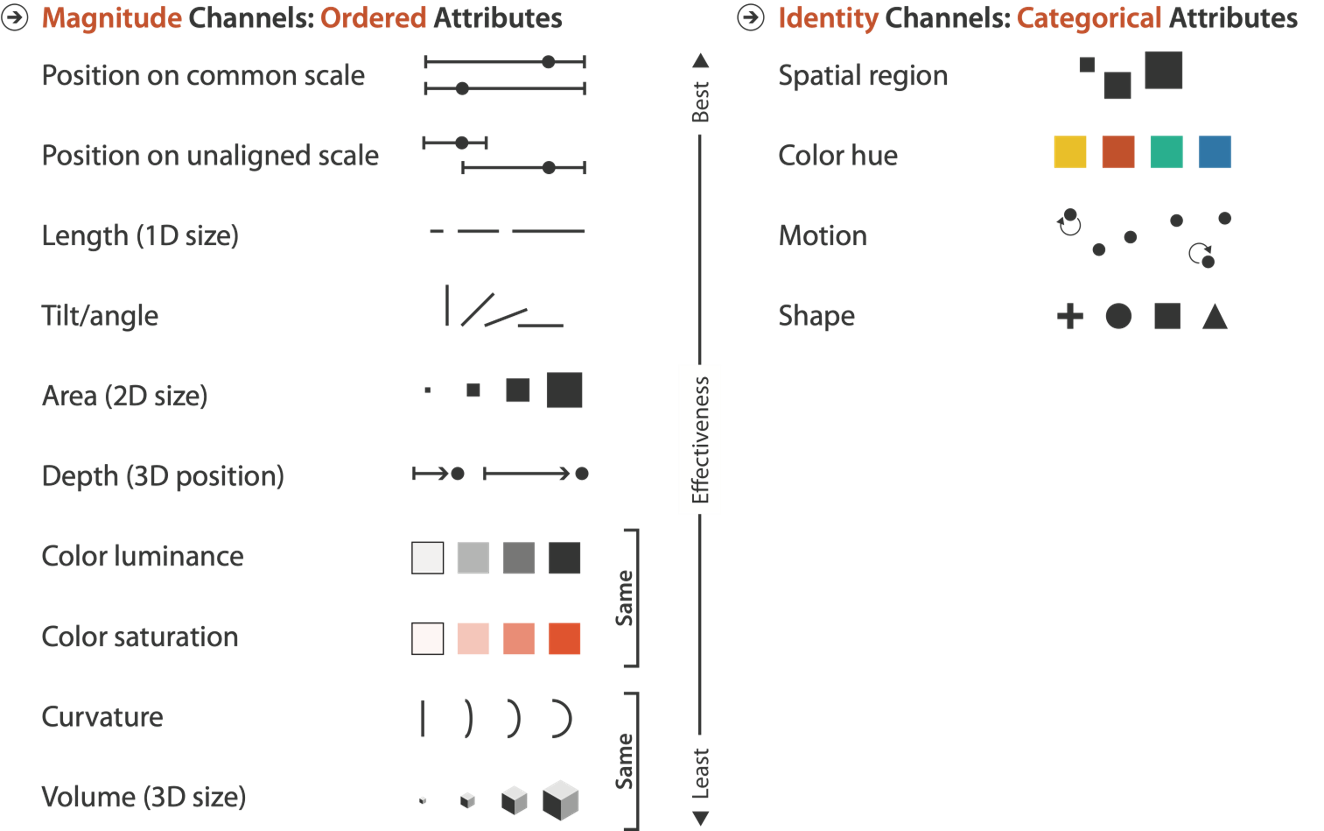
Effectiveness rankings among channels

Visualization Analysis and Design. Tamara Munzner, with illustrations by Eamonn Maguire. A K Peters Visualization Series, CRC Press, 2014.

Some psychological principles

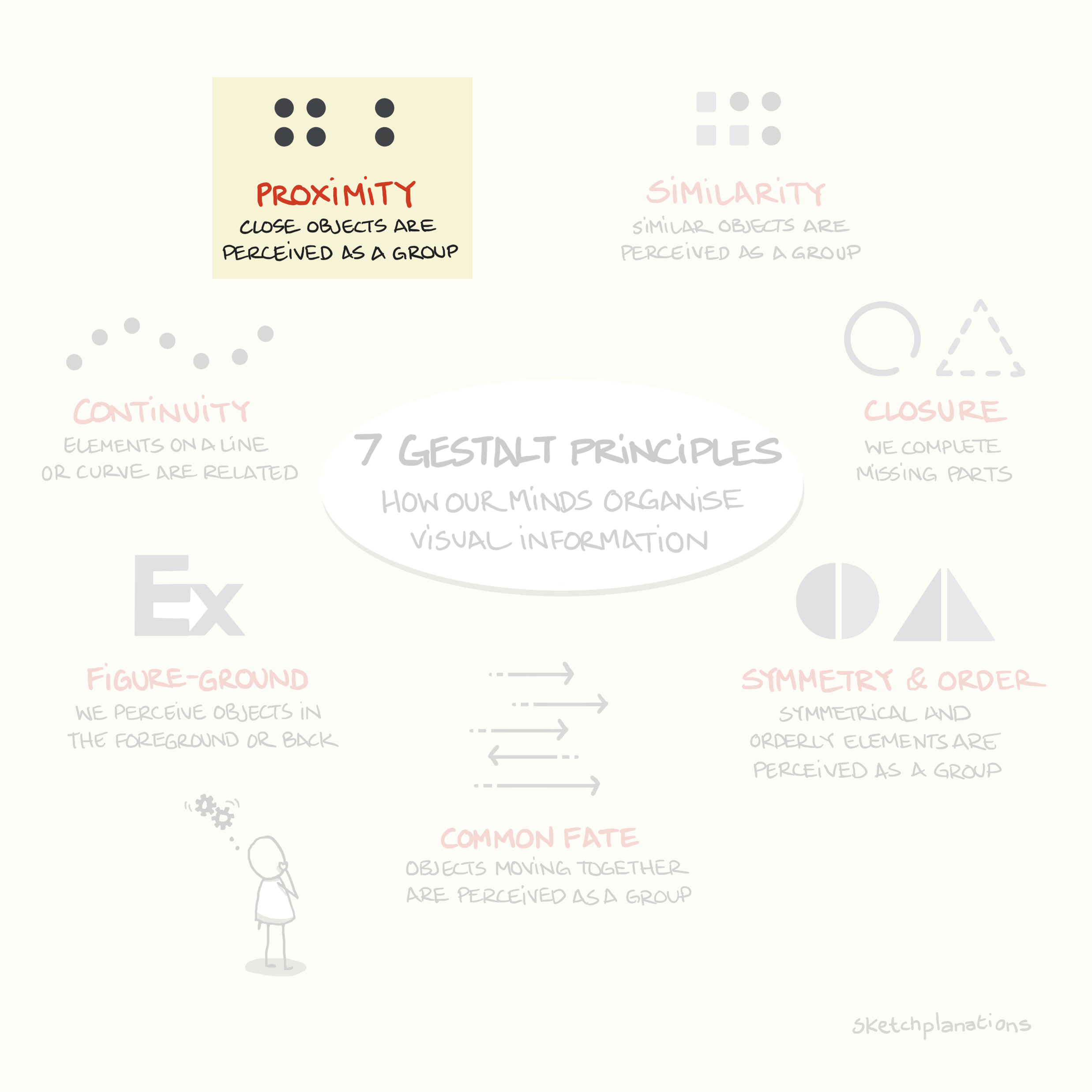
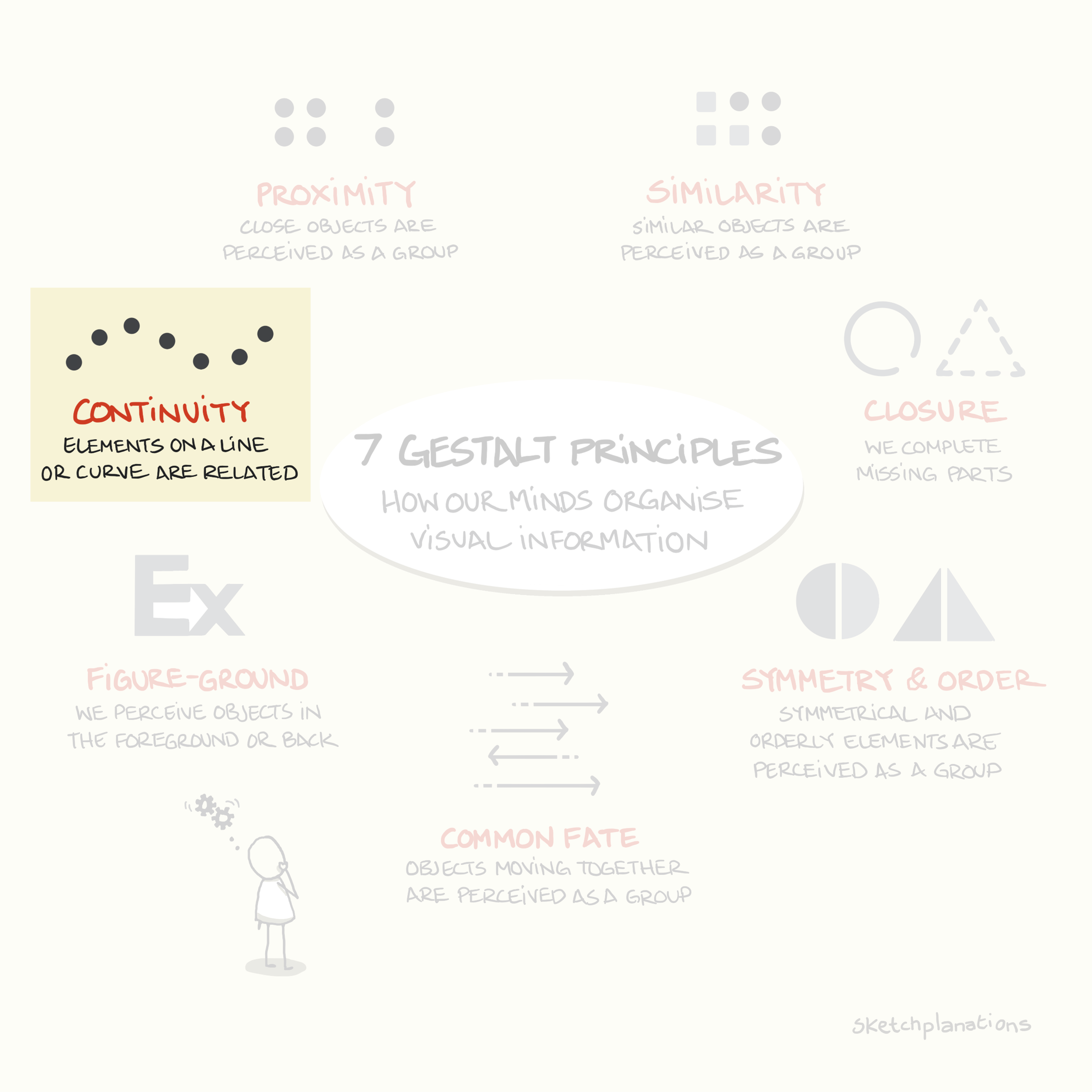
Gestalt laws of Perception: our brain makes a lot of shortcuts !
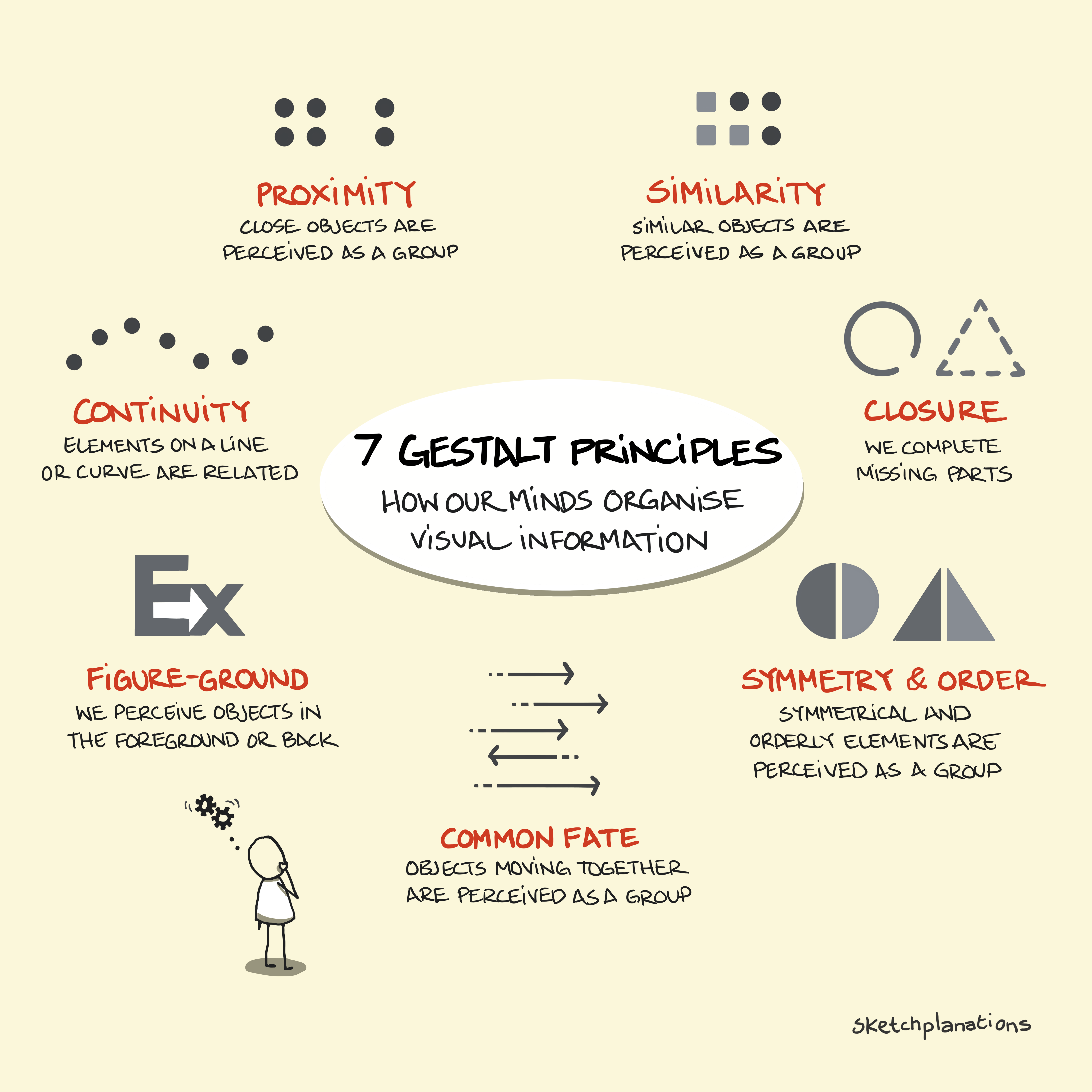
https://sketchplanations.com/gestalt-principles
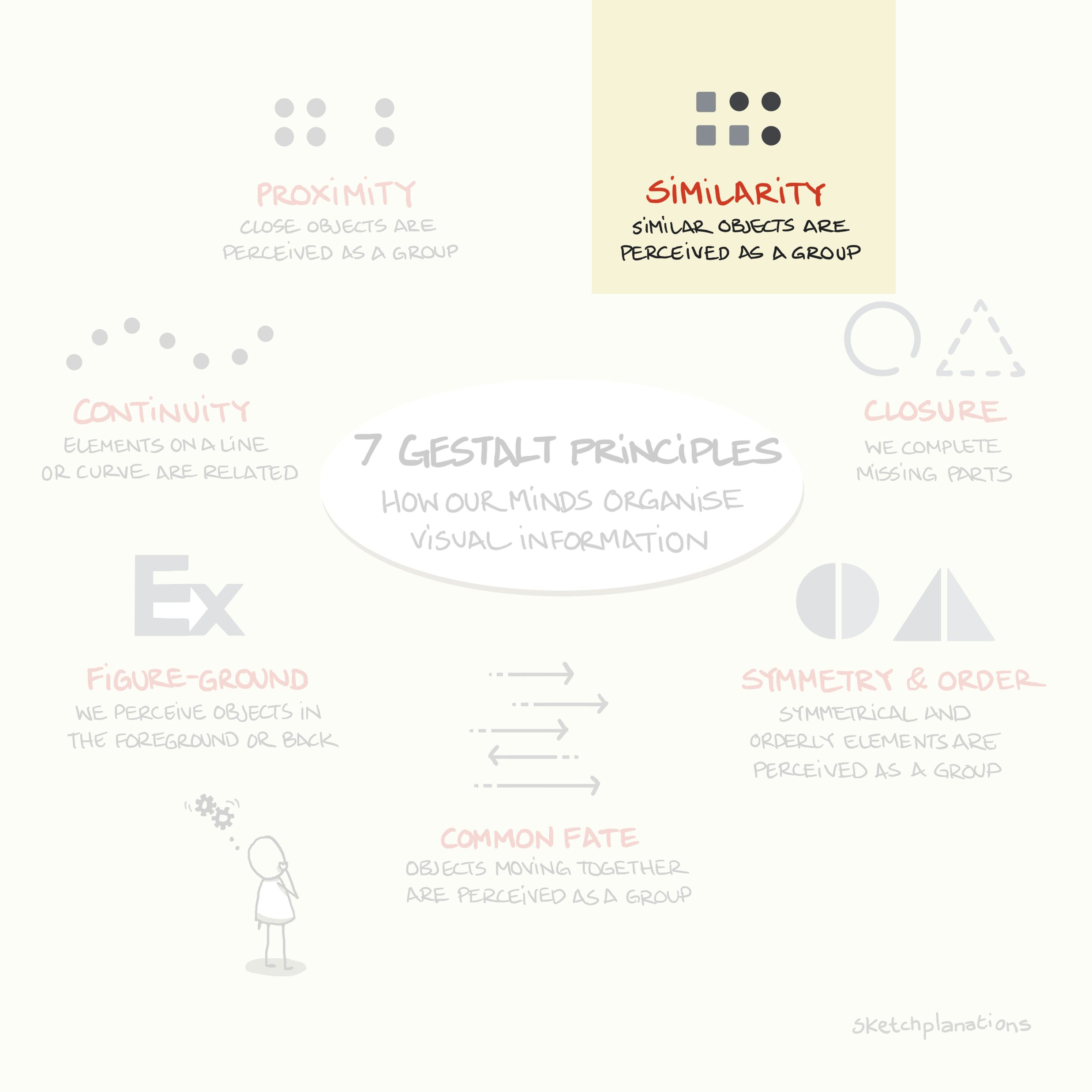
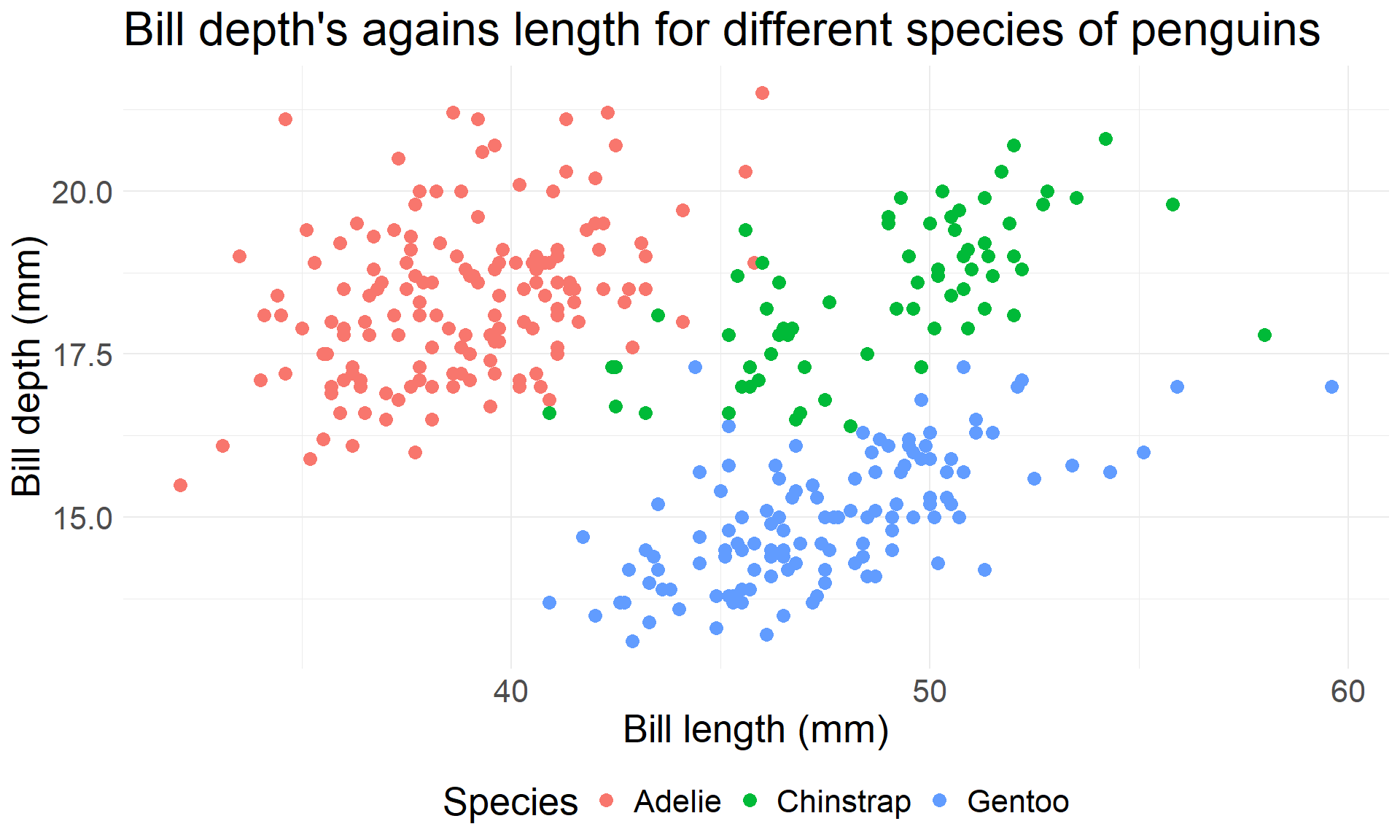
  • Let’s illustrate some of these principles in dataviz

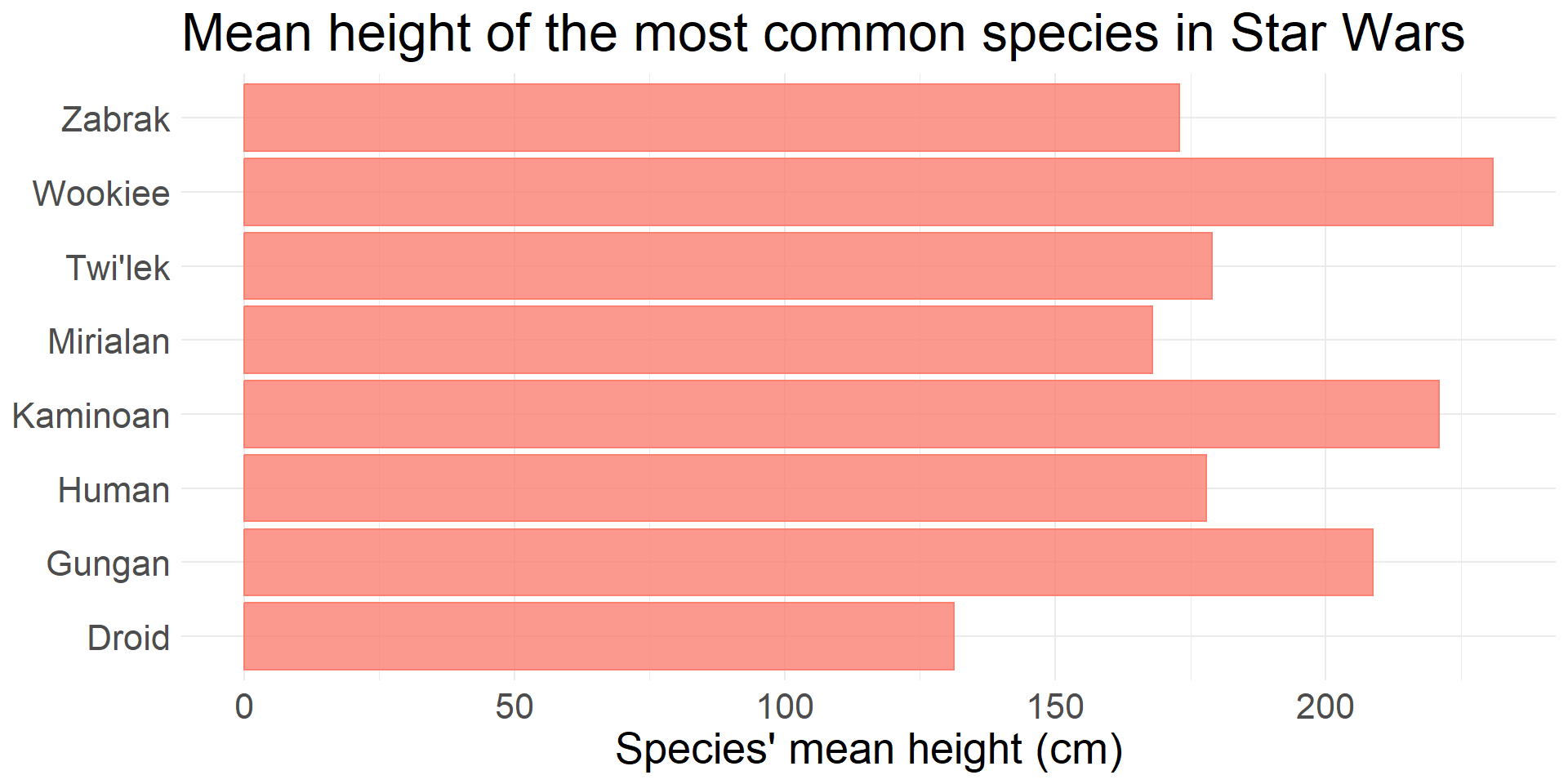
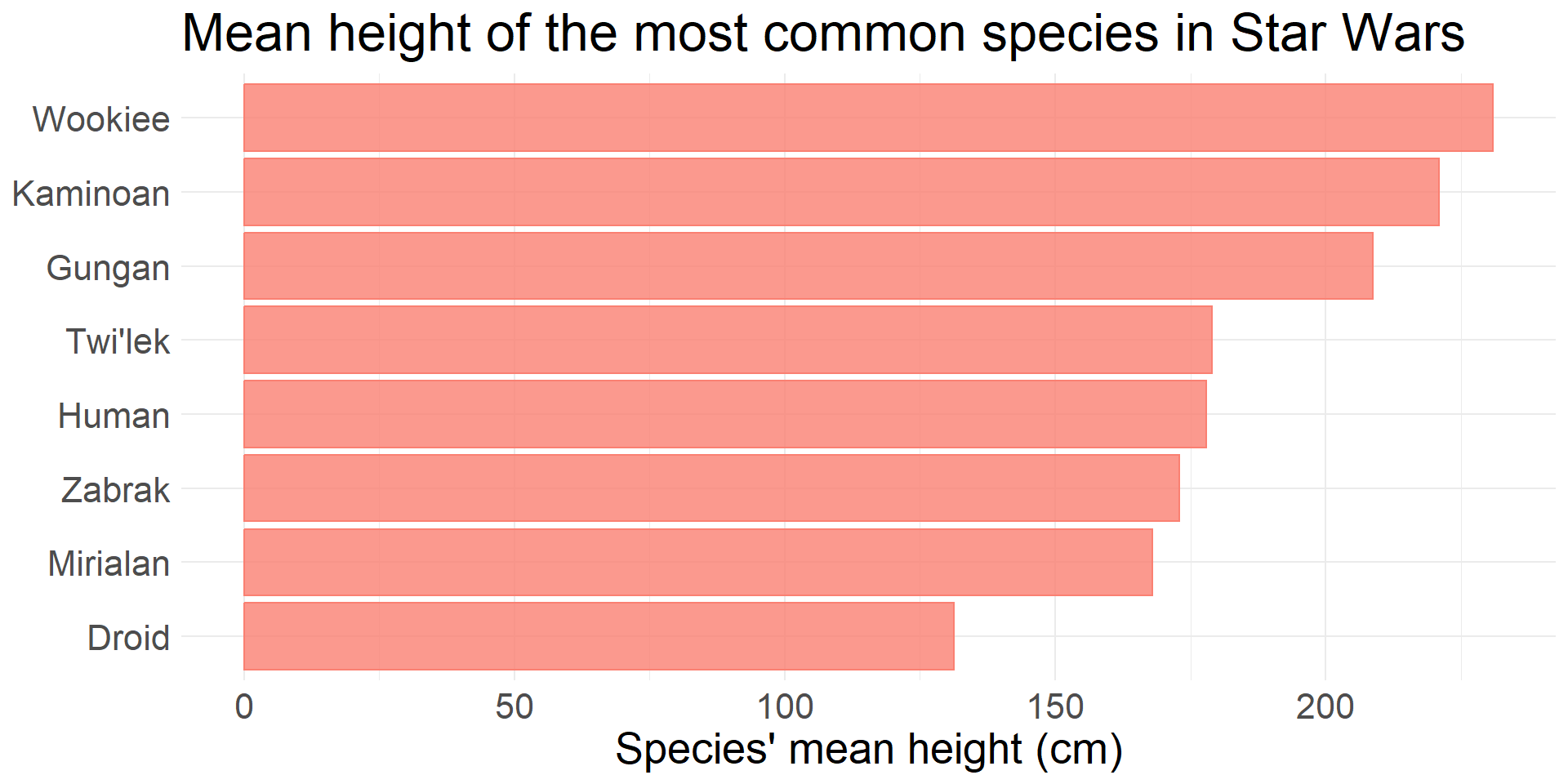
Similarity


Proximity


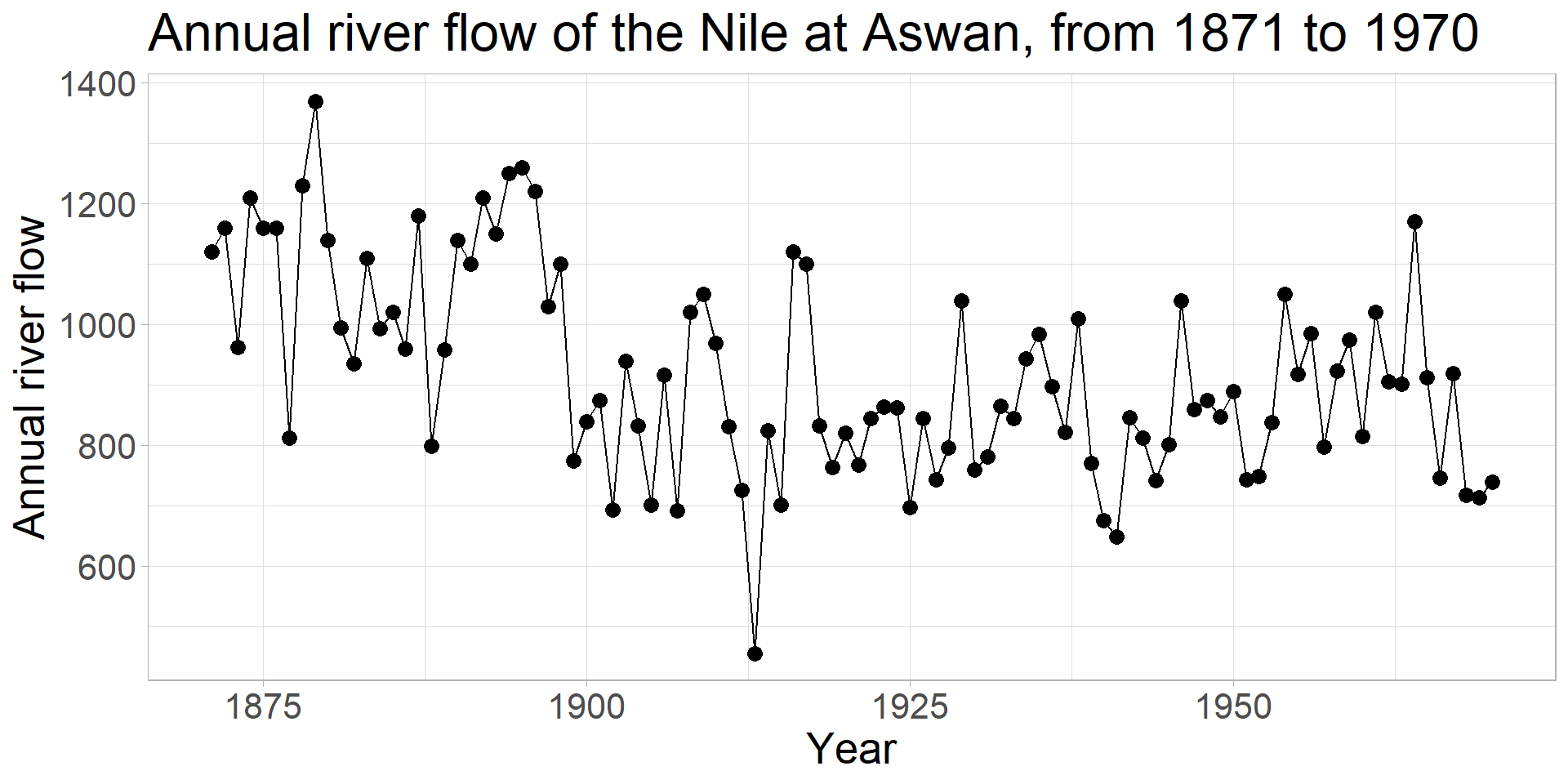
Continuity

Which one do you prefer ?

:::

A take-home message


Leverage the principles of our visual system to communicate your message(s) as clearly and effectively as possible.


HOW NOT

Empathy

https://www.interaction-design.org/literature/article/stage-1-in-the-design-thinking-process-empathise-with-your-users
  1. How would I perceive this dataviz if it was the first time I saw it ?
  2. How would I interprete this dataviz ?
  3. How would I understand this dataviz ?

Threats at each step of the design

  • How can we avoid them ?
  • Let’s dig into some principles

Proportional ink

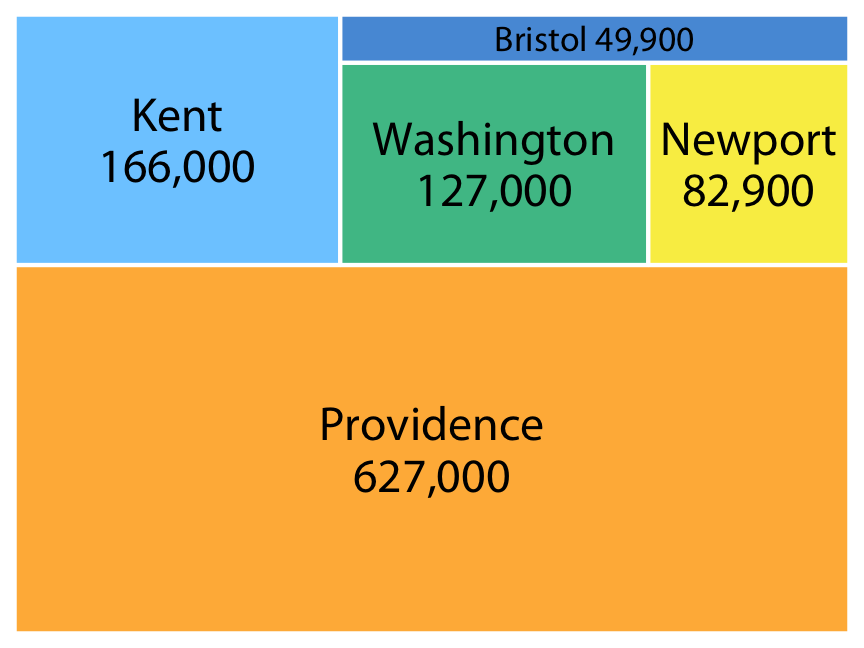
The principle of proportional ink: The sizes of shaded areas in a visualization need to be proportional to the data values they represent, Claus Wilke Fundamentals of data visualisation
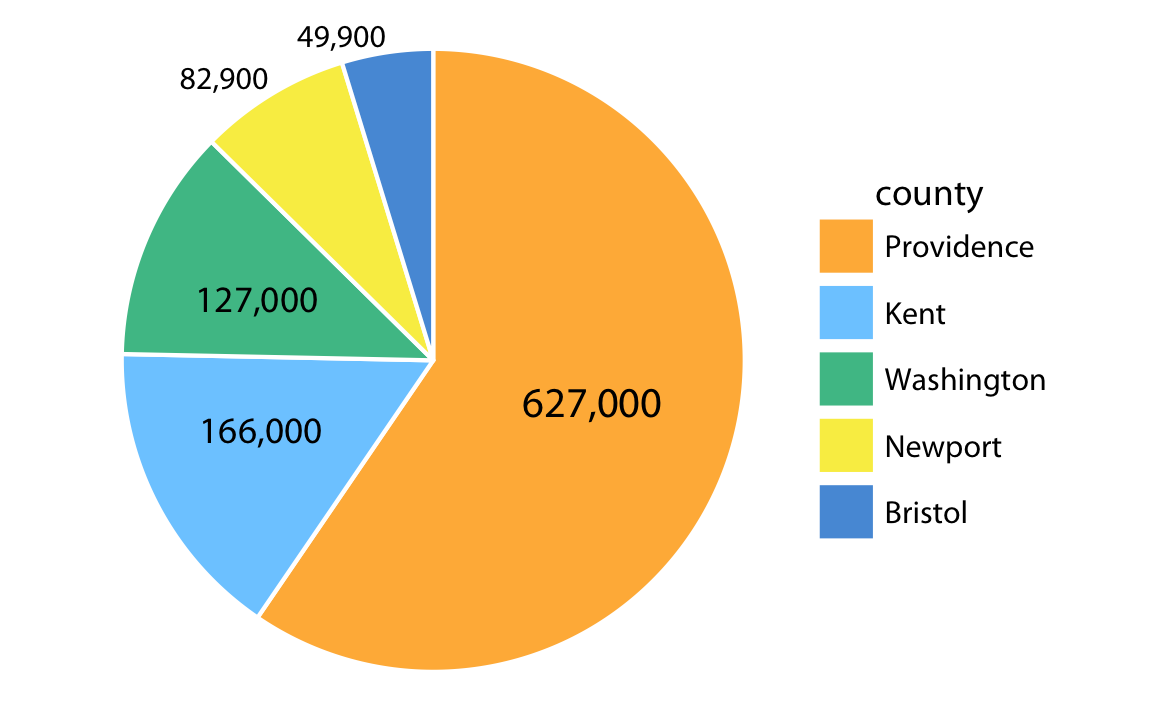
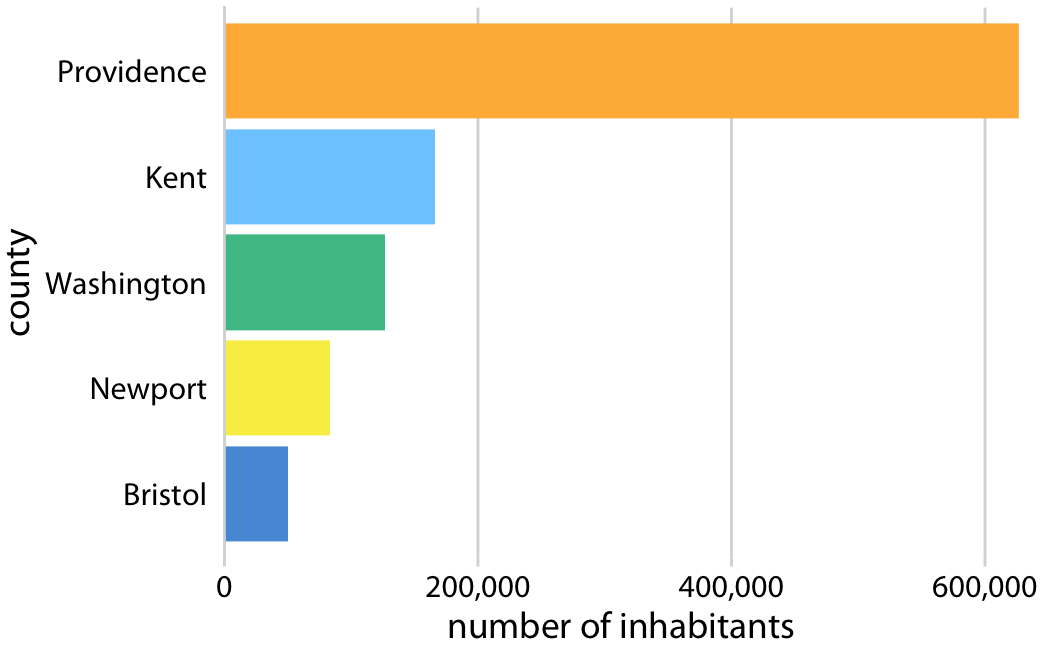
Fundamentals of data visualization. Claus Wilke

Take home message:

  • Human perception is better at judging distances than at judging areas

\(\Rightarrow\) When possible, prefer bars to pies / squares.

Showing them the wrong thing: evolution (1/2)

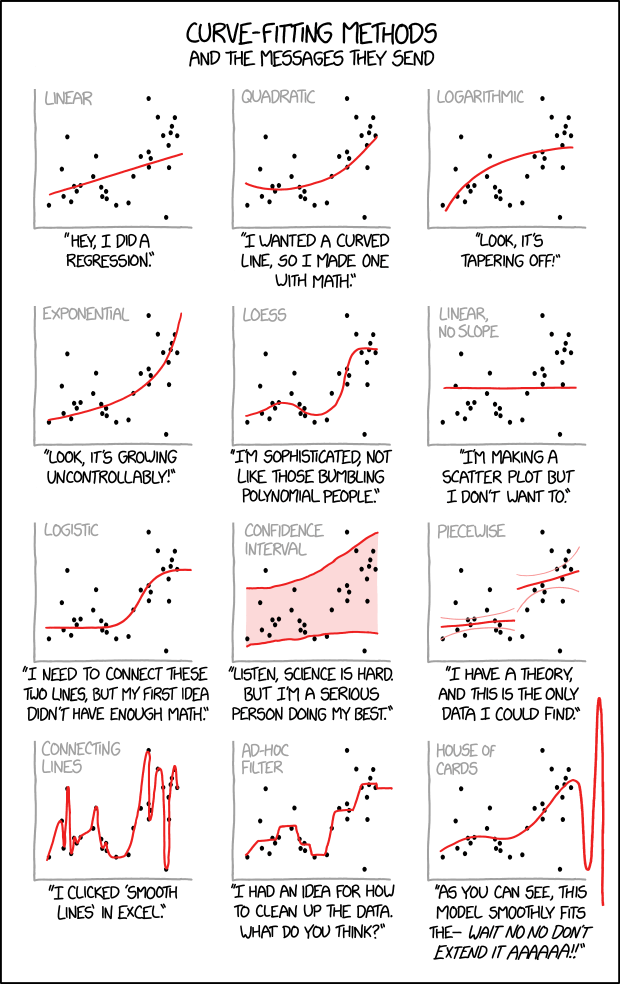
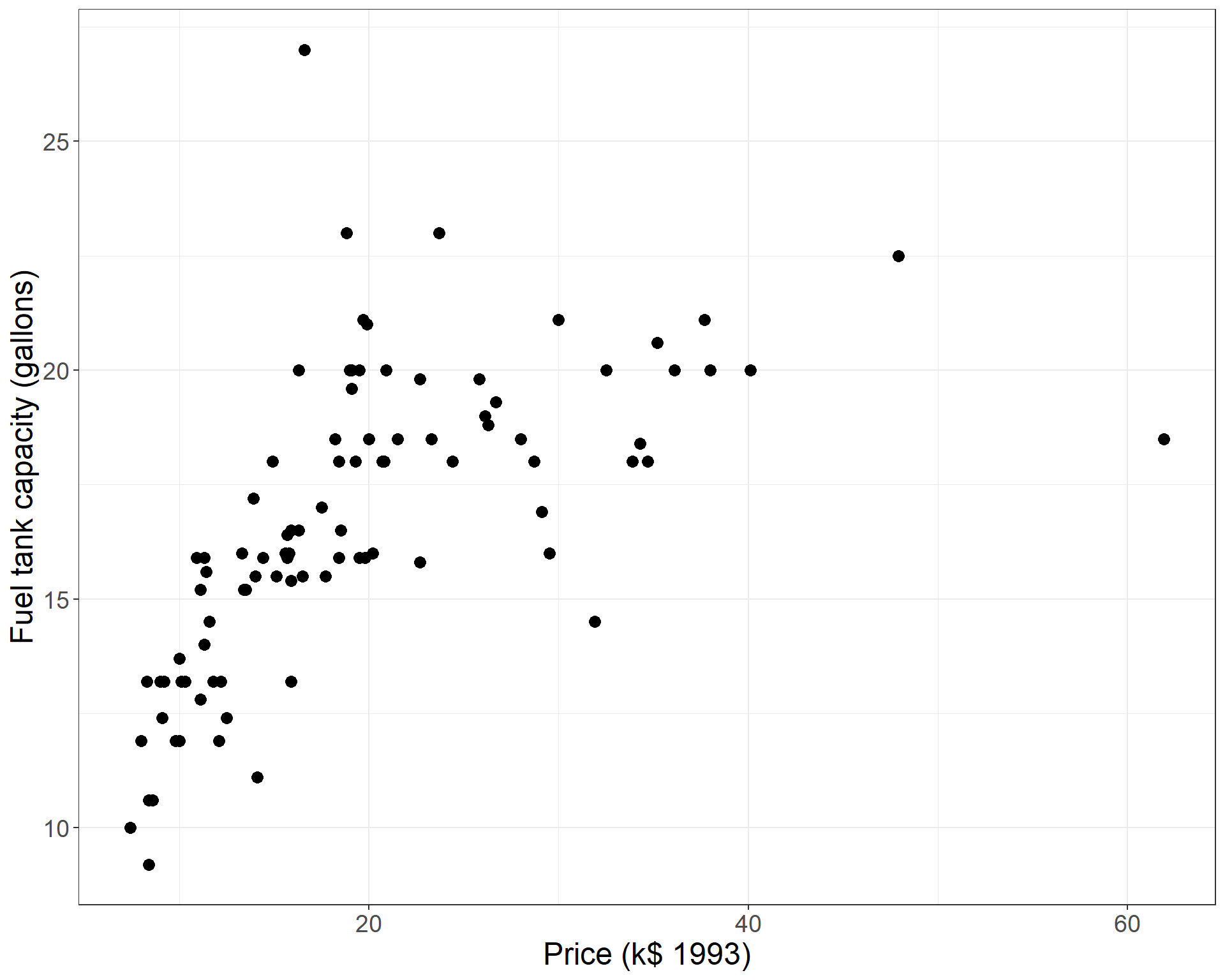
Consider a scatterplot / time-serie plot

Common tool: curve of tendency

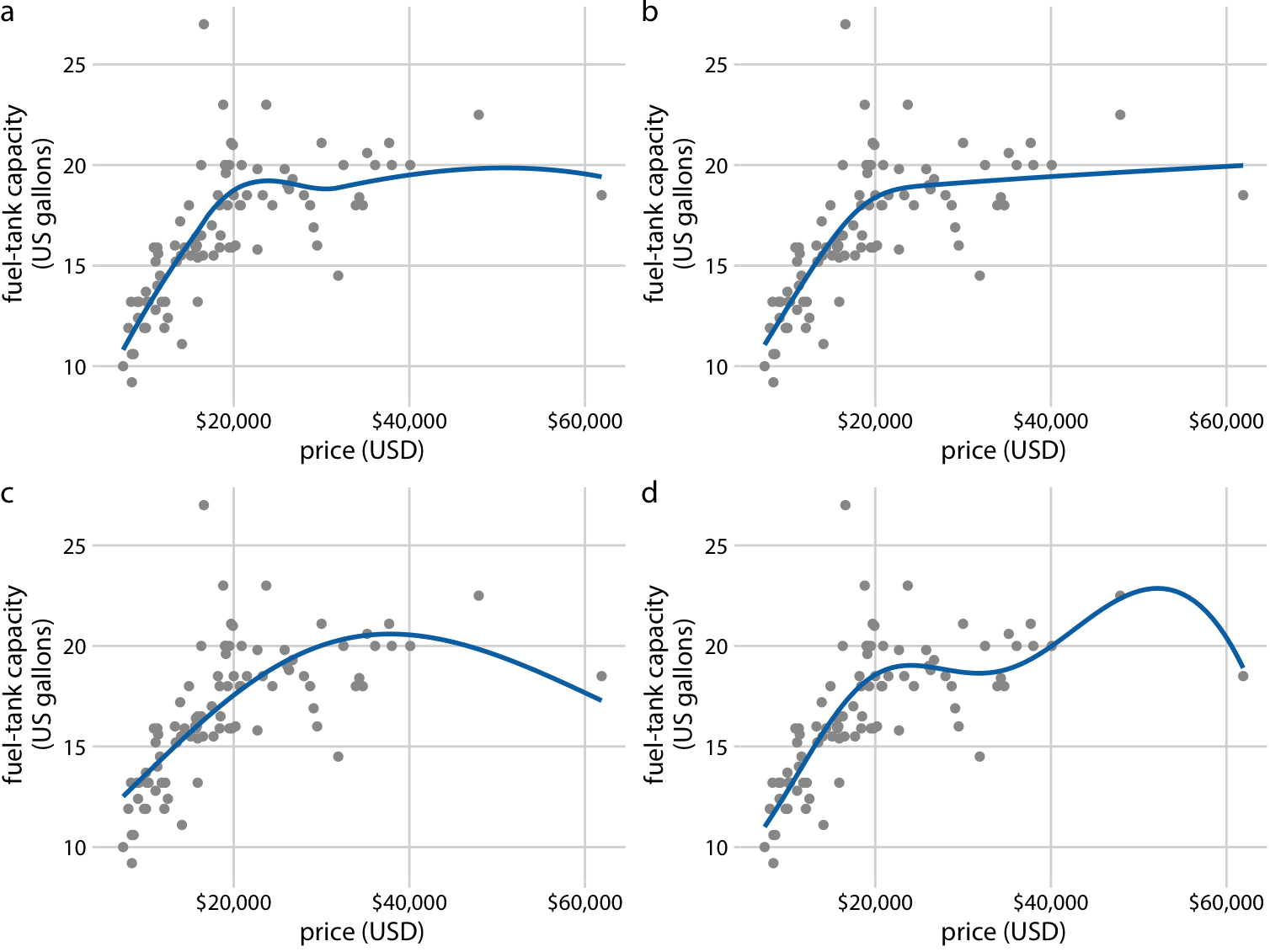
  • Implies the choice of the smoothing function (linear, LOESS, splines etc.)
  • These functions have parameters (bandwidths / knots (number / location) etc.)
  • Curves of tendency do not change the data ; they change the perception of it
  • Warning: the representation of the curve pops out and may convey different messages !

https://xkcd.com/2048/

Showing them the wrong thing: evolution (2/2)

What do you think of this ?

And these fits ?

Fundamentals of data visualization. Claus Wilke

Colors: Basic ideas

  • Color is one of the most expressive and effective channel

  • But have to be used carefully !

  • First question on the attribute : what do I want to show with the color ?

Recall: attribute types

In a nutshell

  • Categorical attributes (gender / Main hobby etc.)

  • Ordered attributes

    • Ordinal (Sensitivity / Car size category)
    • Quantitative (wage / \(CO_2\) emissions etc.)

Ordered attributes can be split into i) Sequential ii) diverging iii) cyclic attributes

Color in dataviz, 3 possible uses

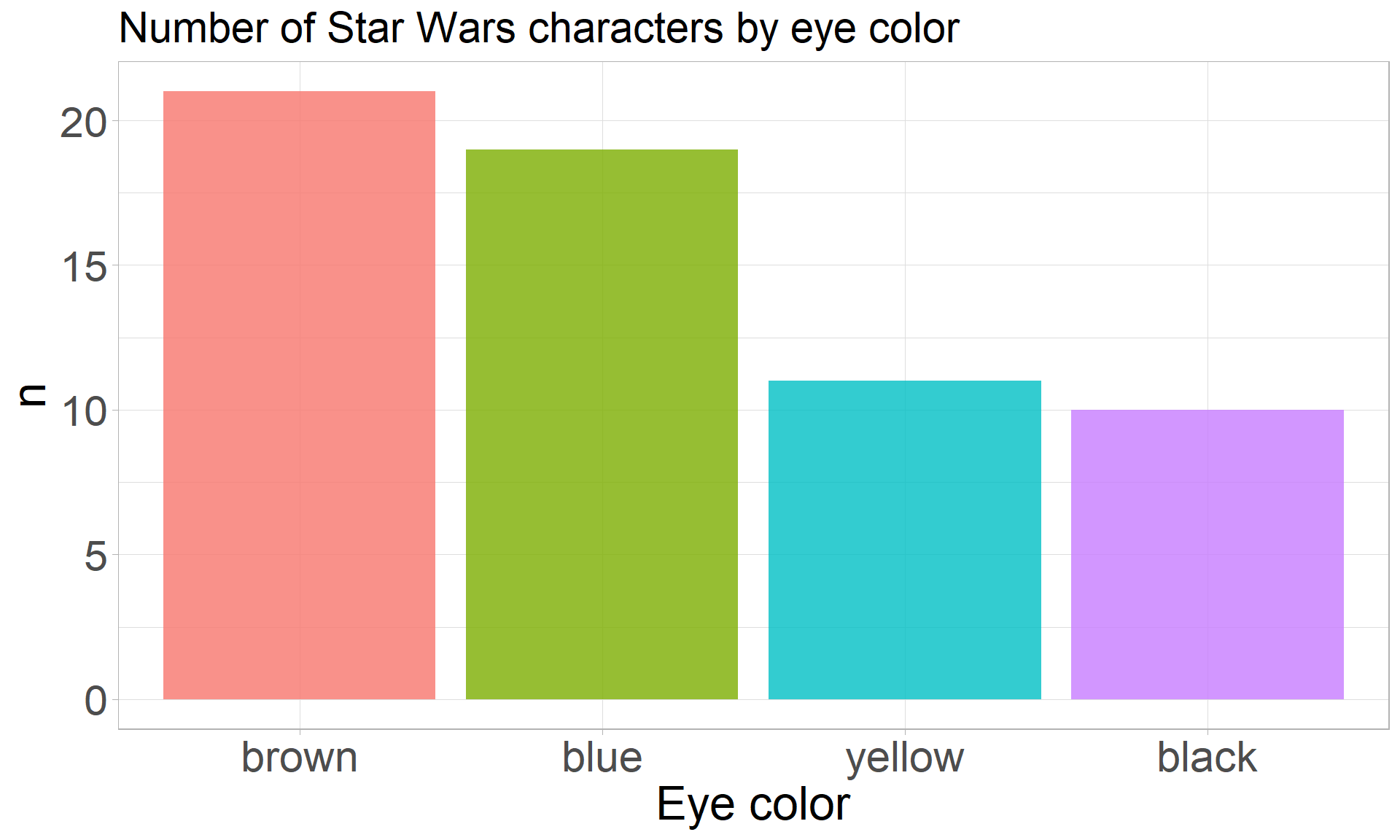
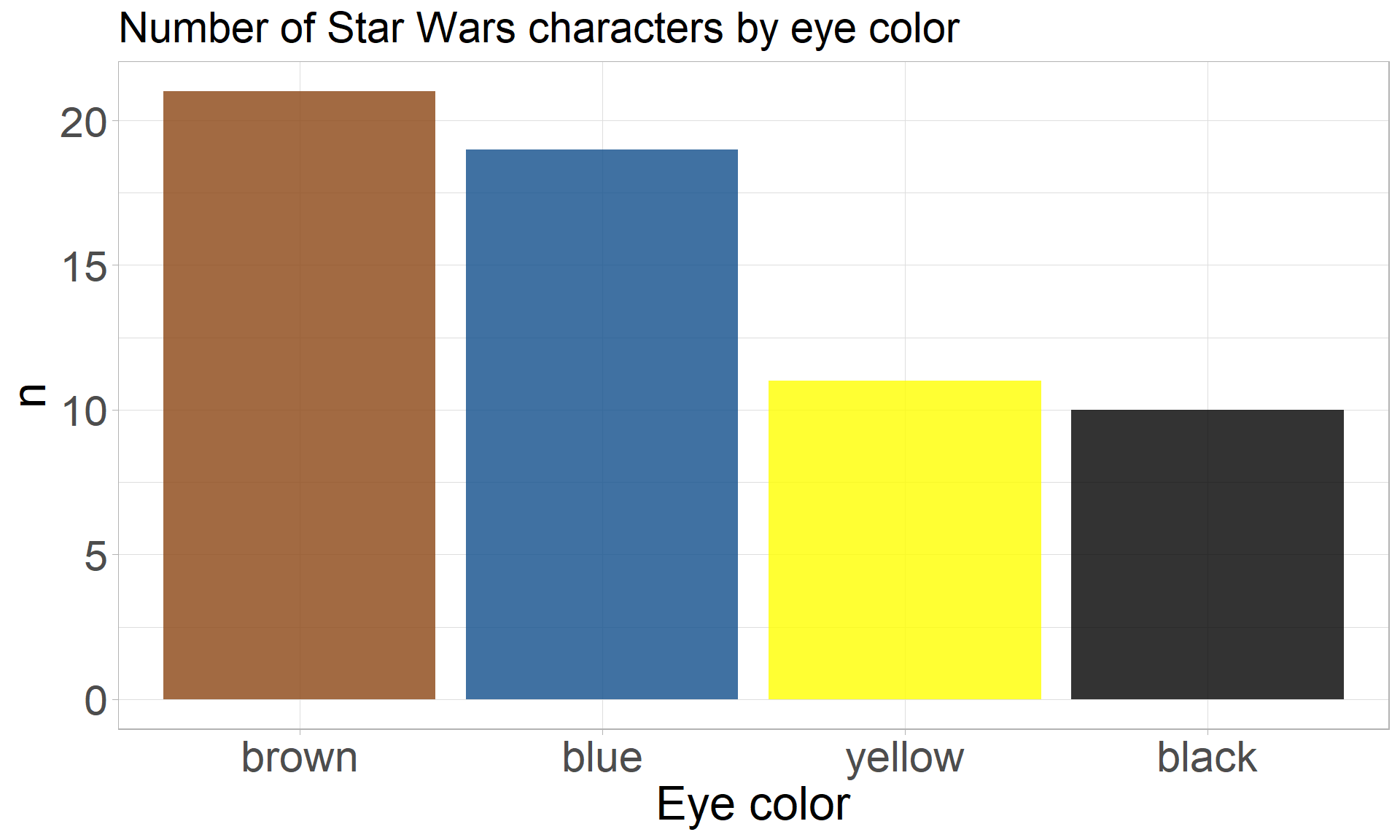
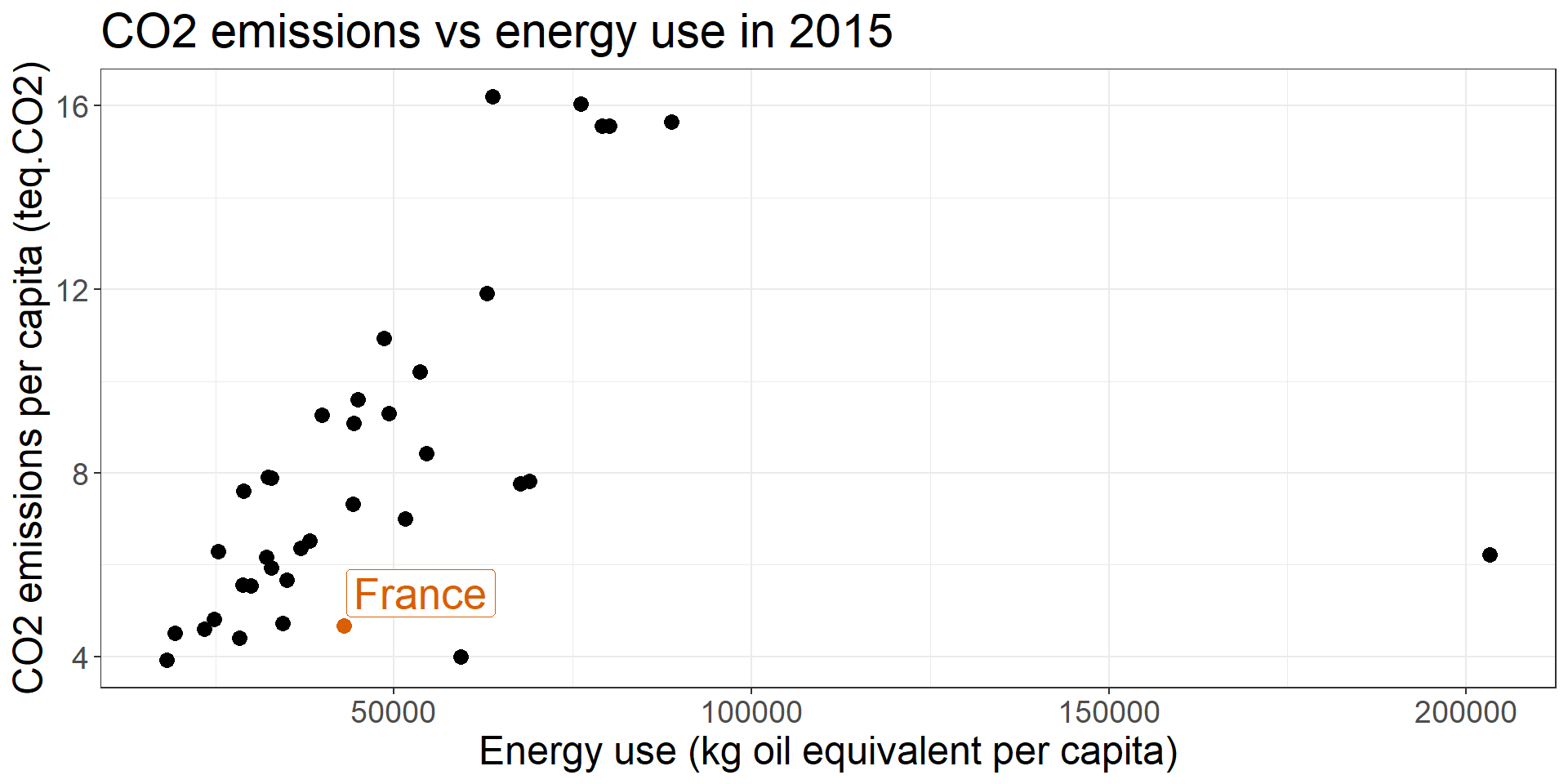
Distinguish

Scale / Compare

Point out

Color: which options for which attributes

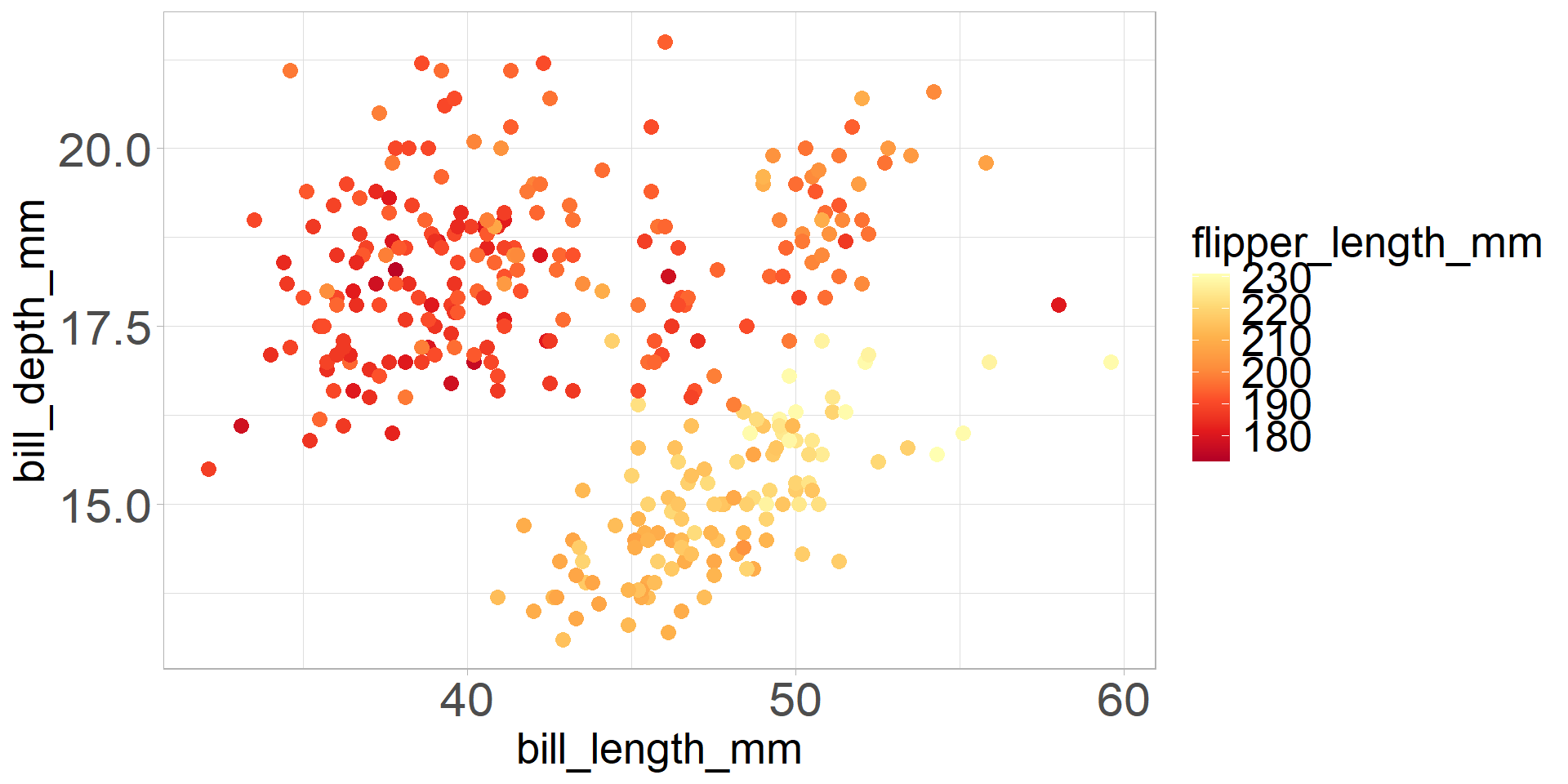
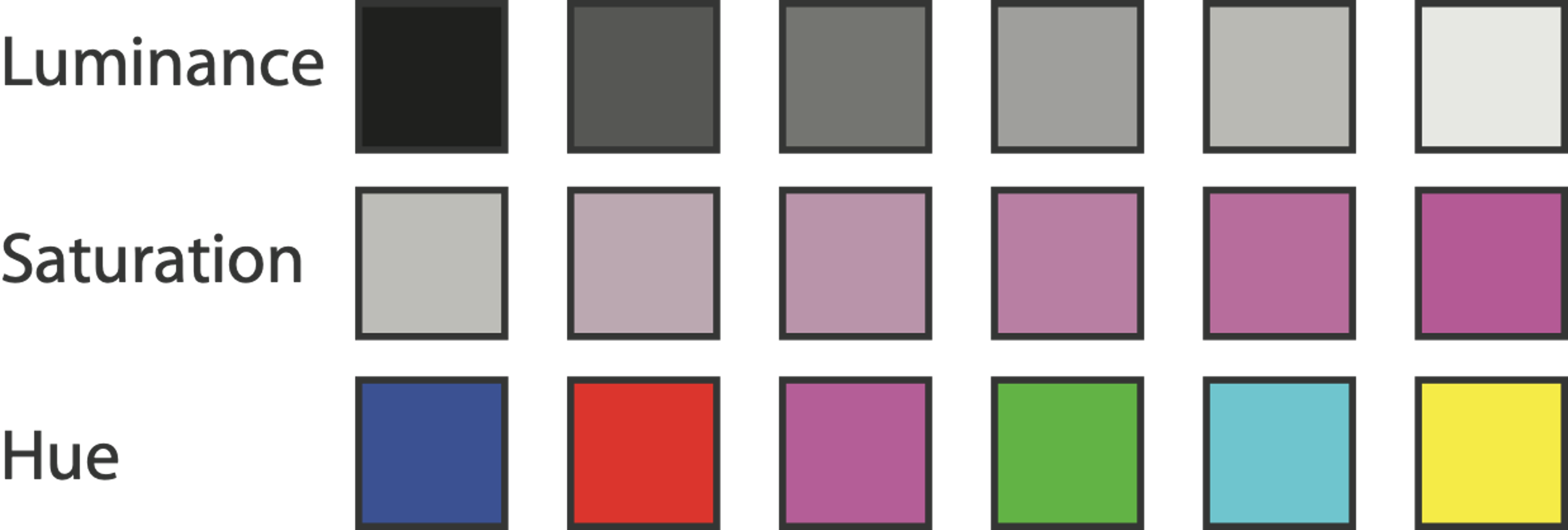
Color = f(Luminance / Saturation / Hue) = 3 channels

  • ordered can show magnitude
    • luminance: how bright (B/W)
    • saturation: how colourful
  • categorical can show identity
    • hue: what color

Visualization Analysis and Design. Tamara Munzner, with illustrations by Eamonn Maguire. A K Peters Visualization Series, CRC Press, 2014.

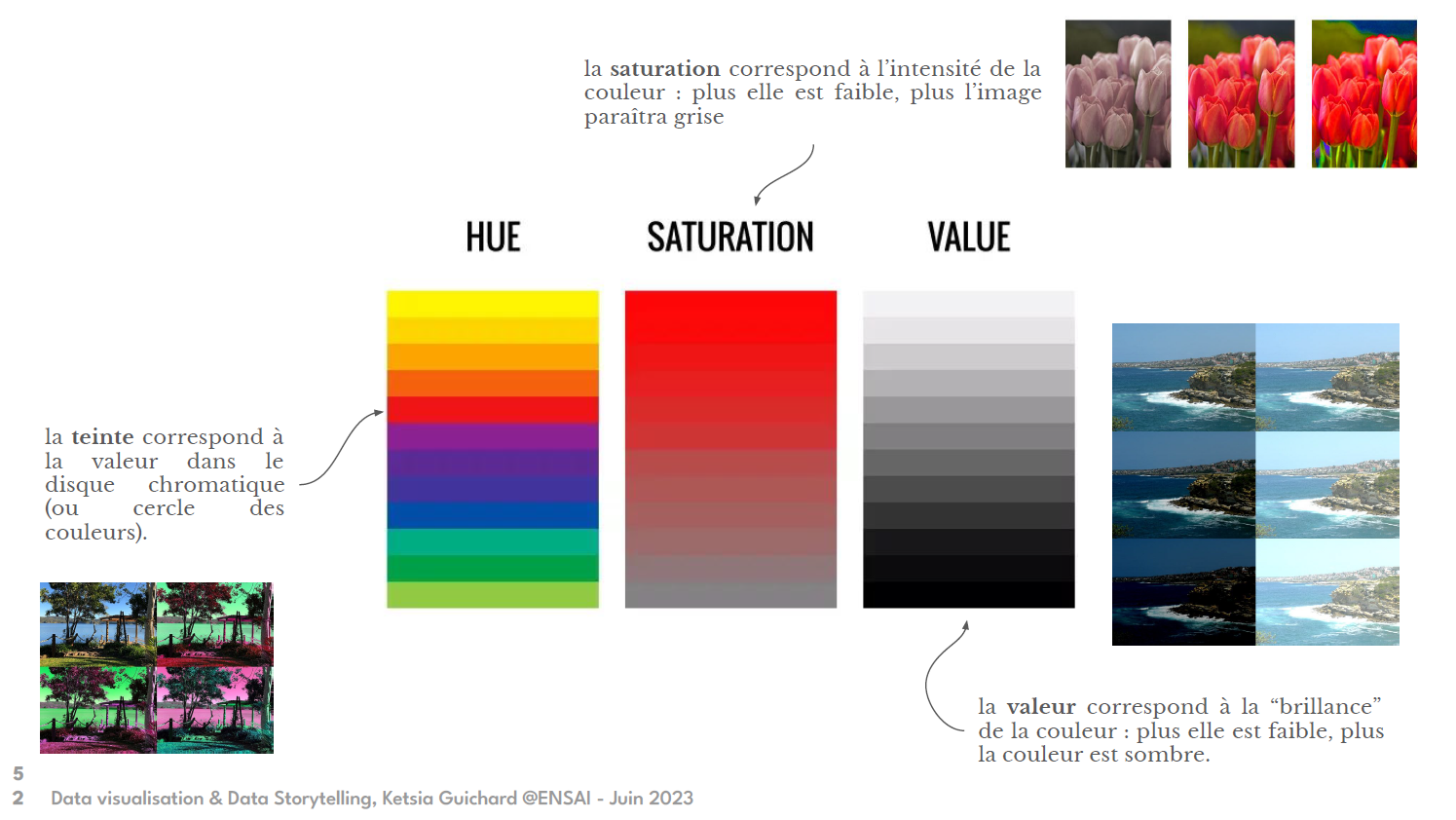
HSL with example (thx Ketsia Guichard)

Attribute type \(\Rightarrow\) Color choices

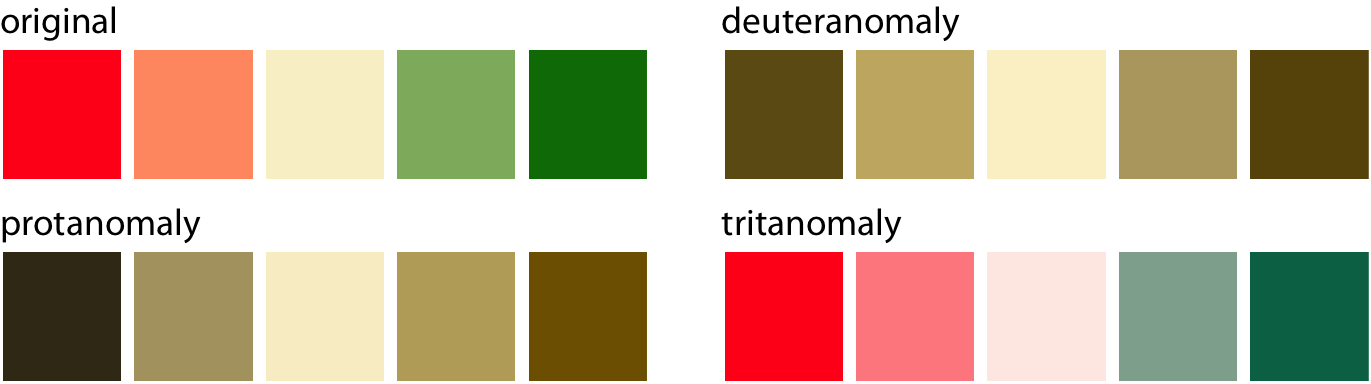
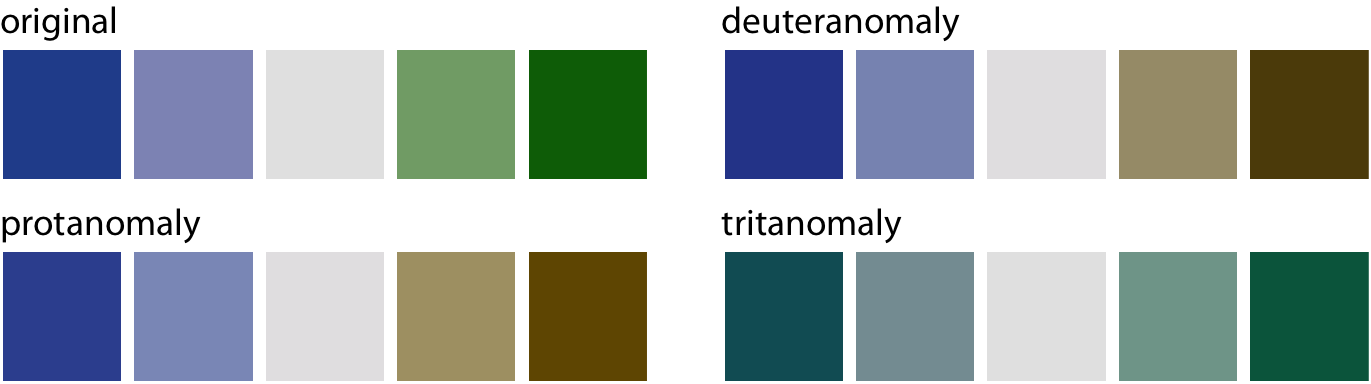
Color vision deficiency: think at your colleagues ! (1/2)

  • 8% of the men have a color vision deficiency (cvd) !

  • “Only” 0.5% of the women

Supposing 4% (average) of the people have cvd, what is the probability that no one has cvd among a group of 50 people ?

1-sum(dbinom(1:50, 50, 0.04))
[1] 0.1298858

How to understand their point of view

red-green cvd

blue-green cvd

Fundamentals of data visualization. Claus Wilke

Color vision deficiency: think at your colleagues ! (2/2)

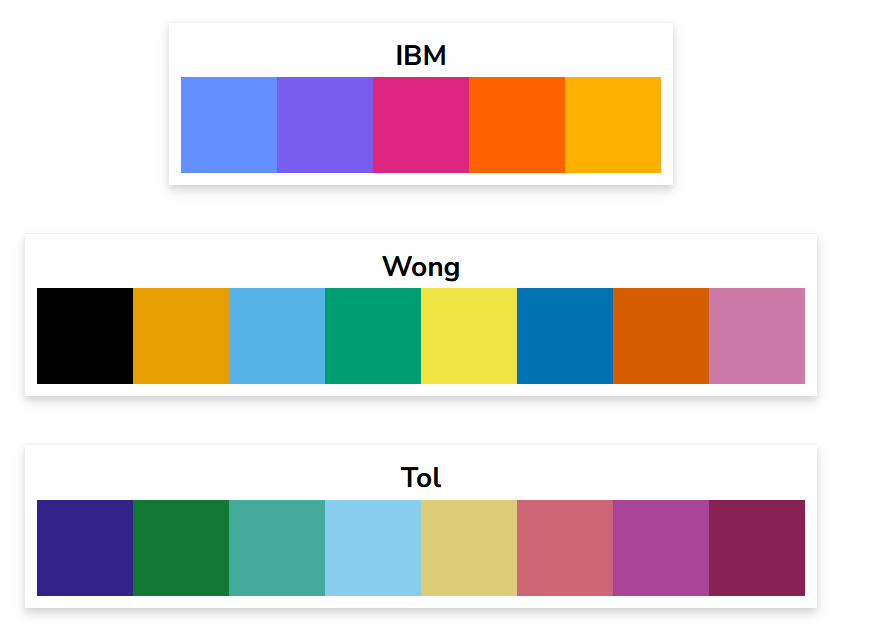
How to take care:

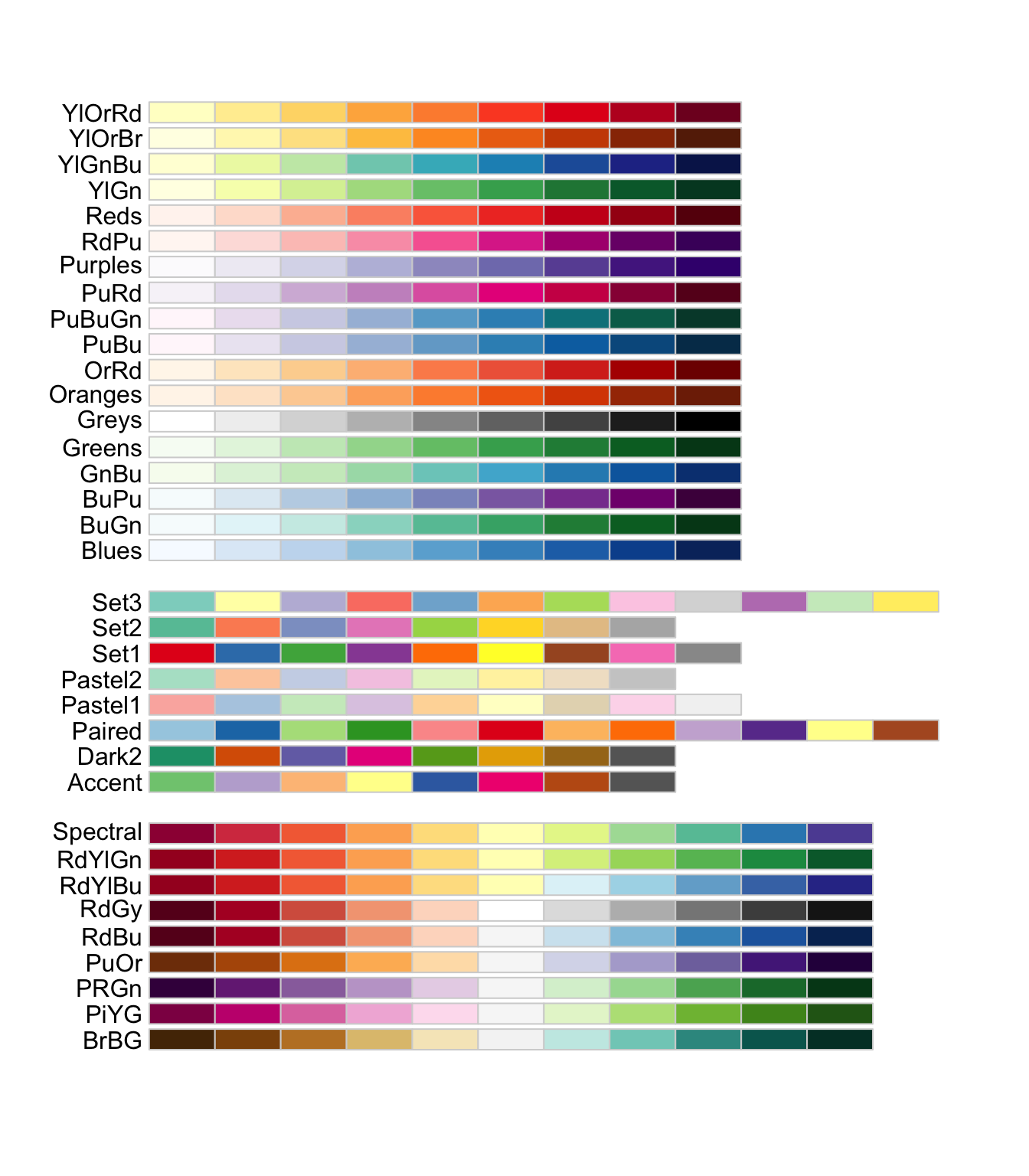
RColorBrewer::display.brewer.all(colorblindFriendly = TRUE)

Other palettes proposed by David Nichols

Above all: test your graph with a cvd simulator (https://www.color-blindness.com/coblis-color-blindness-simulator/) !

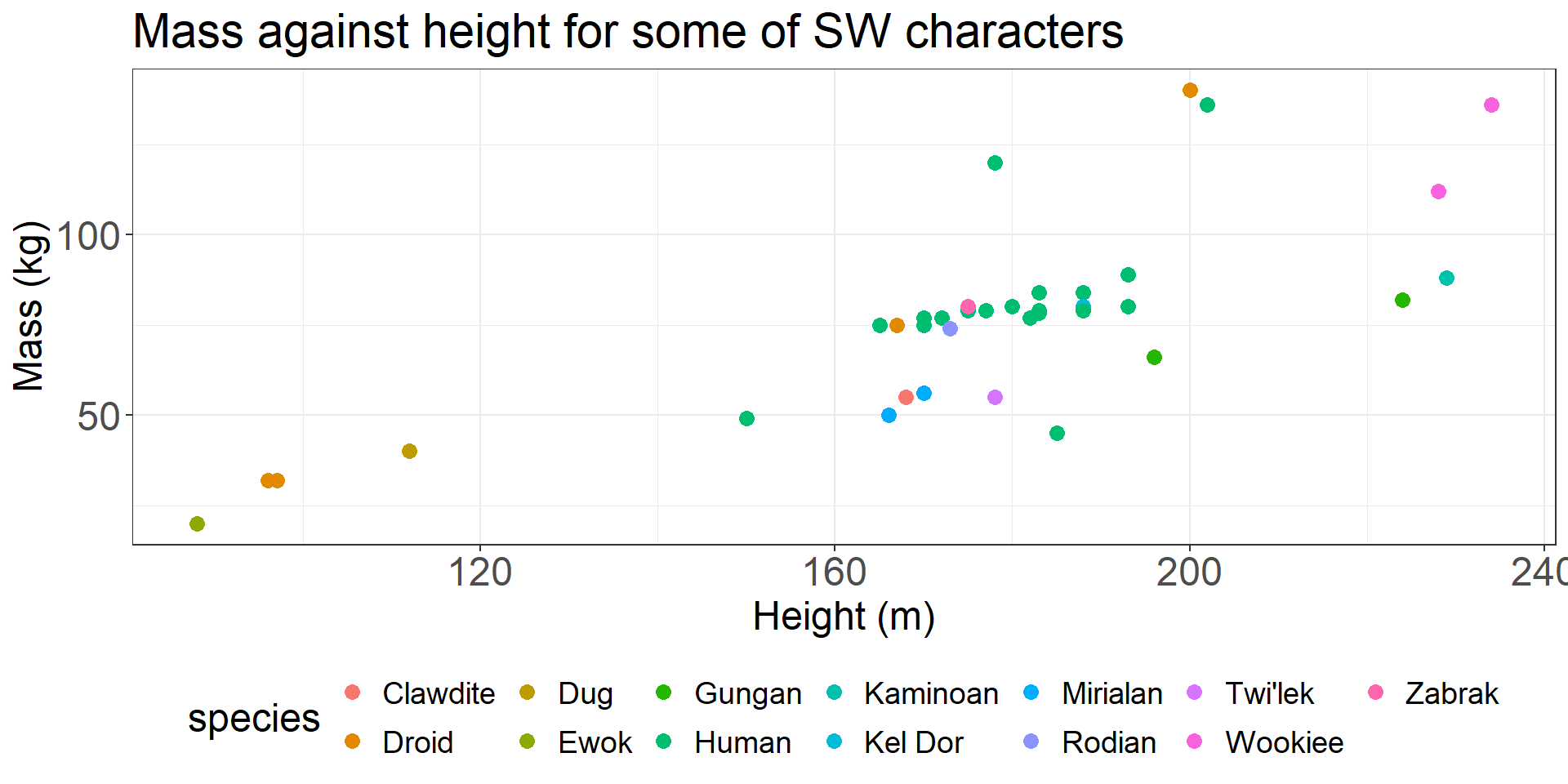
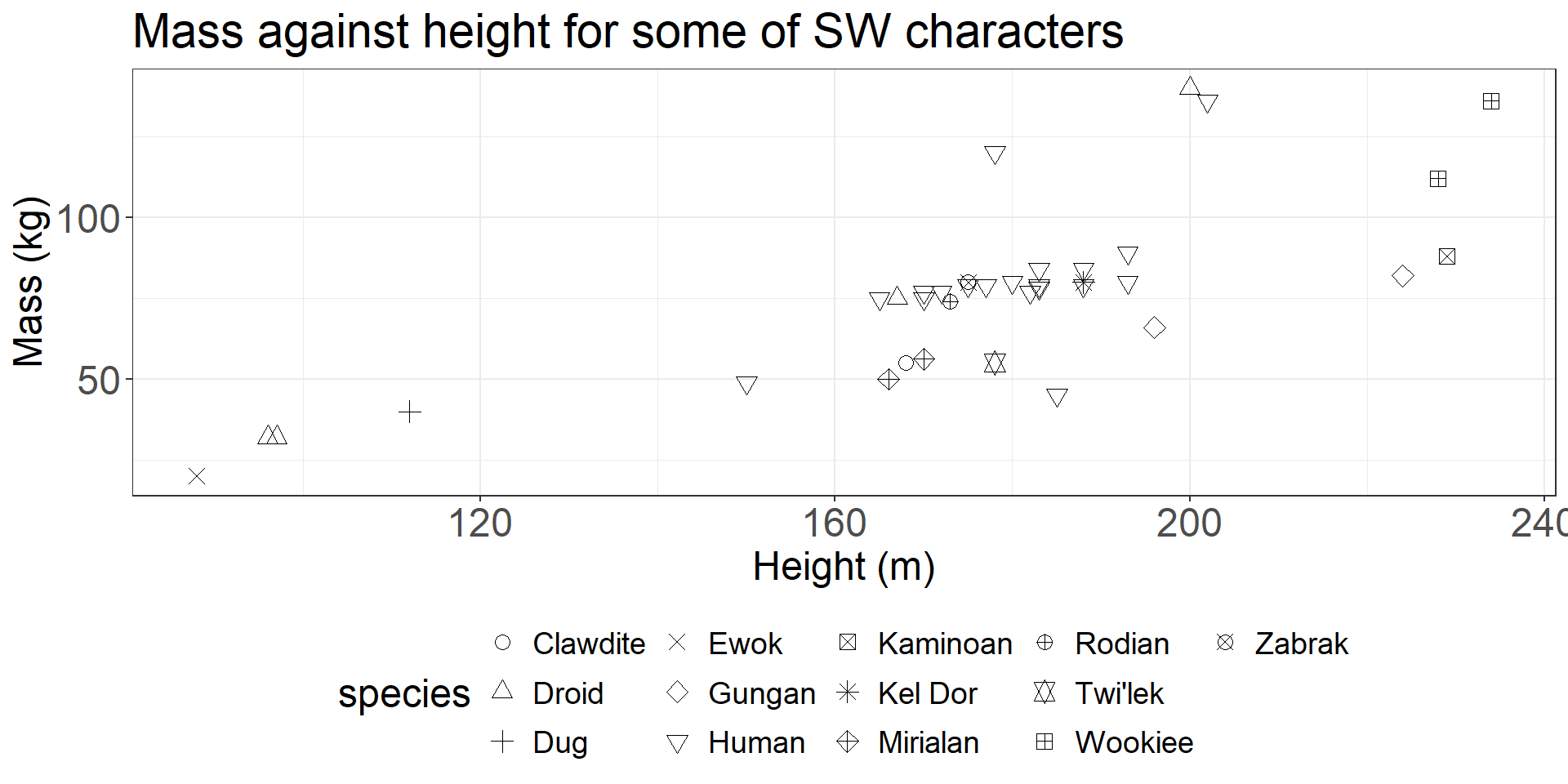
Color: avoid encoding to many categories

Labels: show what you say, say what you show

“If you take away only one single lesson from this book, make it this one: Pay attention to your axis labels, axis tick labels, and other assorted plot annotations. Chances are they are too small. In my experience, nearly all plot libraries and graphing softwares have poor defaults. If you use the default values, you’re almost certainly making a poor choice.”, Claus Wilke Fundamentals of data visualisation
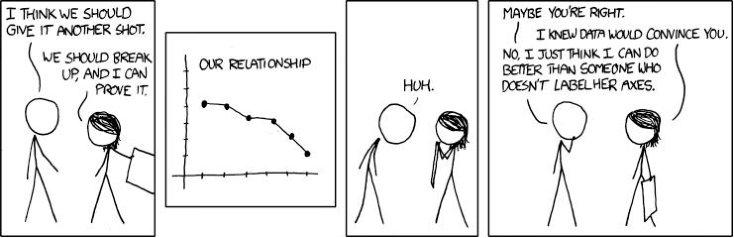
https://xkcd.com/833/

Labels: how not, how to

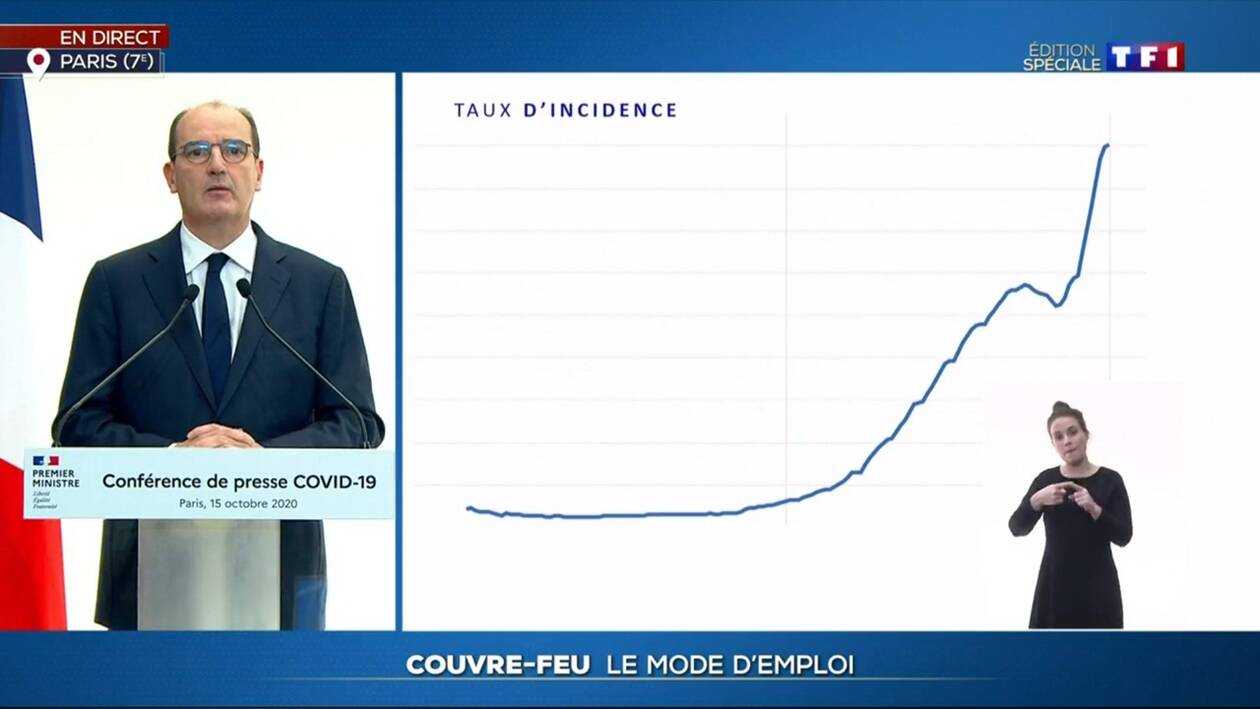
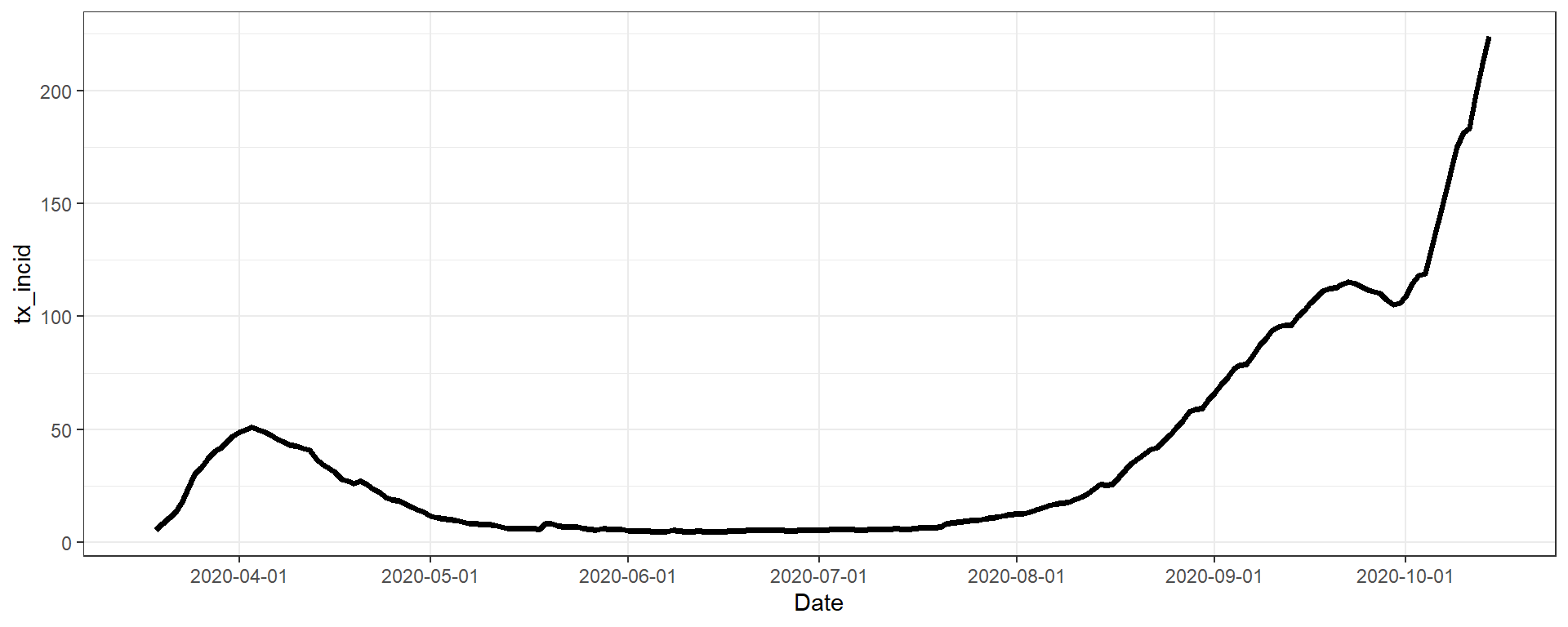
Avoid

Avoid

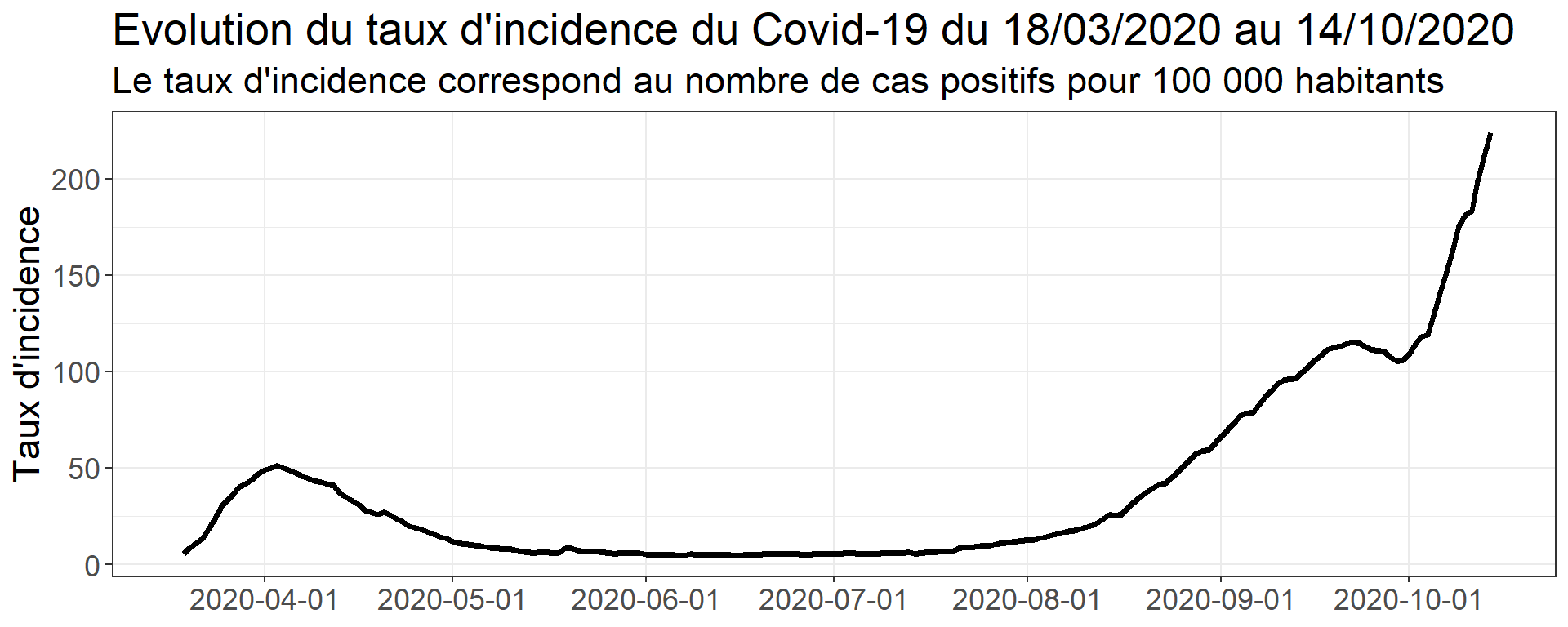
Prefer:

Or:

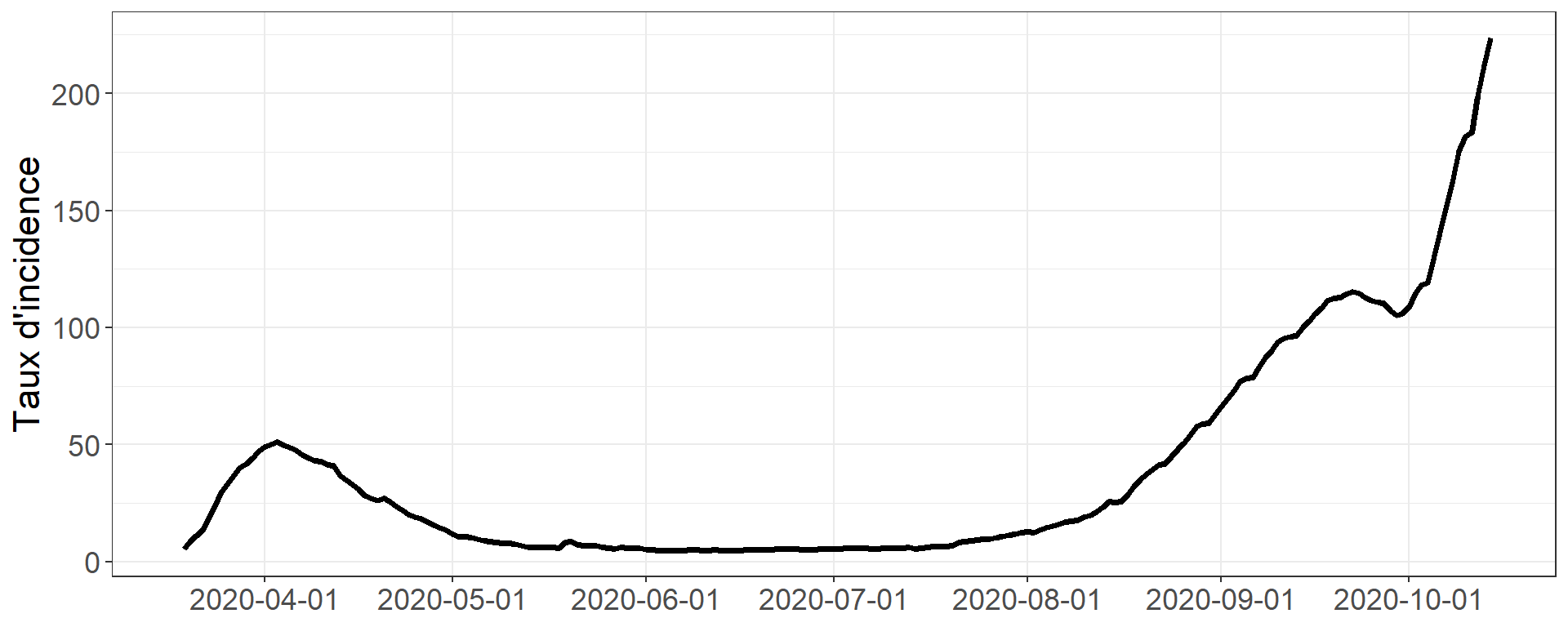
Figure xxx: Evolution du taux d’incidence du Covid-19 du 18/03/2020 au 14/10/2020. Le taux d’incidence correspond au nombre de cas positifs pour 100 000 habitants.

Legends

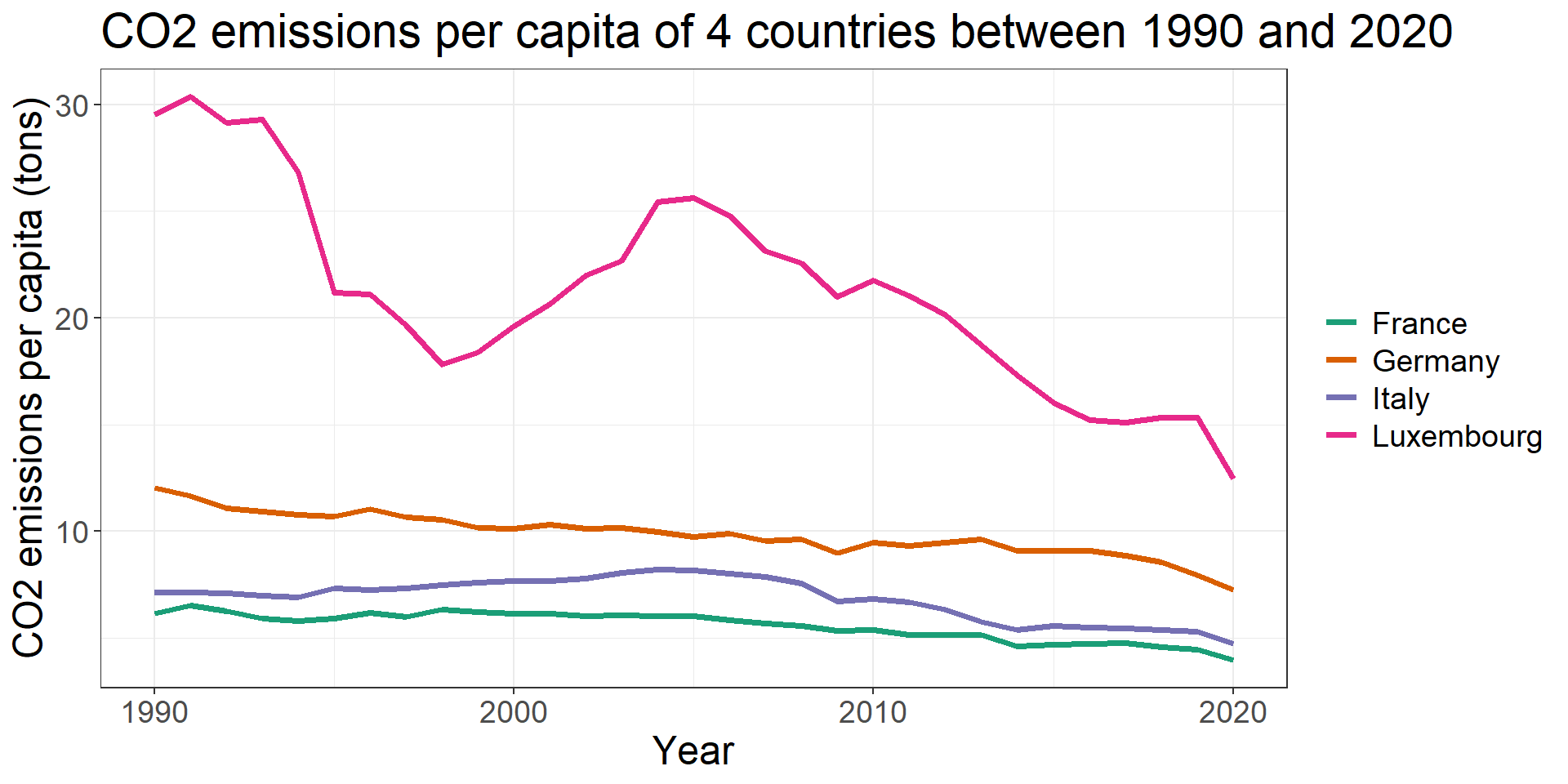
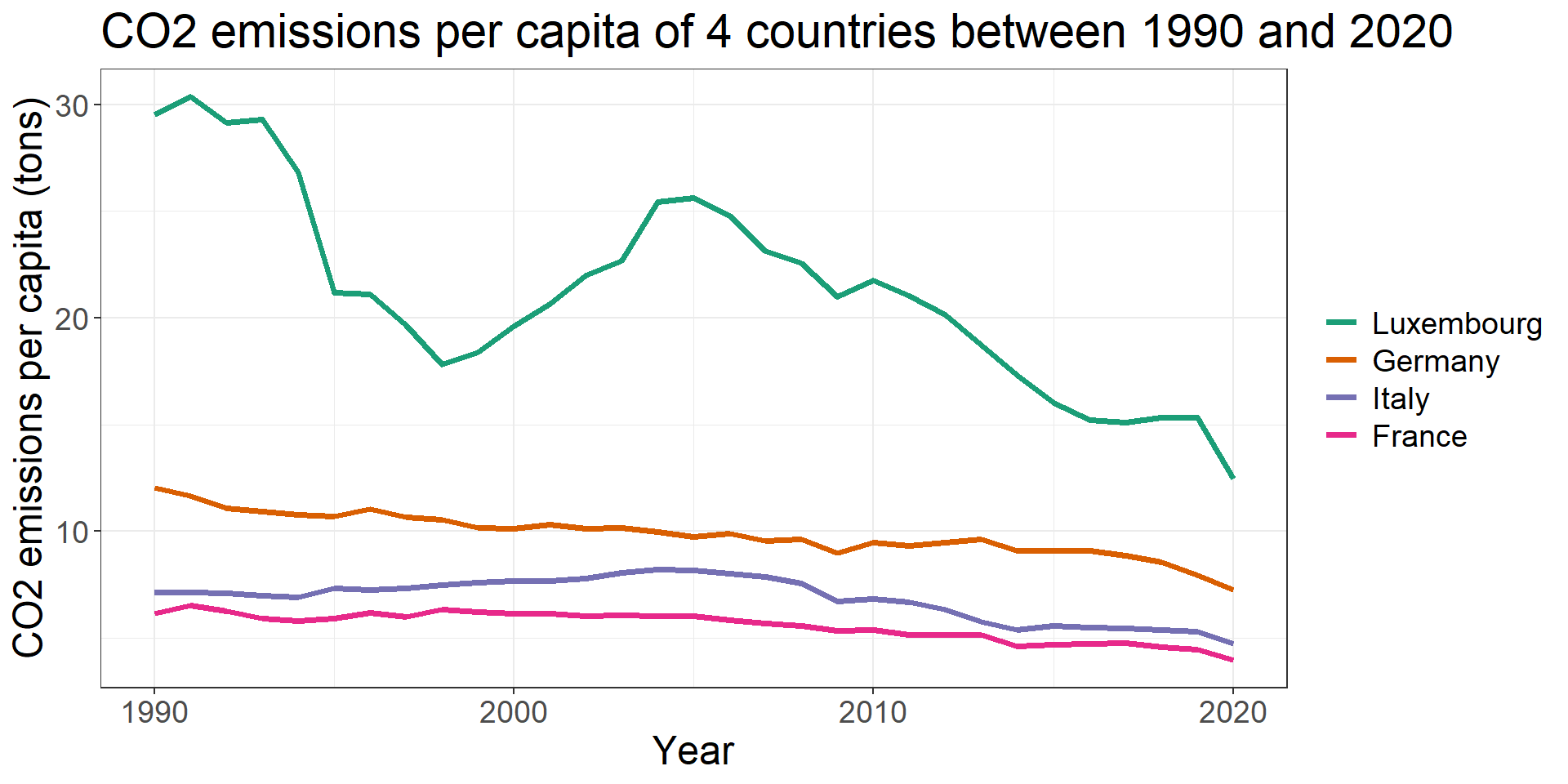
Help the viewer

  • Order elements of the legend (values or curves)


Avoid

Prefer

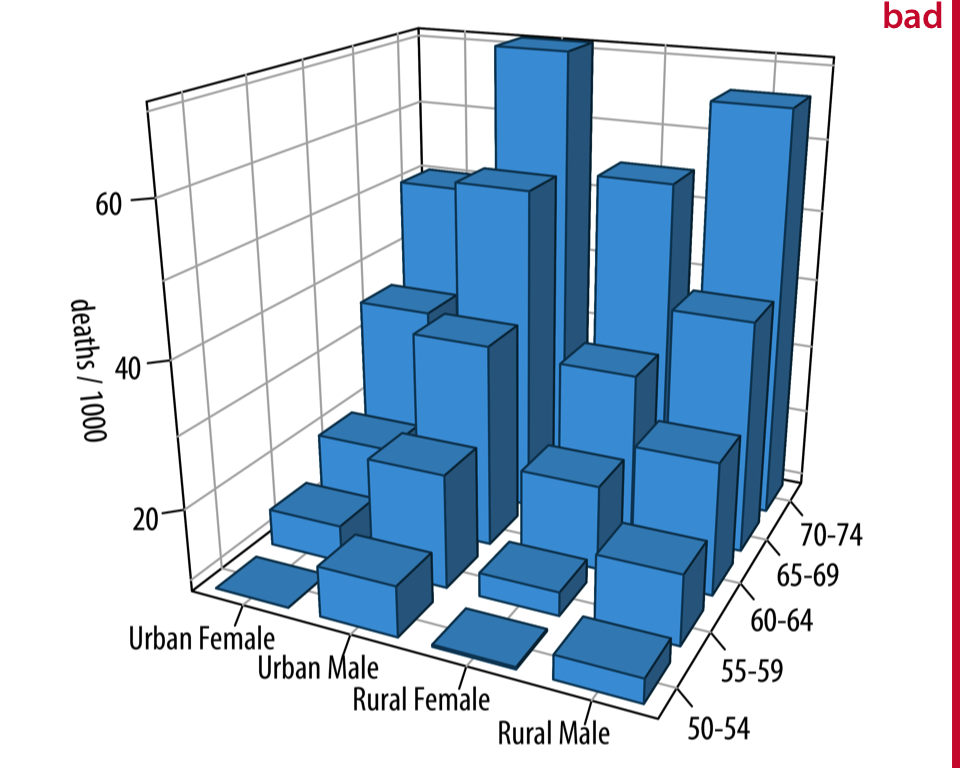
Avoid (unnecessary) 3D

Fundamentals of data visualization. Claus Wilke
  • High dimensional data visualization has to be tackled differently

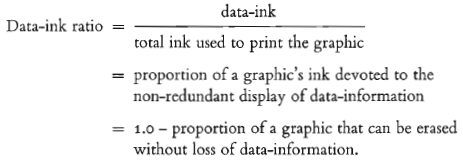
Data-to-ink ratio: avoid overloading

E.R. Tufte, The Visual Display of Quantitative Information


Within reason
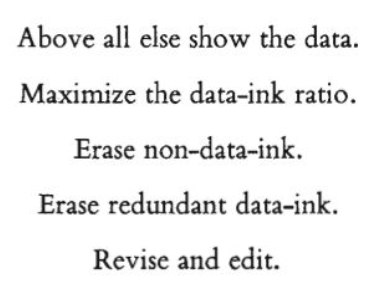
E.R. Tufte, The Visual Display of Quantitative Information

Maximizing data-to-ink ratio ? Still a debate in the literature !

Minimalist charts

  • Pros
    • Faster to understand
    • Focuses on the main message of the graphic
  • Cons
    • May seem a bit austere

Cluttered charts

  • Pros
    • May provide more pleasing charts
    • May help the short / long-term memory
  • Cons
    • Monopolizes a lot of attention

Take home message:

  • Find a good compromise, always ask yourself: what is the main message of my figure and whom am I talking to ?

Franconeri, S. L., Padilla, L. M., Shah, P., Zacks, J. M., & Hullman, J. (2021). The Science of Visual Data Communication: What Works. Psychological Science in the Public Interest, 22(3), 110-161. https://doi.org/10.1177/15291006211051956
Miscellaneous

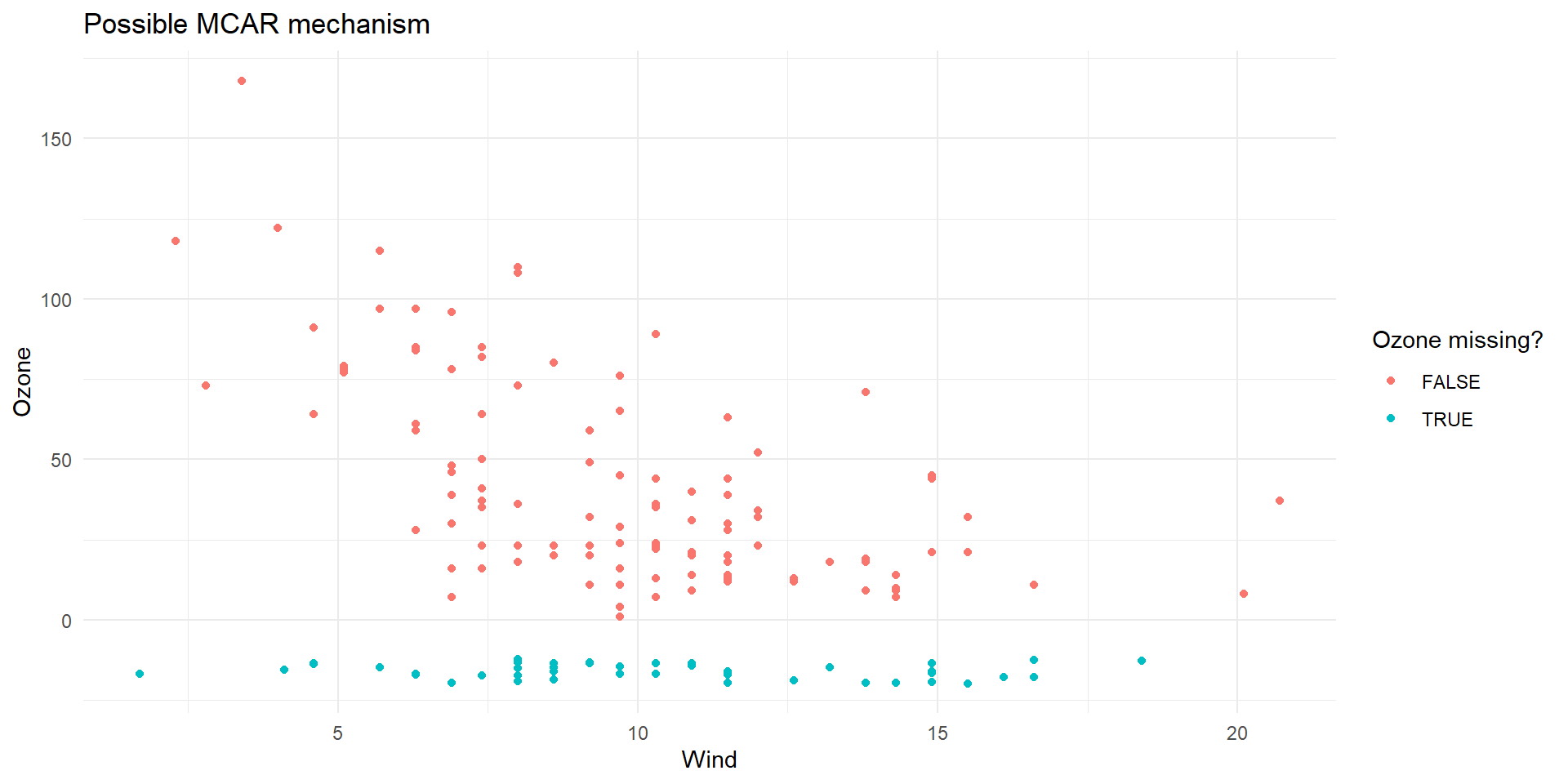
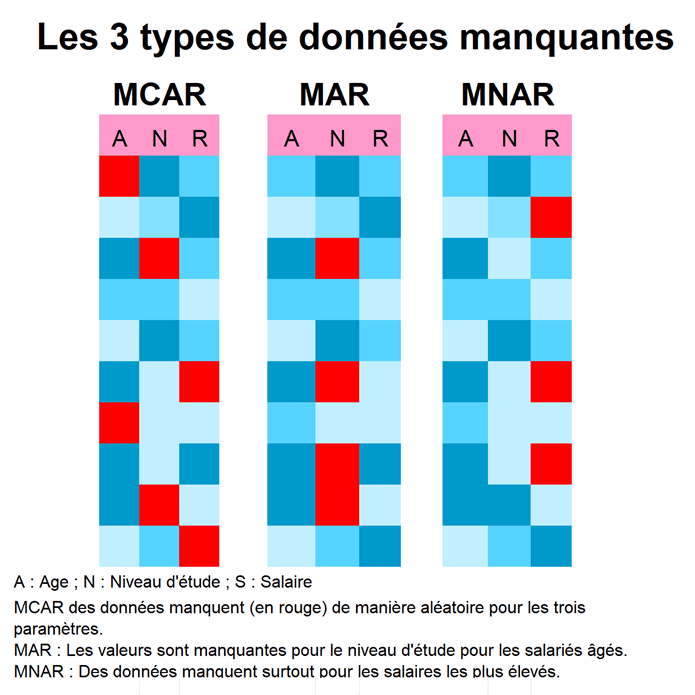
Visualizing the vacuum: how to visualize missing data ?

  • Missing values play a significant role in data analysis
  • Multiple mechanisms of missingness exist:
    • MCAR: Missing Completely At Random: missingness is completely random
  • MAR: Missing At Random: missingness of a variable depends on the values of other variables
  • MNAR: Missing Not At Random : missingness of a variable depends on the value of the variable itself.

  • Visualizing can help:
    • Identify the pattern of missingness
    • Understand whether missingness is related to other variables
    • Choose appropriate strategies for handling them

Visual tools for missing data (1/3)

  • R packages naniar, VIM.

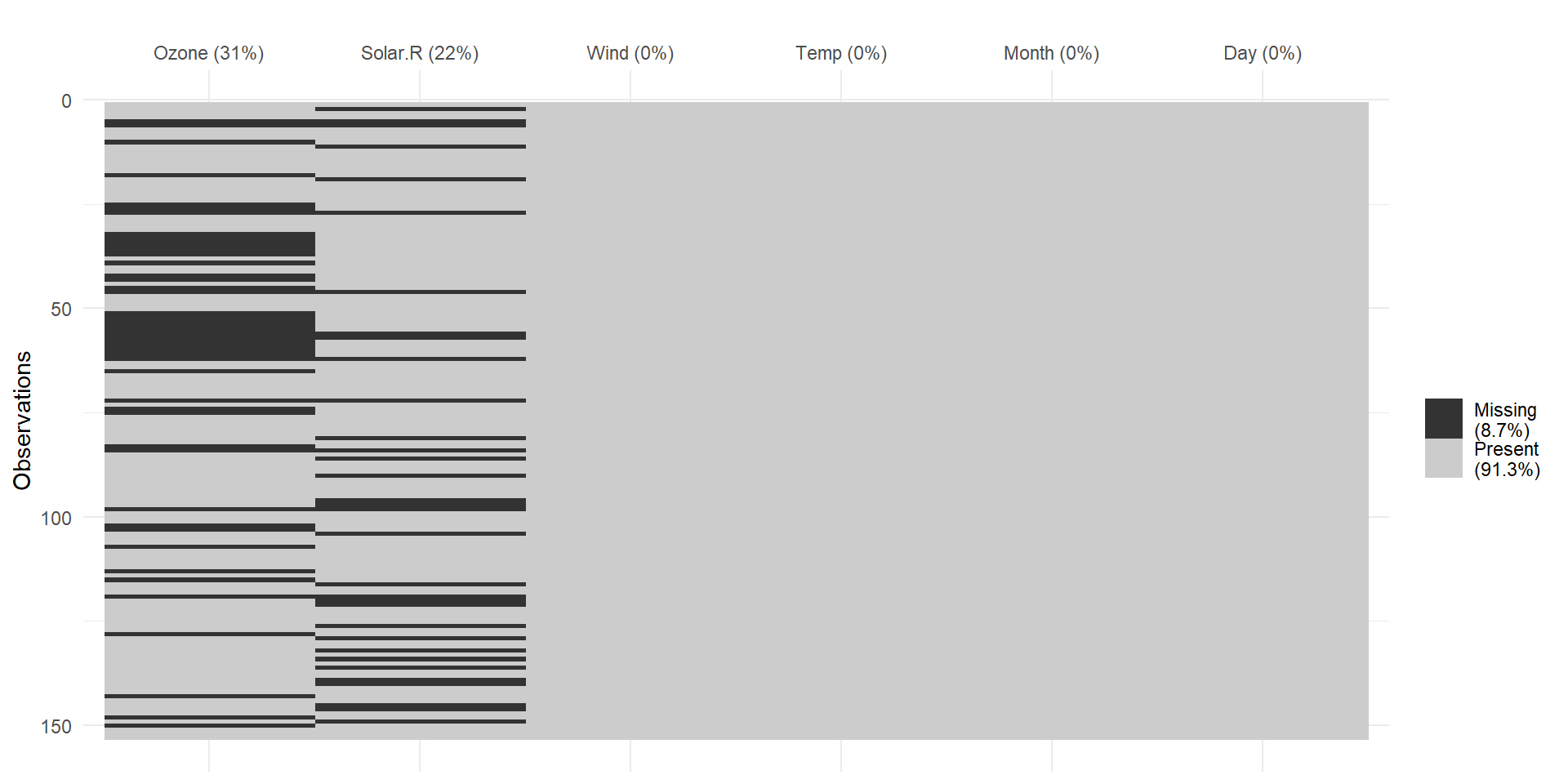
  • Heatmaps of missingness
    → Where are the gaps in the dataset?

Code
library(naniar)

# Example dataset with some missingness
set.seed(123)
dat <- airquality %>%
  mutate(
    Ozone = ifelse(runif(n()) < 0.1, NA, Ozone),
    Solar.R = ifelse(runif(n()) < 0.2, NA, Solar.R)
  )

# Visualize missing values
vis_miss(dat) + theme_minimal()

Code
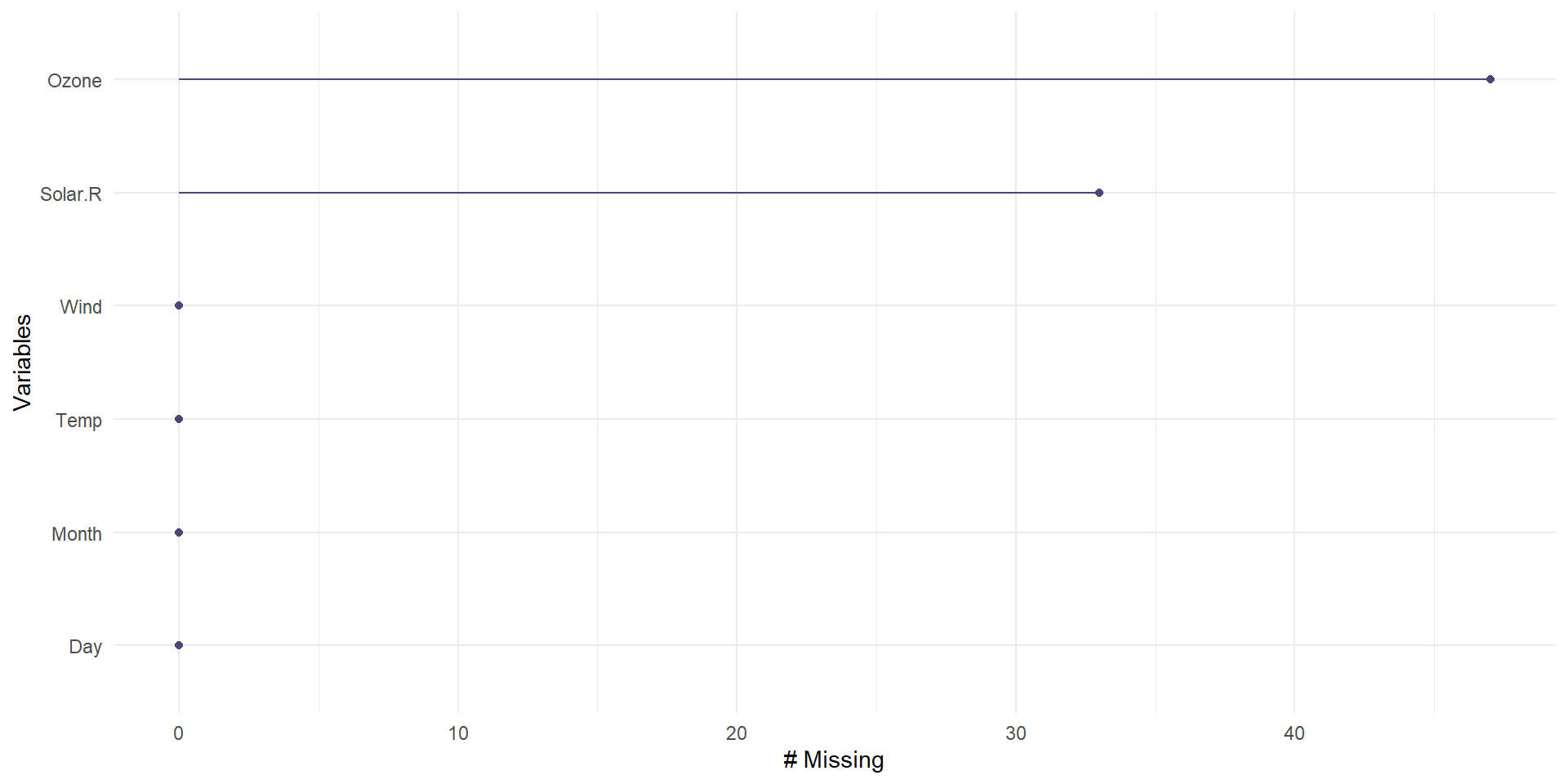
gg_miss_var(dat)

Visual tools for missing data (2/3)

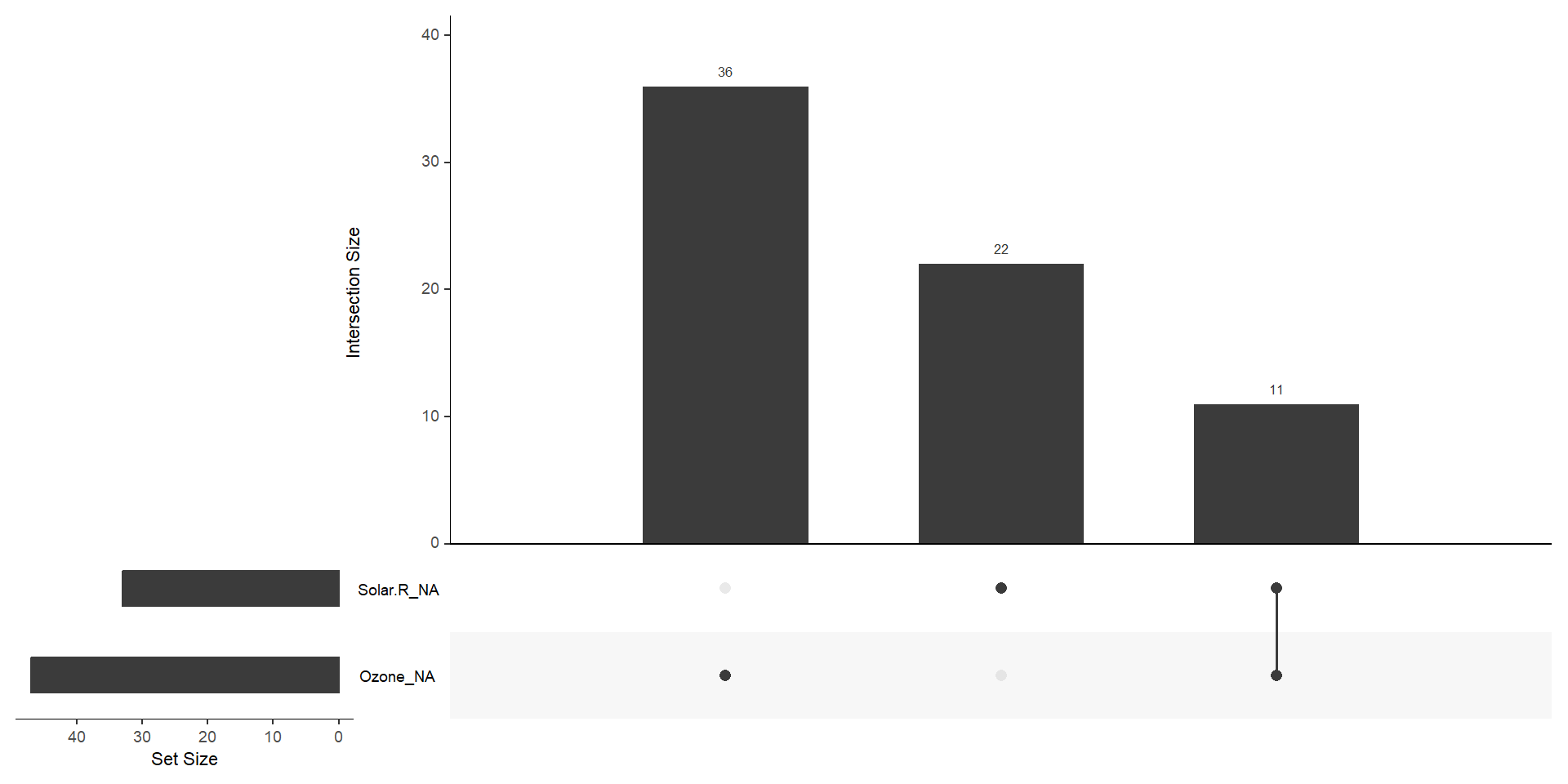
  • Patterns of missingness (co-occurrence of missing values)
Code
library(VIM)

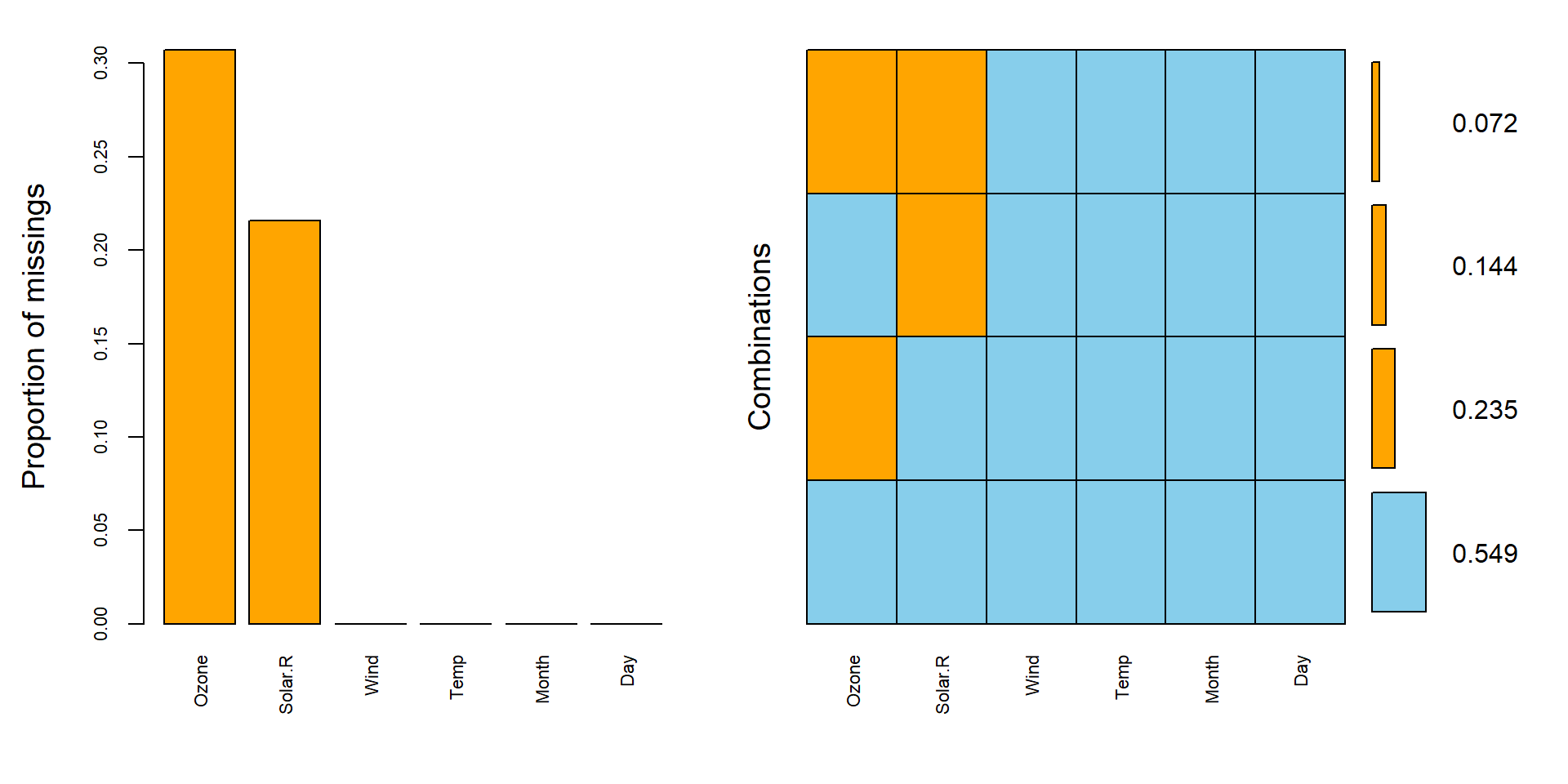
aggr(dat, col = c("skyblue","orange"),
numbers=TRUE, sortVars=TRUE, cex.axis=.7,)


 Variables sorted by number of missings: 
 Variable     Count
    Ozone 0.3071895
  Solar.R 0.2156863
     Wind 0.0000000
     Temp 0.0000000
    Month 0.0000000
      Day 0.0000000
Code
gg_miss_upset(dat)

Visual tools for missing data (3/3)

  • Relation between missingness and other variables
    → Is missingness random (MCAR) or related to other covariates (MAR/MNAR)?
Code
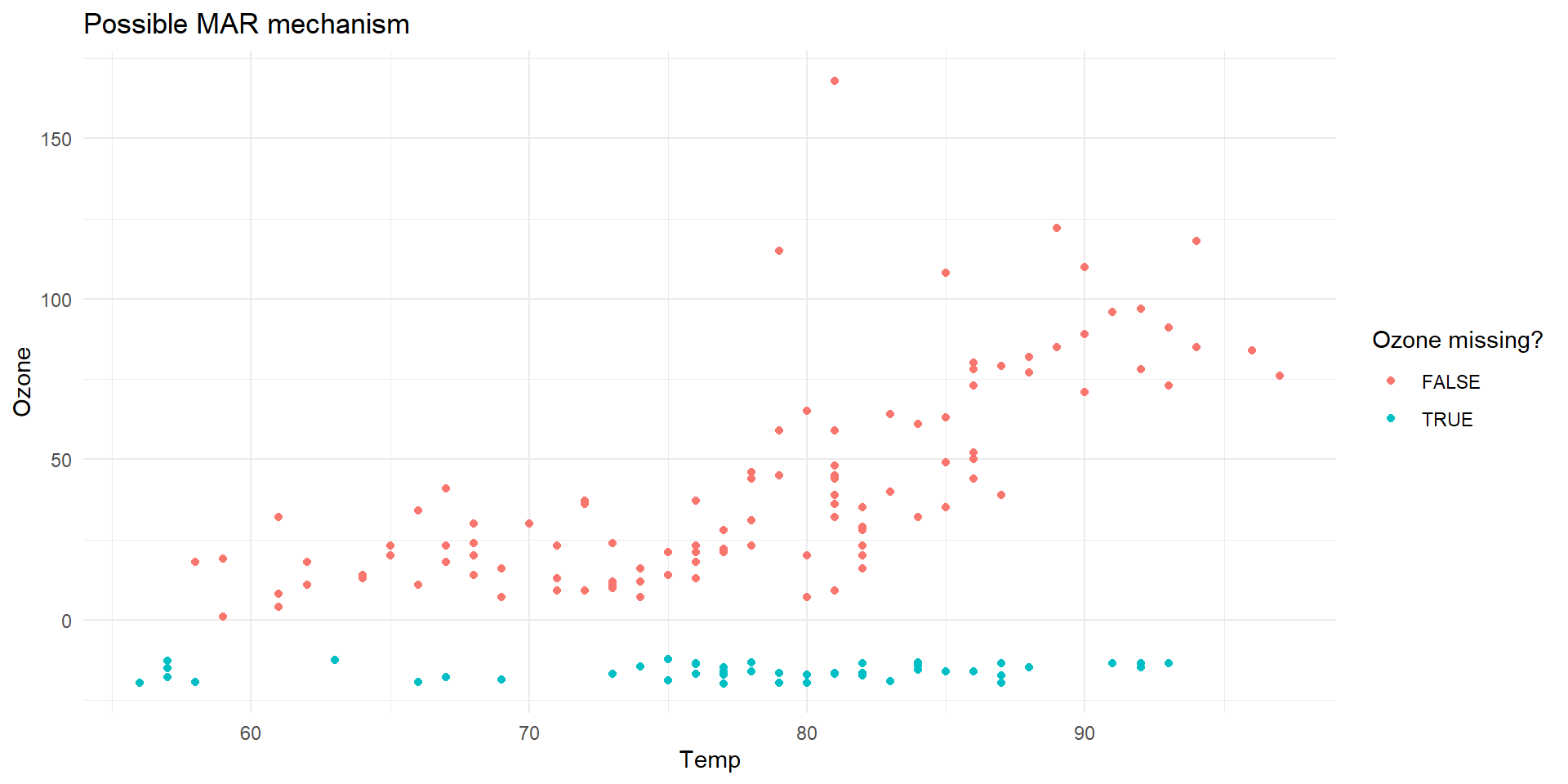
# Visualize missingness of one variable against another
ggplot(dat, aes(x = Temp, y = Ozone)) +
  geom_miss_point(aes(color = is.na(Ozone))) +
  labs(color = "Ozone missing?", title = "Possible MAR mechanism") +
  theme_minimal()

Code
ggplot(dat, aes(x = Wind, y = Ozone)) +
  geom_miss_point(aes(color = is.na(Ozone))) +
  labs(color = "Ozone missing?", title = "Possible MCAR mechanism") +
  theme_minimal()

  • Takeaway:
    • Heatmaps → global structure
  • Aggregation plots → co-occurrence patterns
  • Conditional plots → test MCAR vs MAR suspicion

Visualizing high-dimensional data: why is it a challenge?

  • Human vision is limited to 2D (and maybe 3D plots).
  • Many datasets have tens or hundreds of variables.
  • Visualization requires projections or summaries of the high-dimensional space.
  • Goals:
    • Explore structure (clusters, outliers)
    • Understand relations between variables
    • Communicate results

Pairwise plots and correlation matrices

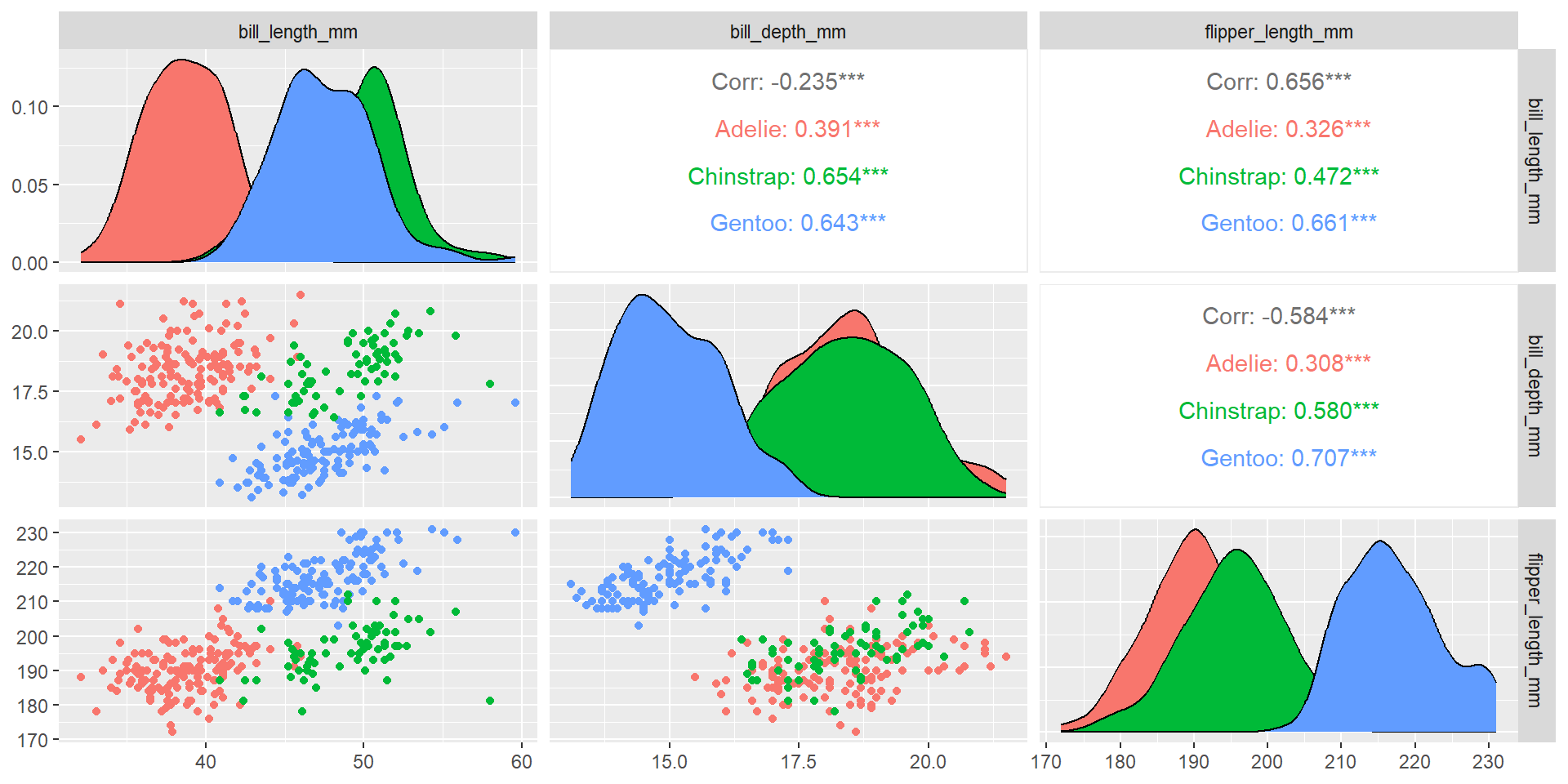
  • Scatterplot matrices (pairs plots)
    → Explore bivariate relations.
Code
library(GGally)
ggpairs(penguins, columns = 2:4, aes(color = species))

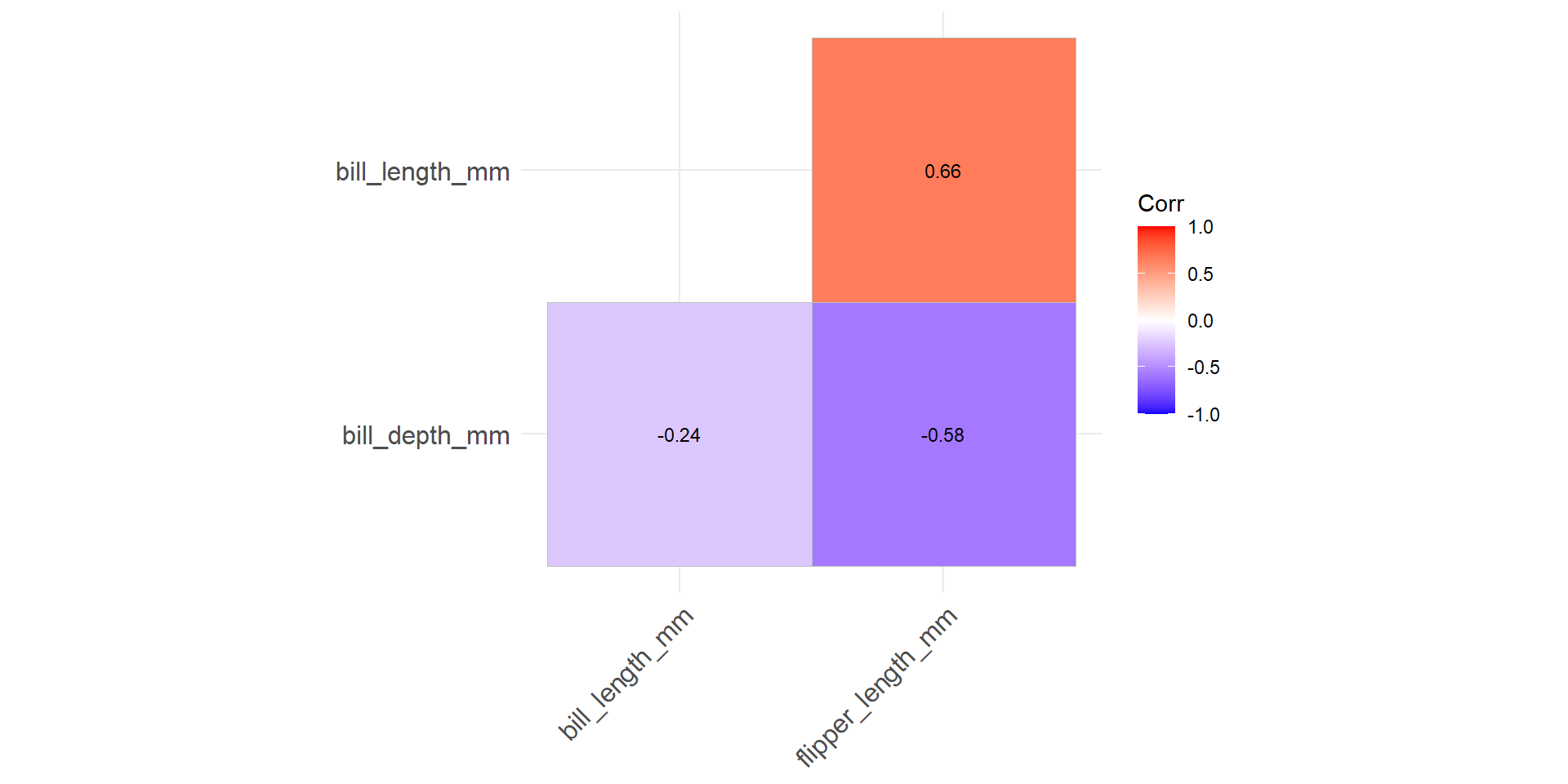
Correlation heatmaps → Compact view of pairwise associations.

Code
library(ggcorrplot)
cor_mat <- cor(penguins[,2:4])

ggcorrplot(cor_mat, hc.order = TRUE, type = "lower",
           lab = TRUE, lab_size = 3)

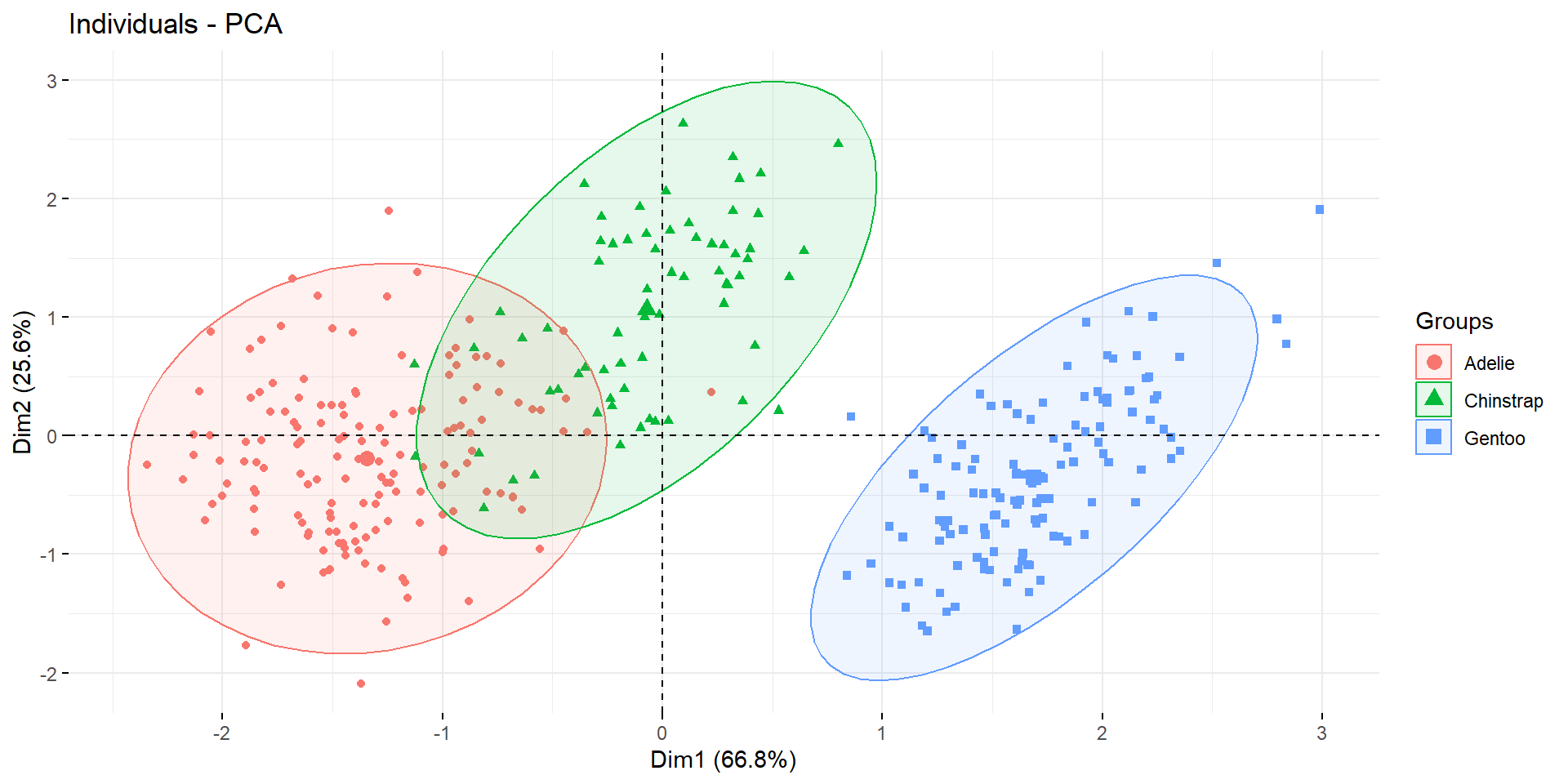
Dimension reduction: Principal Component Analysis (PCA)

  • Idea: find new axes capturing maximum variance.
  • Reduces dimensionality while keeping interpretability.
Code
library(FactoMineR)
library(factoextra)

res.pca <- PCA(penguins[,2:4], graph = FALSE)
fviz_pca_ind(res.pca, geom = "point",
             habillage = penguins$species, addEllipses = TRUE)

Interpretation:

  • Individuals projected on principal components
  • Variables contribution visible in biplots

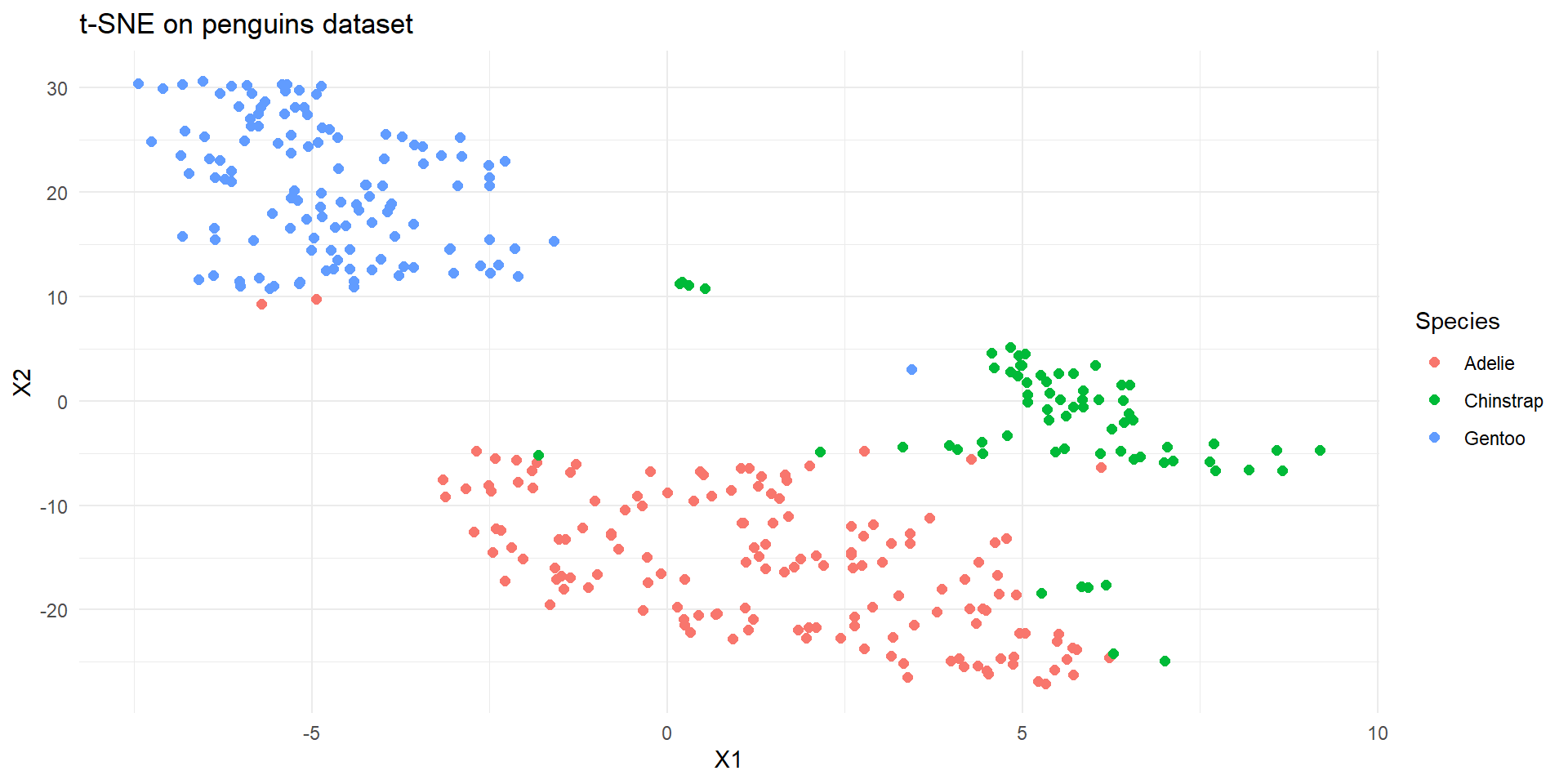
Non-linear methods: t-SNE / UMAP

  • Focus on preserving local neighborhoods instead of variance.
  • Great for visualizing clusters.
  • Less interpretable than PCA.
Code
library(Rtsne)

set.seed(123)
tsne_res <- Rtsne(as.matrix(penguins[,2:4]), dims = 2, perplexity = 30)
tsne_df <- data.frame(tsne_res$Y, Species = penguins$species)

ggplot(tsne_df, aes(X1, X2, color = Species)) +
  geom_point(size = 2) + theme_minimal() +
  labs(title = "t-SNE on penguins dataset")

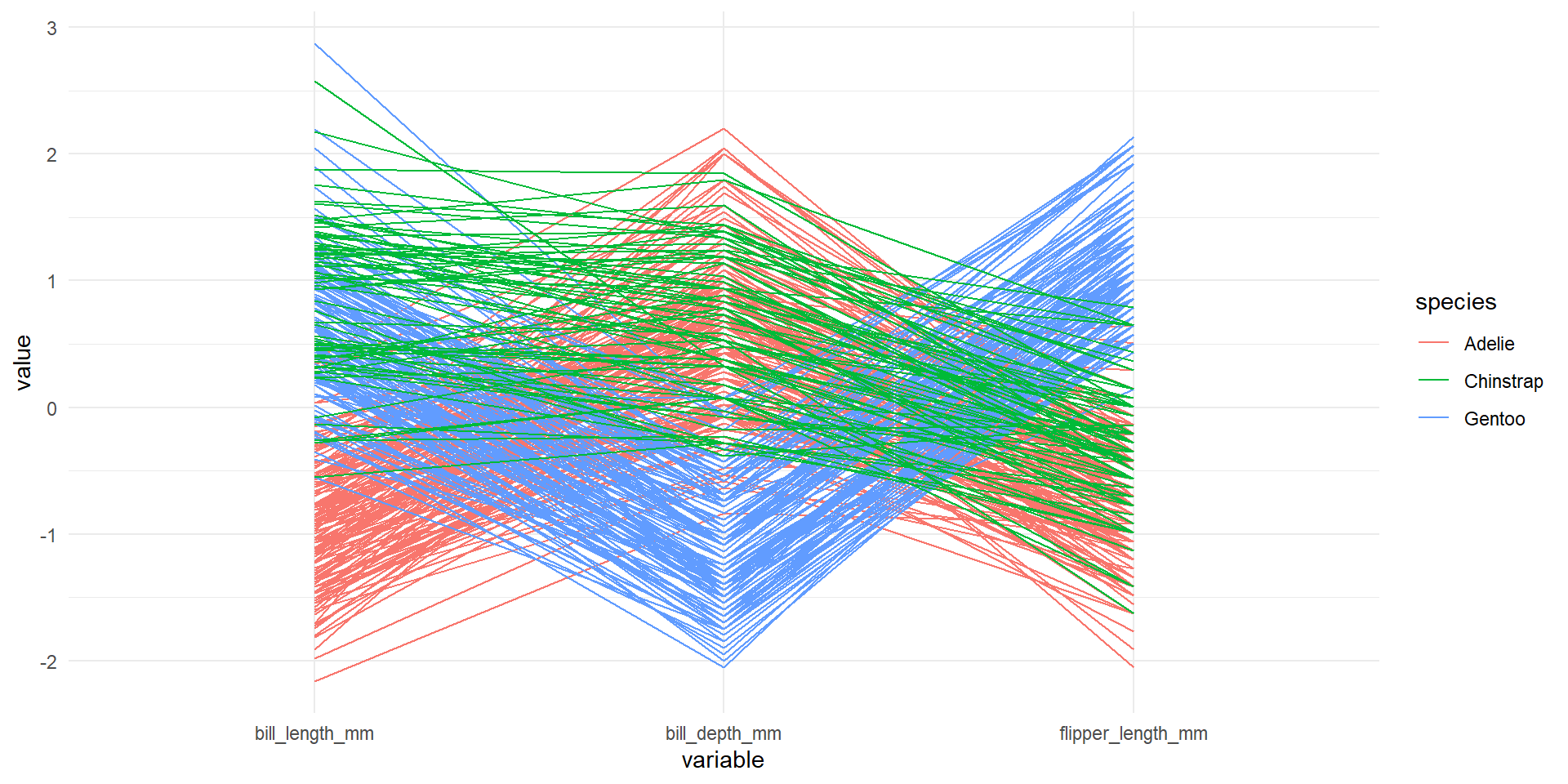
Other options

  • Parallel coordinates plots
    → Visualize individuals across all dimensions.
Code
library(GGally)
ggparcoord(penguins, columns = 2:4, groupColumn = 1, scale = "std") +
  theme_minimal()
  • MANY examples in the wonderful book of Di Cook, expert of this subject

Interactively exploring high-dimensional data and models in R